Last Updated on January 31, 2026 by DarkNet
Specops Software provides password management and policy enforcement solutions designed specifically for enterprise environments that rely on Microsoft Active Directory. Unlike consumer password managers, Specops focuses on password policies, auditing, and secure password resets rather than personal vaults.
Below is a complete and objective overview of the main advantages and disadvantages of Specops Software Password Management.
What Is Specops Password Management
Specops Password Management is an enterprise security solution created to:
- enforce strong password policies in Active Directory;
- prevent the use of compromised and weak passwords;
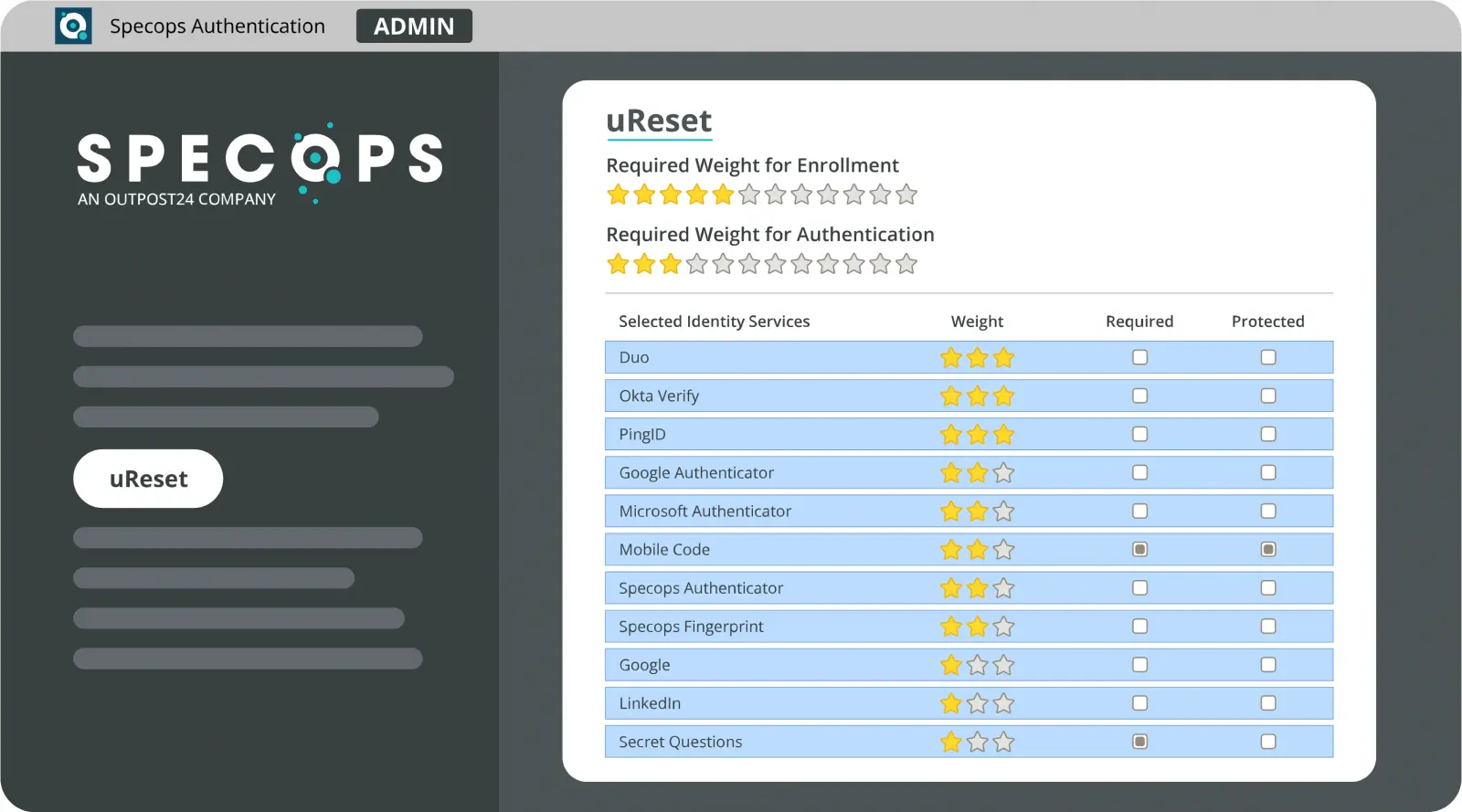
- provide secure self-service password reset options;
- help organizations meet compliance and security requirements.
Specops products are primarily deployed in Windows and Active Directory environments.

Core Features
- Advanced Active Directory password policy enforcement
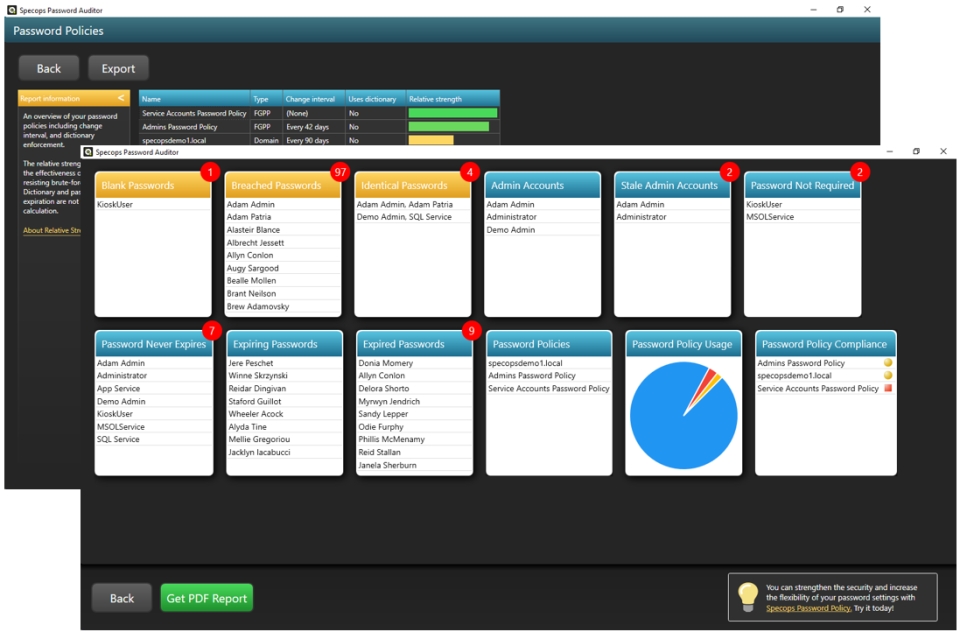
- Continuous scanning for compromised passwords
- Self-service password reset for users
- Password auditing and reporting
- Integration with Microsoft Active Directory
- Compliance focused security controls
✅ Pros of Specops Software Password Management
🔐 Strong Active Directory Integration
- Deep native integration with Microsoft Active Directory
- Enforces password rules beyond default AD capabilities
- Works with existing enterprise identity infrastructure
This makes Specops highly effective in Windows based corporate environments.
🛡️ Protection Against Compromised Passwords
- Continuously checks passwords against breached password databases
- Blocks known compromised credentials in real time
- Reduces risk of credential based attacks
🏢 Enterprise and Compliance Focused
- Helps meet regulatory and compliance requirements
- Detailed reporting and audit capabilities
- Supports security best practices for large organizations
🔄 Self-Service Password Reset
- Reduces IT help desk workload
- Allows users to securely reset forgotten passwords
- Supports multi-factor verification during reset
🧩 Granular Policy Control
- Fine-grained password complexity and length rules
- Custom policies for different user groups
- Greater flexibility than native Active Directory tools
❌ Cons of Specops Software Password Management
🧑💻 Not a Consumer Password Manager
- No personal password vault
- No autofill for websites or apps
- Not suitable for individual users
🌐 Limited Platform Scope
- Designed almost exclusively for Windows and Active Directory
- No cross platform or mobile password management
- Not suitable for non Microsoft environments
⚙️ Requires Enterprise Infrastructure
- Needs Active Directory and IT administration expertise
- Setup and maintenance require technical knowledge
- Overkill for small organizations
💰 Enterprise Pricing Model
- Licensing costs may be high for smaller teams
- No free personal version
- Best value at scale
Who Specops Is Best For
Recommended if you:
- manage passwords in a Windows and Active Directory environment;
- need strong password policy enforcement and auditing;
- want to prevent compromised password usage;
- aim to reduce help desk workload with self-service resets.
Not ideal if you:
- want a personal or team password vault;
- need cross platform or mobile password management;
- operate outside of Microsoft based infrastructure.
Password Manager Comparison Table 2026
|
Product Name |
Encryption & Zero-Knowledge |
Platform Support |
Key Security Features |
Best For |
|---|---|---|---|---|
|
Yes, strong AES-256 + unique secret key |
All major OS & browsers |
Zero-knowledge, MFA, passkeys, secure sharing |
Premium security & usability |
|
|
Yes, AES-256, open-source |
All major OS & browsers |
Self-hosting option, open audit |
Open-source transparency & budget |
|
|
Yes, AES-256, zero-knowledge |
All major OS & browsers |
VPN (paid), breach monitoring |
Security insights + privacy tools |
|
|
Yes, zero-knowledge |
All major OS & browsers |
Password health, email masking |
Best overall value & simplicity |
|
|
Yes, AES-256 + PBKDF2 |
All major OS & browsers |
Self-destruct, secure sharing |
Enterprise & business focus |
|
|
Yes, encrypted vault |
All major OS & browsers |
Advanced form-filling |
Excellent form automation |
|
|
AES-256 local encryption |
All major OS & browsers |
Local-first vault, optional cloud sync |
Local control, no subscription |
|
|
Yes, AES-256 GCM, open-source |
All major OS & browsers |
End-to-end encryption, CLI access |
Privacy-focused, free tier strong |
|
|
Yes, encrypted vault (mixed fields) |
All major OS & browsers |
Cross-platform sync, 2FA |
Easy access, large user base |
|
|
Yes, encrypted |
Web, apps |
Team sharing, access controls |
Business teams |
|
|
Yes, open-source |
Web & extensions |
Self-hosting, team roles |
Technical & DevOps teams |
|
|
Yes, E2E + hardware |
Web & mobile |
Hardware-first, FIDO2 |
Passwordless & simplicity |
|
|
Encrypted sync |
All major OS & browsers |
Integration with Dell ecosystem |
Enterprise users |
|
|
Encrypted |
Enterprise systems |
Active Directory integration |
Enterprise IT control |
|
|
Encrypted |
Enterprise systems |
User access & audit logs |
IT password governance |
|
|
Identity Anywhere (Avatier) |
Encrypted |
Enterprise systems |
Identity + SSO focus |
Large enterprise identity |
|
Encrypted |
Enterprise |
Identity & privileged access |
Identity security suites |
|
|
Encrypted |
All major OS & browsers |
Multiple form filling |
General personal use |
|
|
Encrypted |
Unix-like systems |
Local system vault |
Linux-centric local vault |
|
|
KeePass (via forks like KeePassXC) |
Encrypted local vault |
All major OS |
Portable, local, plugin ecosystem |
Offline control & enthusiasts |
|
Encrypted |
Teams & enterprise |
Team collaboration |
Secure team vault |
Final Verdict
Specops Software Password Management is a powerful enterprise security solution focused on enforcing strong password policies and protecting Active Directory environments from weak or compromised credentials. While it is not a traditional password manager for personal use, its deep AD integration, real time breached password protection, and compliance oriented features make it an excellent choice for organizations that prioritize centralized identity security and operational efficiency in Windows based infrastructures.