Last Updated on February 14, 2026 by DarkNet
A practical, threat-model aware look at SimpleLogin email aliasing: where it strengthens privacy and account security, where it can fail, and how to decide if it fits your needs.
What SimpleLogin Is and Why People Use Email Aliases
What SimpleLogin does at a glance
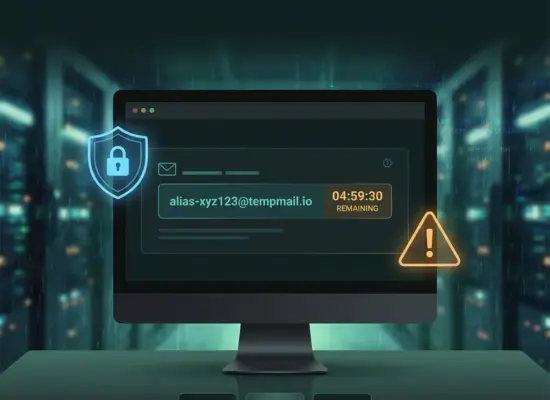
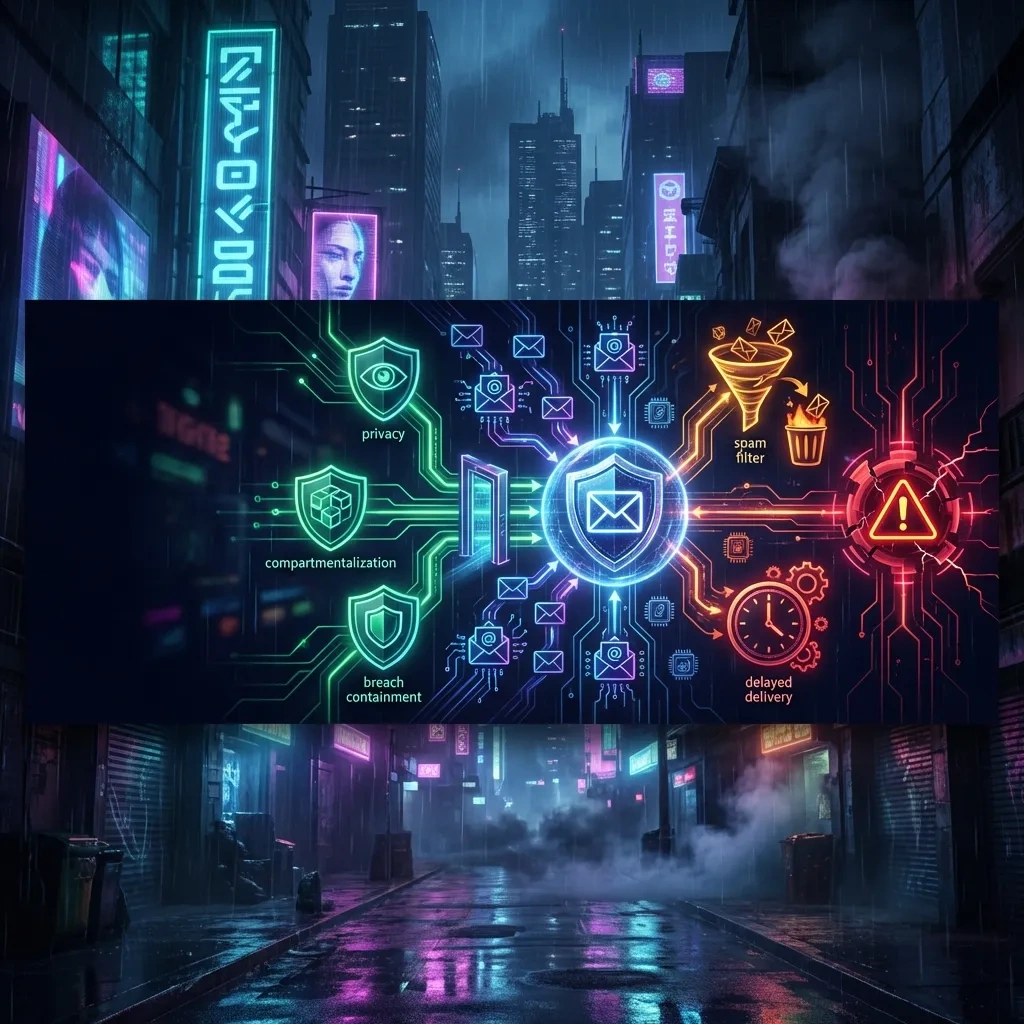
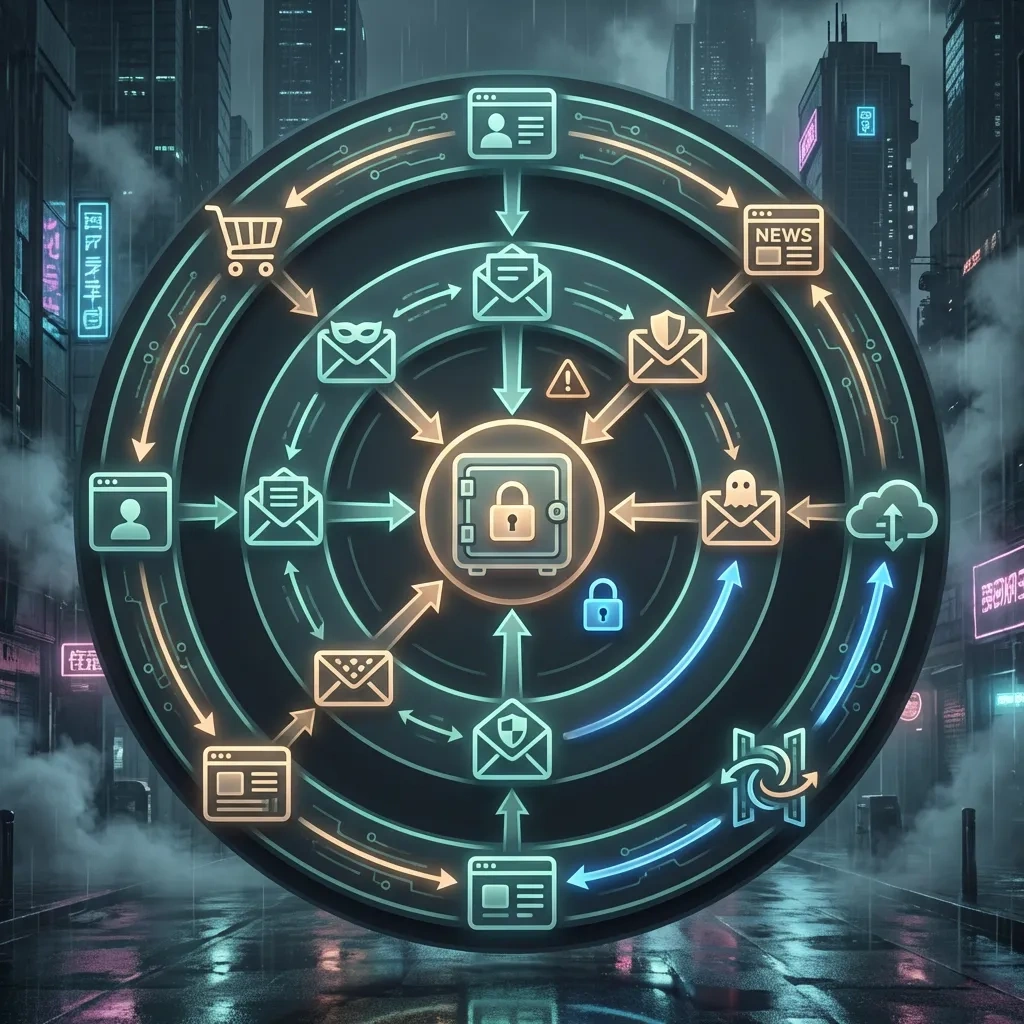
SimpleLogin is an email aliasing service. It generates unique addresses that forward messages to your real inbox. You can reply through the alias so the recipient never sees your real address. The goal is compartmentalization: use different identifiers for different services to reduce cross-site tracking and to control spam or breach fallout. SimpleLogin is part of Proton and integrates with Proton Mail and Proton Pass, but you can use it with any mailbox.
Who benefits and typical use cases
- General users: Reduce spam, keep shopping and newsletters compartmentalized, protect your primary address from data brokers.
- Privacy-minded users and developers: Isolate identities per vendor, limit correlation across accounts, keep business roles separate.
- Darknet-friendly threat models: Reduce attribution through email reuse. Note that aliasing alone is not anonymity and must be paired with network and payment hygiene if stronger privacy is needed.
What aliases do and do not protect
- Protect: Your real inbox from exposure, easy correlation through a single address, and some tracking via hashed email.
- Do not protect: Your IP address, device fingerprinting, account behavior, payment rails, or compliance requirements of a service.
Relationship to Proton and trust assumptions
SimpleLogin is operated by Proton. You trust SimpleLogin to handle your inbound and relayed mail metadata and to forward it reliably. For sensitive threat models, also consider jurisdiction, logging policies, and mail provider choices.
How SimpleLogin Works: Aliases, Forwarding, and Reverse Aliases
Creating and managing aliases
You can generate random aliases on SimpleLogin’s domains, use your own custom domain, or create subdomain catch-alls. Aliases forward messages to one or more destination mailboxes that you control. You can disable, delete, or block senders per alias to shut down spam at the source. See the documentation for details on alias management and custom domains SimpleLogin docs.
Replying through reverse alias
When you reply, SimpleLogin rewrites the From and route so recipients see the alias, not your real address. This is the reverse alias function: it masks your identity in both directions while preserving thread continuity.
Custom domains, catch-all, and routing
With a custom domain, you control DNS and can create unlimited addresses on the fly, either explicitly or via catch-all on a subdomain. This enables powerful workflows such as per-vendor aliases like vendor@your-sub.example.com without pre-provisioning.
PGP and mailbox choices
SimpleLogin can encrypt forwarded messages with your PGP key, adding confidentiality between SimpleLogin and your mailbox. You are free to route to Proton Mail, other privacy-focused providers, or a self-hosted mailbox.
| Pros | Cons |
|---|---|
| Compartmentalizes identity per site and reduces cross-site tracking | Forwarding can break SPF alignment and hurt deliverability in strict DMARC setups |
| Fast alias disable, block, or delete when spam appears | Dependency on a third-party relay introduces a single point of failure |
| Masks your real address on sign-ups and replies | Some services distrust or block relay domains or flags them during KYC |
| Limits breach blast radius and leak correlation | Jurisdiction and trust assumptions still apply to metadata and routing |
| Custom domains and catch-all support at scale | Account recovery and 2FA flows need careful planning to avoid lockouts |
Key Privacy Benefits: Reducing Tracking, Profiling, and Inbox Exposure
Breaking email-based correlation
Unique aliases cut a major correlation vector: many platforms and data brokers link profiles by hashed email. Using one alias per vendor reduces the chance that leakage from one platform builds a cross-platform dossier.
Limiting exposure in breaches and leaks
If an alias leaks or appears in a breach list, you can disable or replace it. Your primary address stays out of credential dumps, paste sites, and marketing lists. This also helps control spearphishing that targets your known address.
Compartmentalizing inbox and marketing lists
Aliasing lets you assign auto-labels or rules based on the alias to organize newsletters and vendors. If a vendor resells your address, only the alias receives the resulting spam, and you can prove which vendor leaked it.
Masking without overselling anonymity
Aliases mask your email but they do not hide IPs, cookies, device fingerprints, payment metadata, or shipping addresses. Treat aliasing as one layer in a privacy stack, not as anonymity.
Security Benefits: Limiting Blast Radius After Data Breaches
Unique alias per service lowers account takeover risk
Attackers who find one email from a dump cannot easily enumerate your other accounts if every site uses a different alias. Combined with strong, unique passwords and 2FA, this reduces takeover risk and phishing success.
Disable or block fast to curtail attacks
If an alias starts receiving abuse or password-reset attempts, you can pause or delete it. This is a quick containment control compared to changing a lifelong address.
Phishing containment and signal
Phishing sent to an alias that was only used on a single vendor is a strong indicator of a list sale or breach. That context helps you triage risk and notify the right parties.
Safer handling of verification and recovery
Account recovery should use aliases that you can retain long-term and can back up. Consider dedicating stable aliases for password resets, store them securely, and do not recycle them casually.
Main Downsides and Failure Modes to Know Before You Rely on It
Third-party dependency and lockouts
If SimpleLogin is unavailable, verification messages and login links may be delayed. If your SimpleLogin account is suspended or you lose access, you may lose the ability to receive password resets for sites tied to those aliases. Mitigate with stable recovery channels and backups.
Jurisdiction, trust, and metadata
Any relay service sees mail headers and routing metadata. Even with PGP for content, envelope data and timing are still handled by the operator. Review provider policies and legal jurisdiction. Proton states strong privacy commitments, but you are still making a trust choice.
Service friction and policy compliance
Some services warn on or block relay domains, especially in financial, government, or real-name contexts. Using an alias cannot exempt you from KYC, age, or residency checks. Always follow platform rules.
Operational complexity and human error
Managing many aliases increases organizational overhead. Mislabeling, deleting the wrong alias, or losing track of a recovery address can lock you out. Plan a labeling and backup routine before you scale up.
Deliverability and Reputation: When Forwarded Mail Gets Blocked or Delayed
Why SPF breaks on forwarding
SPF checks whether the connecting server is authorized to send mail for the domain listed in the envelope sender. When SimpleLogin forwards a message from example.com to your inbox, the connecting server is SimpleLogin, not example.com. Unless the service rewrites the envelope sender, SPF often fails on the forwarded hop. See RFC 7208.
DKIM survival and DMARC alignment
DKIM signs the original message headers and body. If the forwarder preserves those headers and the signature remains valid, DKIM can still pass after forwarding. DMARC aligns SPF and-or DKIM with the visible From domain; many receivers accept forwarded mail if DKIM aligns even when SPF fails. See RFC 6376 and RFC 7489, plus an overview at dmarc.org.
ARC and SRS in brief
Some forwarders add ARC headers to pass along authentication results. ARC can help receivers trust that DKIM passed earlier, but adoption varies. Sender Rewriting Scheme can adjust the envelope sender to preserve SPF on forwarding. These are implementation details you do not control, but they affect outcomes. See RFC 8617 for ARC.
Practical mitigation tips
- Favor senders with proper DKIM and aligned DMARC. Most major platforms do this well.
- Use a reputable destination mailbox. Receiver reputation and filtering at your inbox also influence outcomes.
- For your own custom domain aliases, publish sane SPF and DKIM for any outbound mail you send as that domain, and set a DMARC policy that reflects reality.
- Keep aliases stable with services that use strict verification or high-value accounts, and test delivery before making changes.
- If a vendor blocks forwarded addresses, consider a custom domain alias that looks like a regular address you control while still routing through SimpleLogin.
Pricing, Limits, and Feature Comparison vs Alternatives
SimpleLogin pricing and limits overview
SimpleLogin offers a free tier with limited aliases and a paid tier that unlocks unlimited aliases, custom domains, subdomain catch-all, multiple mailboxes, and PGP support. Current pricing and limits can change, so consult the official page for details SimpleLogin.
How AnonAddy compares
AnonAddy is an independent aliasing service with similar features: random aliases, custom domain support, and PGP. Both support reply relaying. Differences include UI, pricing, hosting location, and integration pathways. See AnonAddy.
iCloud Hide My Email strengths and limits
Apple’s iCloud Hide My Email is built into Apple devices and iCloud subscriptions. It creates random aliases that forward to your iCloud mailbox and integrates with Sign in with Apple. It is simple and convenient in Apple ecosystems but is less flexible for custom domains and multi-provider routing. See Apple support.
Proton Pass aliases and custom catch-all
Proton Pass integrates with SimpleLogin for in-browser alias creation while generating strong passwords. For technical users, a self-hosted domain with a catch-all routed through a privacy-respecting provider offers control at the cost of maintenance.
| Feature | SimpleLogin | AnonAddy | iCloud Hide My Email |
|---|---|---|---|
| Custom domains and catch-all | Yes, paid tiers | Yes, paid tiers | No custom domains |
| Reply through alias | Yes | Yes | Yes, within Apple ecosystem |
| PGP encryption to mailbox | Yes | Yes | No |
| Ecosystem integration | Proton Mail and Pass | Independent | Apple iCloud and devices |
| Deliverability handling | Forwarding with DKIM preservation when possible | Similar, depends on sender DKIM | Direct to iCloud, fewer forwarding quirks |
| Jurisdiction | Proton-operated | Independent operator | Apple-operated |
Best-Practice Setup for Safer Alias Hygiene (Without Misuse)
Structure and labeling for compartmentalization
- Use categories or subdomains by context: finance@, travel@, shopping@, job@ to compartmentalize risk.
- Apply mailbox rules or labels per alias so you always know the origin and can audit leaks.
- Avoid reusing an alias across unrelated vendors to keep the correlation surface small.
Recovery and 2FA planning
- For high-value accounts, dedicate stable, long-lived aliases and back them up in a secure password manager.
- Use app-based 2FA or security keys rather than SMS where supported. Do not route SMS 2FA through email.
- Record which alias each account uses so you can change it intentionally later if needed.
Backups and migration safety net
- Export your alias list periodically. Keep an offline copy of critical recovery aliases and custom domain DNS settings.
- If you use a custom domain, maintain registrar access and document DNS records for MX, SPF, DKIM, and DMARC.
- Test a fallback mailbox to verify you can reroute if needed.
Ethical use and service compatibility
- Do not use aliases to evade bans, verification, or fraud detection. That is unethical and often illegal.
- For services that require real identity or regulated communication, provide accurate contact info and comply with policies.
- If a provider blocks relay domains, consider a custom domain alias you control, used responsibly.
Who Should Use SimpleLogin (and Who Should Avoid It)
Good fit personas
- Privacy-conscious users who want to reduce spam and cross-site profiling without changing their main mailbox.
- Security-minded professionals who want per-vendor compartmentalization and fast kill switches for breached addresses.
- Developers and researchers who need role-based addresses for testing, support, and vendor interactions.
When to choose alternatives or avoid aliasing
- Deep Apple users who want minimal friction may prefer iCloud Hide My Email.
- Those who need a non-Proton operator might evaluate AnonAddy.
- If you require deterministic deliverability for regulated workflows, consider first-party email on your custom domain with minimal forwarding.
- If you are likely to lose track of many aliases, keep usage small or adopt a strict naming and backup regimen.
Enterprise and developer considerations
- Document ownership of aliases used for vendor accounts and incident response.
- Use custom domains for branding and continuity. Configure SPF, DKIM, and DMARC correctly.
- Consider legal and compliance implications when relaying sensitive data. Apply PGP where appropriate.
FAQ: Common Questions About SimpleLogin Pros and Cons
Does SimpleLogin make me anonymous?
No. It hides your real email from recipients and reduces correlation. It does not hide your IP address, device fingerprinting, payment details, or identity obligations. Pair with network privacy tools if your threat model requires them, and act lawfully.
Can services detect or block aliases?
Some platforms recognize relay domains or patterns and may add friction or block sign-ups, especially for sensitive services. A custom domain alias you control often looks like a regular address and works more consistently, but always follow the site’s rules.
What if SimpleLogin or my mailbox is down?
Messages may be delayed or bounce, which can prevent timely verification or password resets. Keep a stable recovery alias, a secondary mailbox if possible, and avoid rotating critical aliases without testing.
How should I handle password resets and 2FA?
Use a dedicated, long-lived alias for account recovery. Store it in your password manager. Prefer app-based 2FA or security keys over SMS. Never delete recovery aliases without migrating sites first.
Where are data and what is the jurisdiction?
SimpleLogin is operated by Proton. Review their privacy policy and legal disclosures to understand data handling and jurisdiction. Even with PGP, routing metadata is still processed by the relay.
Can I self-host or migrate away?
You can export alias lists and change mailbox destinations. With a custom domain, you can repoint MX or switch providers. Self-hosting full mail infrastructure is complex and fragile for deliverability; proceed only if you have the expertise.
How does PGP work with aliases?
SimpleLogin can encrypt forwarded content with your public key so that your mailbox provider cannot read the content in transit from the relay. You must manage keys correctly and understand that headers and metadata are still visible.
Does aliasing stop email trackers or hide IP?
Aliases do not stop tracking pixels. Use a mailbox that blocks remote images by default. Aliases also do not hide your IP when browsing or logging in to services. Use a reputable network privacy tool if needed.
Which deliverability issues should I expect?
Forwarding often fails SPF, but good DKIM and DMARC alignment usually carry the message. Some providers use strict checks or rate limits on forwarded mail. If a sender’s DKIM is broken, the message is more likely to be quarantined or rejected on the forwarded hop.
Conclusion and decision checklist
SimpleLogin is a strong privacy and security layer for most users when paired with good password hygiene and 2FA. Its main weaknesses are deliverability quirks, third-party dependency, and trust-jurisdiction considerations. Decide with intention and prepare a recovery plan.
- Do you understand that aliases are not anonymity?
- Do you have a plan for account recovery, 2FA, and mailbox failure?
- Will you use a custom domain for resilience and better compatibility?
- Have you labeled and documented which alias maps to which account?
- Are you comfortable with Proton operating the relay and its jurisdiction?
- Have you tested deliverability with your most critical services?
- Key takeaways:
- Use one alias per service to limit tracking and breach blast radius.
- Expect occasional deliverability friction on forwarded mail; DKIM and DMARC are your allies.
- Plan recovery and 2FA carefully to avoid lockouts if the relay is unavailable.
- Consider a custom domain for control, stability, and compatibility.
- Aliasing is a helpful layer, not a stand-in for anonymity or policy compliance.