




Last Updated on February 4, 2026 by DarkNet
This review explains what MinuteInbox does, where it helps, where it fails, and safer alternatives. It is written for legitimate use only and emphasizes privacy-first choices.
Quick TL;DR
- MinuteInbox offers fast, disposable inboxes for low-stakes signups and spam reduction.
- Pros: no registration, quick access, isolation from your primary address.
- Cons: poor deliverability on some sites, no guaranteed retention, high exposure risk, not suitable for recovery or sensitive accounts.
- Privacy: operator can view content; tracking pixels and link beacons still work unless blocked.
- Better alternatives for longevity and control: masked email aliases or your own domain with catch-all.
What MinuteInbox Is and When People Use Temporary Email
What MinuteInbox provides at a glance
MinuteInbox is a disposable email service that lets you create a temporary address and receive messages in a browser session. It is intended for short-lived, low-friction signups where you do not want to expose your primary email. Messages typically appear in real time, and the inbox exists for a limited window.
Legitimate reasons to use temporary email
- Reduce marketing spam when testing a product demo or downloading a white paper.
- Segment risk by isolating a trial account from your primary identity.
- Protect your main inbox from potential data broker harvesting during low-value registrations.
- Evaluate newsletter content without committing your real address.
Where temporary email falls short
- No long-term access or support for account recovery.
- Some sites block disposable domains or throttle codes, harming deliverability.
- Operators can access email contents, and privacy is limited by design.
- Incompatible with any account that you might need later or that contains sensitive data.
Core Features and How MinuteInbox Works (High-Level)
Address generation and lifespan
MinuteInbox generates a disposable address that exists for a short period. Lifespan is typically minutes to hours depending on service settings. The address is not intended to be memorable or long-lived. Treat it as a single-session endpoint.
Mailbox behavior and retention
Messages arrive into a temporary mailbox visible in the browser. Retention is minimal and can end without notice. Once the timer expires or you close the session, access may be lost. Do not assume messages persist or that you can retrieve them later.
Receiving and interacting with messages
You can view incoming messages and click links, but proceed carefully. HTML tracking pixels, remote images, and redirect links can leak metadata. Most disposable inboxes emphasize receiving only. Forwarding, custom filtering, and reliable replies are usually absent or limited.
Pros: Where MinuteInbox Can Be Useful for Privacy
Spam and tracking reduction
Using a disposable address in place of your primary inbox reduces the long tail of marketing messages. It also limits cross-site correlation that can happen when the same email is reused across many services.
Identity minimization for low-stakes signups
For demos, document downloads, or low-risk newsletters, a throwaway inbox lets you participate without disclosing a durable identifier. It is a legitimate way to practice data minimization when you do not need future access.
Operational convenience and isolation
MinuteInbox requires no sign-up, so it is convenient when you need to receive a single confirmation code quickly. Isolation protects your main inbox and reduces the chance that leaked lists connect back to your everyday identity.
Cons: Security, Deliverability, and Trust Limitations
Deliverability and blocking
Many platforms detect common disposable domains and will block or deprioritize them. Transactional messages may be delayed or never arrive. Even if a message lands, corporate filters or anti-abuse systems often treat these domains with suspicion.
Security and exposure risks
Disposable inbox operators can technically read messages. If a mailbox name is predictable or reused, someone else might view the same inbox. HTML content can execute remote loads that leak your IP, user agent, or other metadata unless blocked by your browser settings or extensions.
Reliability and support tradeoffs
There is no service-level guarantee, no continuity, and typically no support channel for message traces. You should expect occasional outages, domain rotations, and retention changes. For anything important, this is not an acceptable risk posture.
Privacy and Data Handling: What You Can and Can’t Assume
Operator access and logging
Assume that operators can access inbox contents and that server logs may record metadata such as request IPs and timestamps. Upstream providers, content delivery networks, and DNS resolvers can also see connection metadata. Disposable email is not an anonymity tool.
Content visibility and third-party risks
Messages often contain remote images, unique links, and tracking parameters. Opening a message can signal that the inbox is active. Following links may correlate activity to your network or device. Use privacy-respecting browser settings to limit remote loads where possible.
Regulatory and jurisdiction concerns
Service operators are subject to local laws and lawful requests. Data location and jurisdiction affect potential access. For high-stakes privacy needs, a temporary inbox is the wrong tool. Consider mature, policy-audited services if you require formal protections.
Is MinuteInbox actually anonymous or just disposable?
It is disposable, not inherently anonymous. While it helps minimize exposure of your primary email, network and browser metadata, plus operator access to message content, prevent it from offering true anonymity.
How long do MinuteInbox addresses last, and can you extend them?
Lifespans are short and may vary. Some disposable inboxes allow temporary extension, but you should not depend on it. Always assume access can end without notice.
Why do some sites block MinuteInbox email domains?
Sites block disposable domains to reduce spam, fraudulent signups, or account churn. Many security and compliance programs require durable contact methods for users, so disposable addresses are filtered.
Can you use MinuteInbox for password resets or two-factor codes?
Do not use disposable email for password resets or two-factor codes. You risk account lockout, interception by the operator, and future loss of access. Use a durable, controlled address for any authentication flows.
What are safer alternatives if you need account recovery later?
Use masked email aliases tied to your real mailbox or your own domain with unique aliases. These give you forwarding, reply support, and long-term control needed for recovery without exposing your primary address publicly.
Does MinuteInbox store emails or log IP addresses?
Disposable inboxes store messages temporarily to display them and may log connection metadata for operations and abuse prevention. Read the specific service privacy policy to understand retention and logging practices.
How can you reduce tracking when opening emails in a disposable inbox?
Use a hardened browser profile with remote image loading disabled, block tracking pixels when possible, and avoid clicking links unless necessary. Consider viewing source or plaintext where supported.
Threat Model Fit: When MinuteInbox Is a Bad Idea
Good fit examples – legal and low risk
- One-time access to a public webinar where you do not need follow-up.
- Downloading a vendor datasheet that requires an email field.
- Testing a non-sensitive app that sends a single confirmation link.
Bad fit examples – sensitive or high accountability
- Banking, taxes, government services, healthcare portals, insurance claims.
- Anything with money movement or personal records, including legal accounts.
- Primary social or work accounts tied to your identity or reputation.
- Any service you might need to recover later.
Decision checklist
- If you cannot afford to lose access, do not use a disposable inbox.
- If content is sensitive, do not use a disposable inbox.
- If deliverability is critical, expect failures with disposable domains.
- If you only need transient, low-value access, a disposable inbox may suffice.
MinuteInbox vs Alternatives (Disposable, Alias, and Custom Domains)
When a throwaway inbox is enough
Use a disposable inbox for single-use, low-stakes signups where loss of access carries no cost. Expect blocks on some sites and no reliable retention.
Alias forwarding services compared
Alias or masked email services create stable, unique addresses that forward to your real mailbox. They can be turned off later, support replies, and preserve long-term control for legitimate accounts.
Owning a custom domain and catch-all
With your own domain, you can create per-site aliases and use a catch-all to capture unique addresses. This provides maximum control, strong deliverability, and full recovery options if configured correctly.
Privacy-focused mailbox providers
Some mailbox providers emphasize privacy, strong TLS, tracker blocking, and jurisdictional protections. They are suitable for long-term communication and identity, not just disposable use.
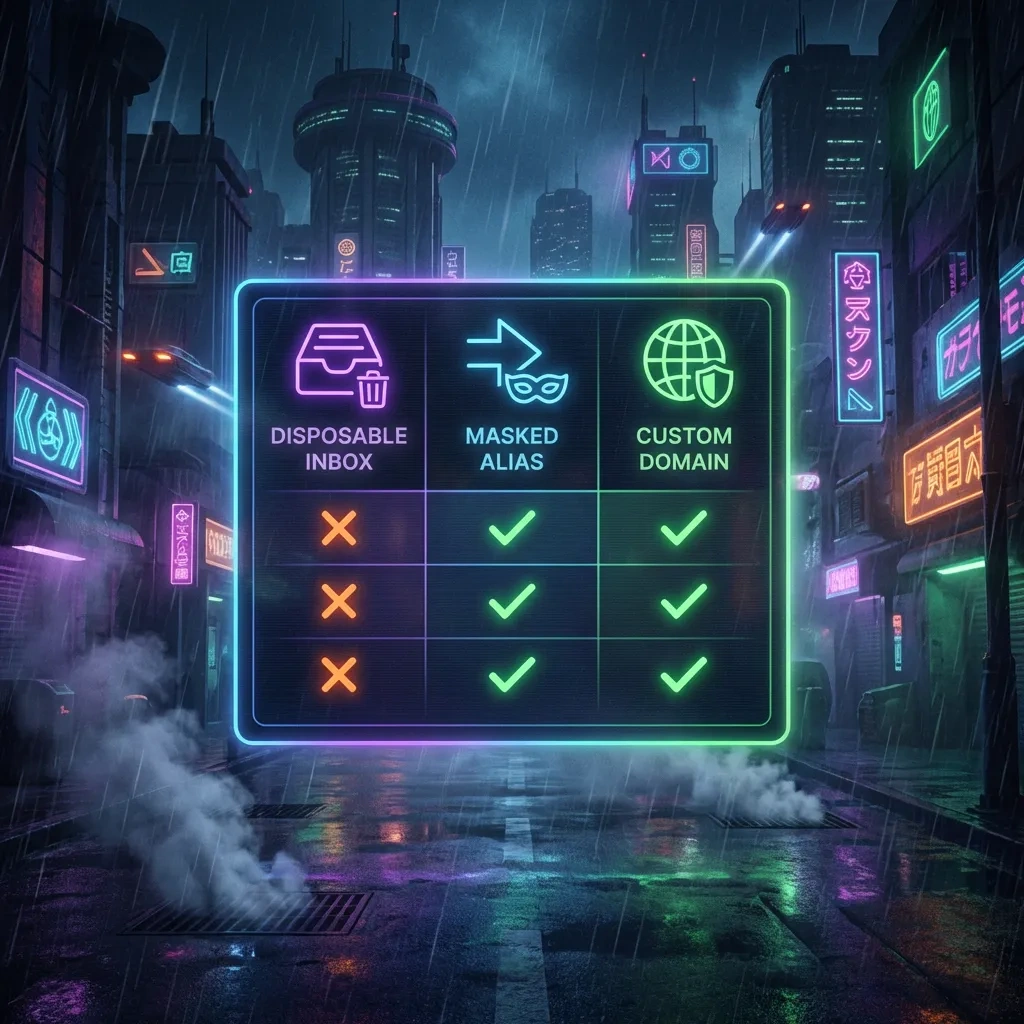
| Approach | Retention | Forwarding | Reply support | Deliverability | Recovery suitability | Cost | Best for |
|---|---|---|---|---|---|---|---|
| MinuteInbox – disposable inbox | Minutes to hours, not guaranteed | No | Usually no | Often blocked or unreliable | Not suitable | Free or ad-supported | One-time, low-risk signups |
| Generic disposable inbox category | Short, varies by service | Rare | Rare | Frequently filtered | Not suitable | Usually free | Quick tests and spam avoidance |
| Email alias or masked forwarding | Long-term while you control it | Yes | Often yes via reverse-aliasing | Good to very good | Suitable for many accounts | Low monthly fee or included in mailbox plans | Ongoing use with privacy and control |
| Custom domain with catch-all and unique aliases | Long-term, you set policy | Yes | Yes | Strong if DNS and authentication are configured | Excellent for recovery | Domain plus hosting fee | Maximum control and brand consistency |
| Privacy-focused mailbox provider | Long-term per account policy | Yes | Yes | Strong, with robust TLS and filtering | Suitable for primary use | Monthly subscription | Secure, durable communications |
Best Practices for Safer Use of Temporary Email (Legitimate Use Only)
Preparation and session hygiene
- Use a separate browser profile or container to isolate cookies and storage.
- Disable remote images by default in webmail views to reduce tracking pixels.
- Avoid reusing the same disposable address across different services.
Account recovery planning
- If there is any chance you will need access later, do not use a disposable inbox.
- Prefer alias forwarding or your own domain for persistent accounts.
- Document recovery emails and phone numbers in a password manager.
Email content handling and trackers
- View plaintext when possible. Treat links as potentially identifying.
- Do not open attachments from unknown senders.
- Be cautious with confirmation links that request additional personal information.
Integration with password managers
- Generate unique passwords for each site, even when using a disposable inbox.
- Store notes about which email address was used for a signup.
- For aliases, let your password manager record the alias-to-domain mapping to simplify future changes.
Practical checklist for legitimate use
- Confirm that loss of access carries zero cost.
- Check that no sensitive data will be sent by email.
- Prepare an isolated session and block remote images.
- Use unique credentials and do not reuse passwords.
- Do not store important tokens in a disposable inbox.
Bottom Line: Who Should Use MinuteInbox and Who Shouldn’t
Who benefits most
People who need quick, one-time email reception for low-value signups and who accept the risk of total loss of access will find MinuteInbox convenient. It helps keep your primary inbox clean and limits exposure to marketing lists.
Who should avoid
Anyone handling sensitive information, money, regulated data, or accounts they care about should avoid disposable inboxes. If you will ever need to reset a password or prove account ownership, use an alias or your own domain instead.
Decision in one paragraph
MinuteInbox is a fast, disposable tool for legitimate, low-risk scenarios. It is not private in a strong sense, not reliable for deliverability, and not appropriate for anything important. For long-term control and safer recovery, choose email aliasing or your own domain. Use disposable inboxes only when failure is acceptable and the goal is simple spam reduction.
- Key takeaways:
- MinuteInbox minimizes exposure for low-stakes signups but offers weak deliverability and no persistence.
- Treat disposable inboxes as public and temporary – never for sensitive or recoverable accounts.
- For durable privacy and control, prefer aliases or your own domain with proper configuration.
- Harden your session and block remote loads to limit tracking when reading messages.








