Last Updated on January 31, 2026 by DarkNet
KeePass is a free and open source password manager that focuses on local data storage, strong encryption, and full user control. It is widely respected among security professionals and privacy focused users who prefer offline first solutions over cloud based services.
Below is a complete and objective overview of the key advantages and disadvantages of KeePass.
What Is KeePass
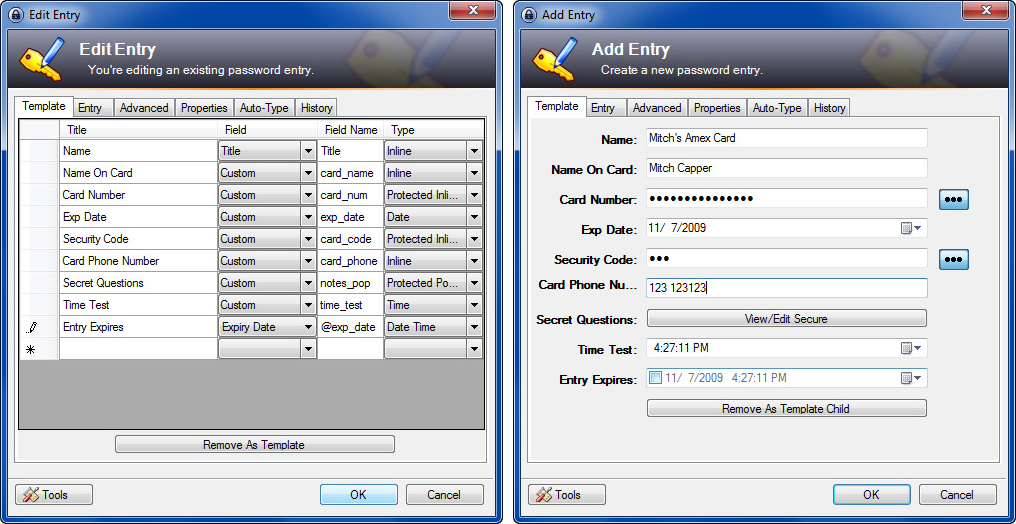
KeePass is a password manager designed to:
- securely store passwords and sensitive information in an encrypted database;
- keep all data locally by default;
- allow users to manage and organize credentials manually;
- provide maximum control over security and storage.
KeePass is primarily developed for Windows, with many community maintained ports and clients available for macOS, Linux, iOS, and Android.
Core Features
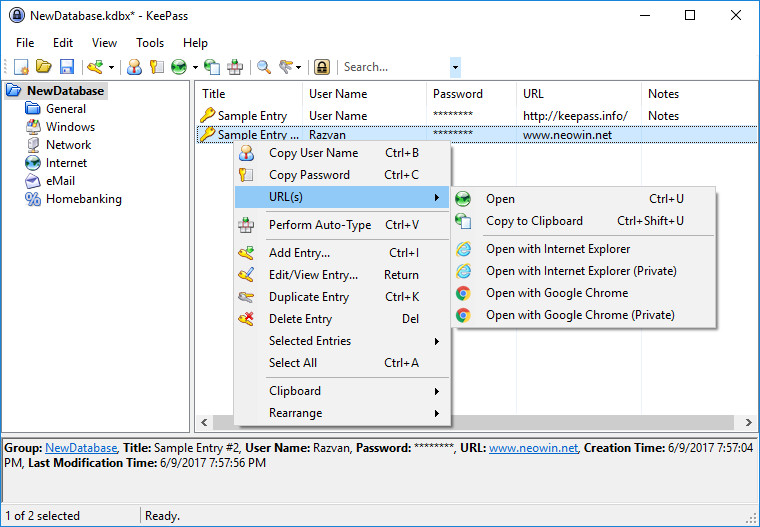
- Encrypted local password database
- Strong encryption using AES and ChaCha20
- Password generator
- Secure notes and custom fields
- Auto type functionality
- Portable version support
- Extensive plugin ecosystem
✅ Pros of KeePass
🔐 Full Local Control and Privacy
- Passwords are stored locally by default
- No mandatory cloud usage
- No data is shared with third parties
This makes KeePass highly attractive to privacy conscious users.
🔒 Strong and Proven Security
- Uses industry standard encryption algorithms
- Database protected by master password and optional key file
- Open source codebase that can be audited
KeePass has a long standing reputation for strong security.
💸 Completely Free and Open Source
- No subscriptions or paid plans
- No feature limitations
- Community driven development
🧩 Highly Customizable
- Large number of plugins and extensions
- Flexible database structure
- Suitable for advanced and technical users
💻 Portable and Offline Friendly
- Can run from a USB drive
- Works fully offline
- Ideal for secure and isolated environments
❌ Cons of KeePass
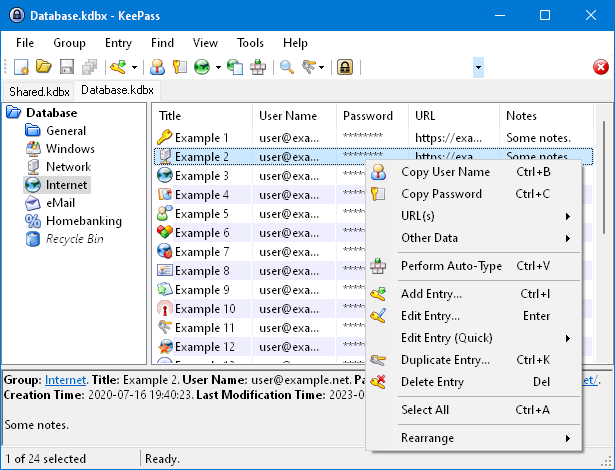
🎨 Outdated Interface
- Default interface looks old fashioned
- Less intuitive for new users
- Requires time to learn
⚙️ Manual Setup and Maintenance
- Sync across devices requires manual configuration
- Users must manage backups themselves
- Plugin management adds complexity
🌐 No Built In Cloud Sync
- No native cross device synchronization
- Users must rely on third party tools if sync is needed
- Increased responsibility on the user
🧑💻 Steep Learning Curve
- Many advanced options can overwhelm beginners
- Auto type and browser integration are less seamless
- Not as user friendly as modern cloud based managers
Who KeePass Is Best For
Recommended if you:
- want full control over your password data;
- prefer offline and local storage;
- value open source and transparency;
- are comfortable with manual configuration.
Not ideal if you:
- want automatic cloud sync and convenience;
- prefer a modern and polished interface;
- need simple setup and beginner friendly workflows.
Password Manager Comparison Table 2026
|
Product Name |
Encryption & Zero-Knowledge |
Platform Support |
Key Security Features |
Best For |
|---|---|---|---|---|
|
Yes, strong AES-256 + unique secret key |
All major OS & browsers |
Zero-knowledge, MFA, passkeys, secure sharing |
Premium security & usability |
|
|
Yes, AES-256, open-source |
All major OS & browsers |
Self-hosting option, open audit |
Open-source transparency & budget |
|
|
Yes, AES-256, zero-knowledge |
All major OS & browsers |
VPN (paid), breach monitoring |
Security insights + privacy tools |
|
|
Yes, zero-knowledge |
All major OS & browsers |
Password health, email masking |
Best overall value & simplicity |
|
|
Yes, AES-256 + PBKDF2 |
All major OS & browsers |
Self-destruct, secure sharing |
Enterprise & business focus |
|
|
Yes, encrypted vault |
All major OS & browsers |
Advanced form-filling |
Excellent form automation |
|
|
AES-256 local encryption |
All major OS & browsers |
Local-first vault, optional cloud sync |
Local control, no subscription |
|
|
Yes, AES-256 GCM, open-source |
All major OS & browsers |
End-to-end encryption, CLI access |
Privacy-focused, free tier strong |
|
|
Yes, encrypted vault (mixed fields) |
All major OS & browsers |
Cross-platform sync, 2FA |
Easy access, large user base |
|
|
Yes, encrypted |
Web, apps |
Team sharing, access controls |
Business teams |
|
|
Yes, open-source |
Web & extensions |
Self-hosting, team roles |
Technical & DevOps teams |
|
|
Yes, E2E + hardware |
Web & mobile |
Hardware-first, FIDO2 |
Passwordless & simplicity |
|
|
Encrypted sync |
All major OS & browsers |
Integration with Dell ecosystem |
Enterprise users |
|
|
Encrypted |
Enterprise systems |
Active Directory integration |
Enterprise IT control |
|
|
Encrypted |
Enterprise systems |
User access & audit logs |
IT password governance |
|
|
Identity Anywhere (Avatier) |
Encrypted |
Enterprise systems |
Identity + SSO focus |
Large enterprise identity |
|
Encrypted |
Enterprise |
Identity & privileged access |
Identity security suites |
|
|
Encrypted |
All major OS & browsers |
Multiple form filling |
General personal use |
|
|
Encrypted |
Unix-like systems |
Local system vault |
Linux-centric local vault |
|
|
KeePass (via forks like KeePassXC) |
Encrypted local vault |
All major OS |
Portable, local, plugin ecosystem |
Offline control & enthusiasts |
|
Encrypted |
Teams & enterprise |
Team collaboration |
Secure team vault |
Final Verdict
KeePass is a powerful and highly secure password manager that prioritizes control, privacy, and transparency over convenience. While it requires more effort to set up and maintain compared to cloud based alternatives, its strong encryption, offline first design, and open source nature make it an excellent choice for advanced users who want complete ownership of their password data.