Last Updated on January 31, 2026 by DarkNet
heylogin is a modern password manager focused on passwordless authentication and secure team access. It is designed mainly for businesses that want to reduce password usage, simplify onboarding, and improve overall security through device based login.
Below is a complete and objective article outlining the key advantages and disadvantages of heylogin.

What Is heylogin
heylogin is a password manager and access tool created to:
- enable passwordless login using trusted devices;
- securely store and share credentials within teams;
- simplify access management for companies;
- reduce risks related to weak or reused passwords.
heylogin is available through Windows, macOS, iOS, Android, and browser extensions for major browsers.
Core Features
- Passwordless authentication using trusted devices
- Secure password vault for shared credentials
- End-to-end encryption with zero-knowledge architecture
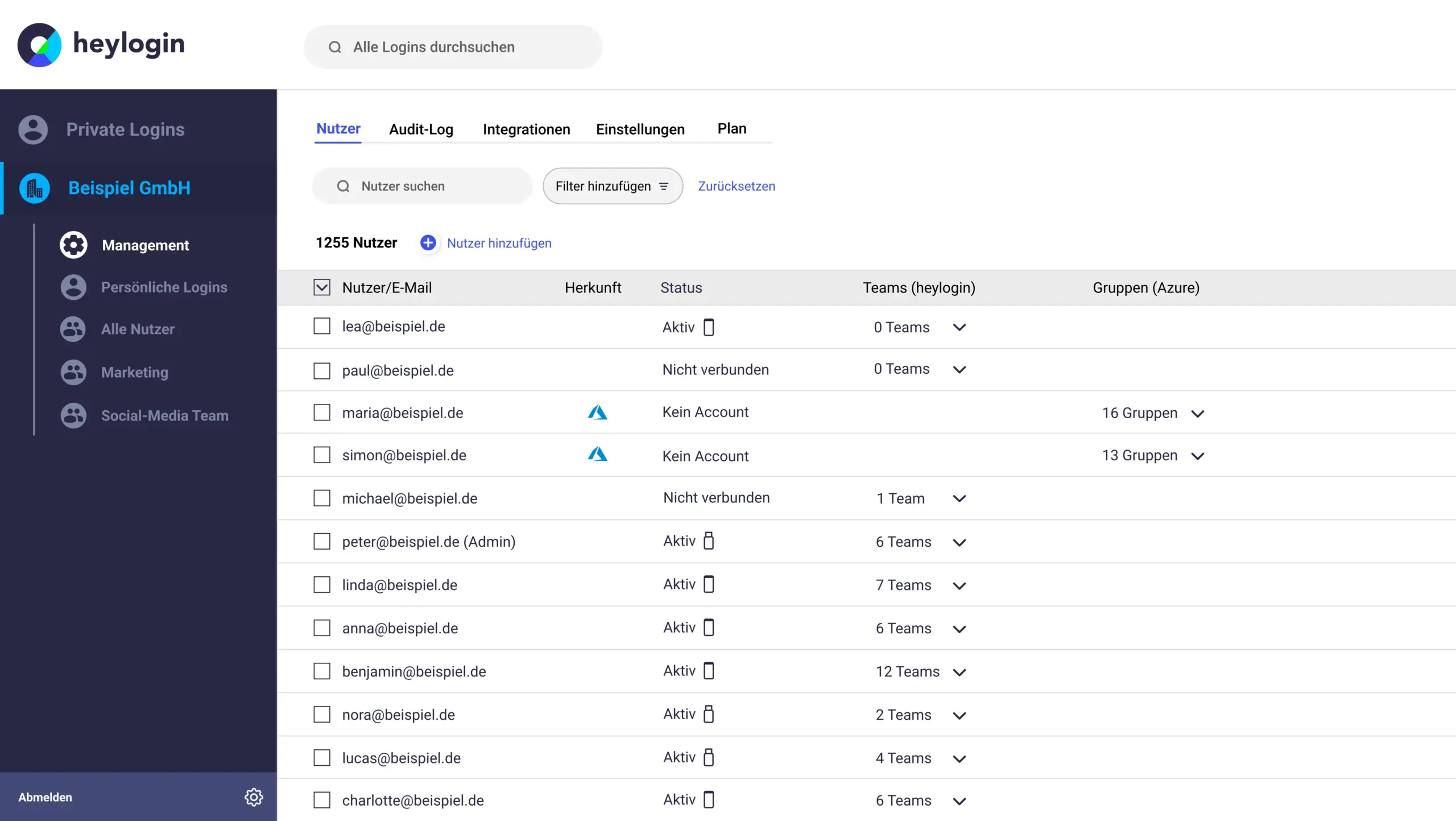
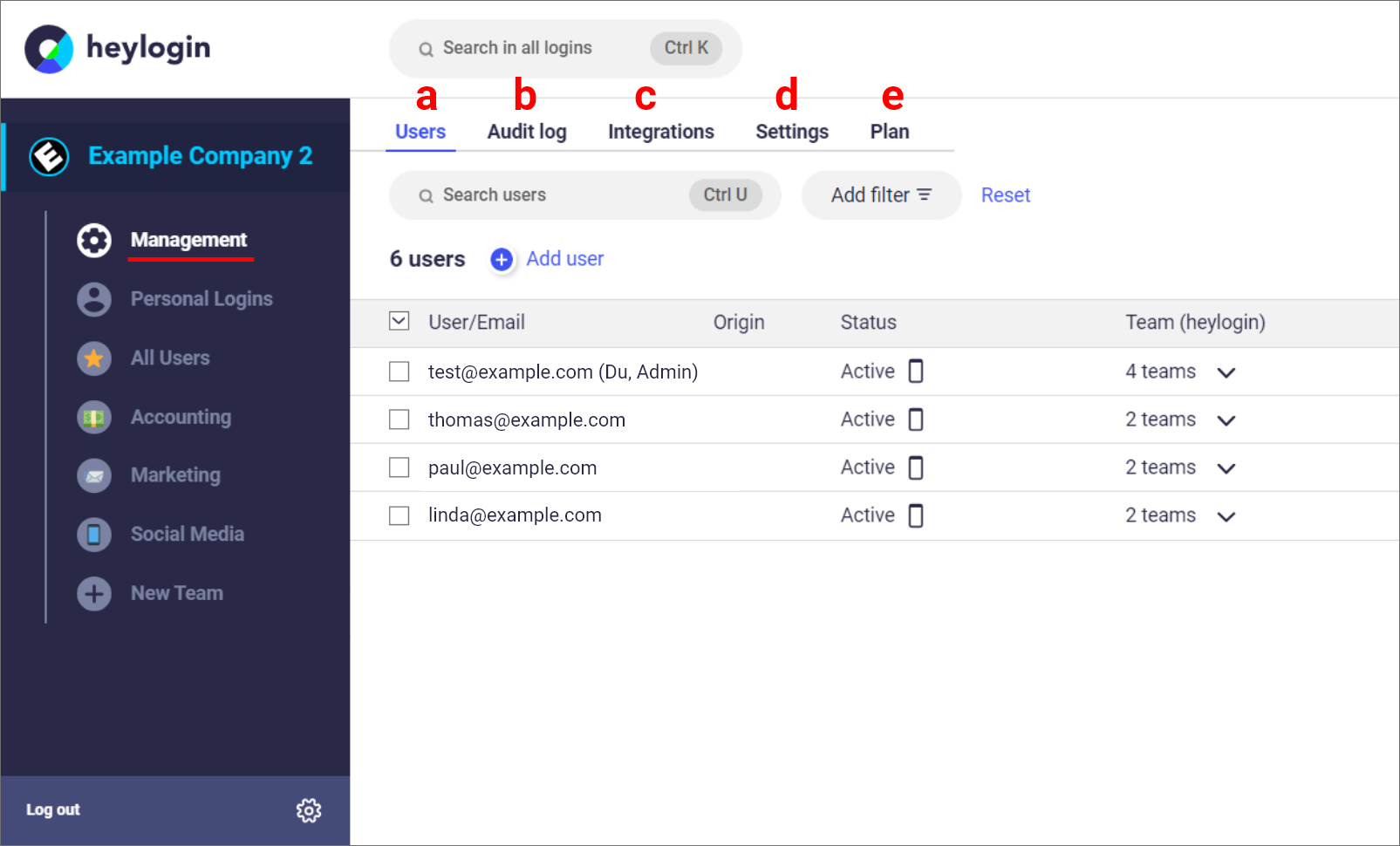
- Team based access management
- Browser extension for autofill
- Activity logs and access history
- Centralized admin controls
✅ Pros of heylogin
🔐 Passwordless Security Model
- Login based on device authorization instead of master passwords
- Reduces phishing and password reuse risks
- Strong encryption protects stored credentials
- Zero-knowledge architecture ensures data privacy
This approach significantly lowers common attack vectors.
🏢 Built for Teams and Businesses
- Easy onboarding and offboarding of employees
- Centralized management of shared accounts
- Clear visibility into who accessed which credentials
- Designed for collaborative environments
🧠 Simple and Modern User Experience
- Clean and minimal interface
- Very short learning curve for new users
- No need to remember complex master passwords
- Smooth daily workflow
🔄 Reliable Sync Across Devices
- Fast synchronization between authorized devices
- Stable browser extensions
- Consistent performance across platforms
🚀 Improved Productivity
- Faster login processes
- Fewer password reset requests
- Reduced IT overhead
❌ Cons of heylogin
💼 Limited Focus on Personal Use
- Primarily designed for teams and companies
- Less suitable for individual users
- Personal features are basic
🌐 Cloud Dependent Architecture
- No self-hosting option
- Requires reliance on heylogin cloud infrastructure
- Not ideal for organizations with strict on premise requirements
⚙️ Fewer Advanced Password Manager Features
- Limited password health analytics
- No dark web monitoring
- Lacks advanced automation features
🧩 Smaller Ecosystem
- Fewer integrations compared to established enterprise tools
- Limited third party extensions and plugins
- Best suited for focused use cases
Who heylogin Is Best For
Recommended if you:
- want to move away from traditional passwords;
- manage shared accounts in a team or company;
- value simplicity and fast onboarding;
- want to reduce security risks caused by weak passwords.
Not ideal if you:
- want a feature rich personal password manager;
- require self-hosted or offline solutions;
- need advanced security analytics and monitoring.
Password Manager Comparison Table 2026
|
Product Name |
Encryption & Zero-Knowledge |
Platform Support |
Key Security Features |
Best For |
|---|---|---|---|---|
|
Yes, strong AES-256 + unique secret key |
All major OS & browsers |
Zero-knowledge, MFA, passkeys, secure sharing |
Premium security & usability |
|
|
Yes, AES-256, open-source |
All major OS & browsers |
Self-hosting option, open audit |
Open-source transparency & budget |
|
|
Yes, AES-256, zero-knowledge |
All major OS & browsers |
VPN (paid), breach monitoring |
Security insights + privacy tools |
|
|
Yes, zero-knowledge |
All major OS & browsers |
Password health, email masking |
Best overall value & simplicity |
|
|
Yes, AES-256 + PBKDF2 |
All major OS & browsers |
Self-destruct, secure sharing |
Enterprise & business focus |
|
|
Yes, encrypted vault |
All major OS & browsers |
Advanced form-filling |
Excellent form automation |
|
|
AES-256 local encryption |
All major OS & browsers |
Local-first vault, optional cloud sync |
Local control, no subscription |
|
|
Yes, AES-256 GCM, open-source |
All major OS & browsers |
End-to-end encryption, CLI access |
Privacy-focused, free tier strong |
|
|
Yes, encrypted vault (mixed fields) |
All major OS & browsers |
Cross-platform sync, 2FA |
Easy access, large user base |
|
|
Yes, encrypted |
Web, apps |
Team sharing, access controls |
Business teams |
|
|
Yes, open-source |
Web & extensions |
Self-hosting, team roles |
Technical & DevOps teams |
|
|
Yes, E2E + hardware |
Web & mobile |
Hardware-first, FIDO2 |
Passwordless & simplicity |
|
|
Encrypted sync |
All major OS & browsers |
Integration with Dell ecosystem |
Enterprise users |
|
|
Encrypted |
Enterprise systems |
Active Directory integration |
Enterprise IT control |
|
|
Encrypted |
Enterprise systems |
User access & audit logs |
IT password governance |
|
|
Identity Anywhere (Avatier) |
Encrypted |
Enterprise systems |
Identity + SSO focus |
Large enterprise identity |
|
Encrypted |
Enterprise |
Identity & privileged access |
Identity security suites |
|
|
Encrypted |
All major OS & browsers |
Multiple form filling |
General personal use |
|
|
Encrypted |
Unix-like systems |
Local system vault |
Linux-centric local vault |
|
|
KeePass (via forks like KeePassXC) |
Encrypted local vault |
All major OS |
Portable, local, plugin ecosystem |
Offline control & enthusiasts |
|
Encrypted |
Teams & enterprise |
Team collaboration |
Secure team vault |
Final Verdict
heylogin is a modern and innovative password manager that prioritizes passwordless authentication and team productivity. While it lacks some advanced features and is less suitable for personal use, its device based login model, ease of use, and strong team focused design make it an excellent choice for companies looking to simplify access management while improving security.