




Last Updated on February 4, 2026 by DarkNet
A practical, security-first look at EmailOnDeck as a disposable email provider, balancing convenience against privacy tradeoffs, deliverability limits, and safer, lawful use.

What EmailOnDeck Is and What “Disposable Email” Really Means
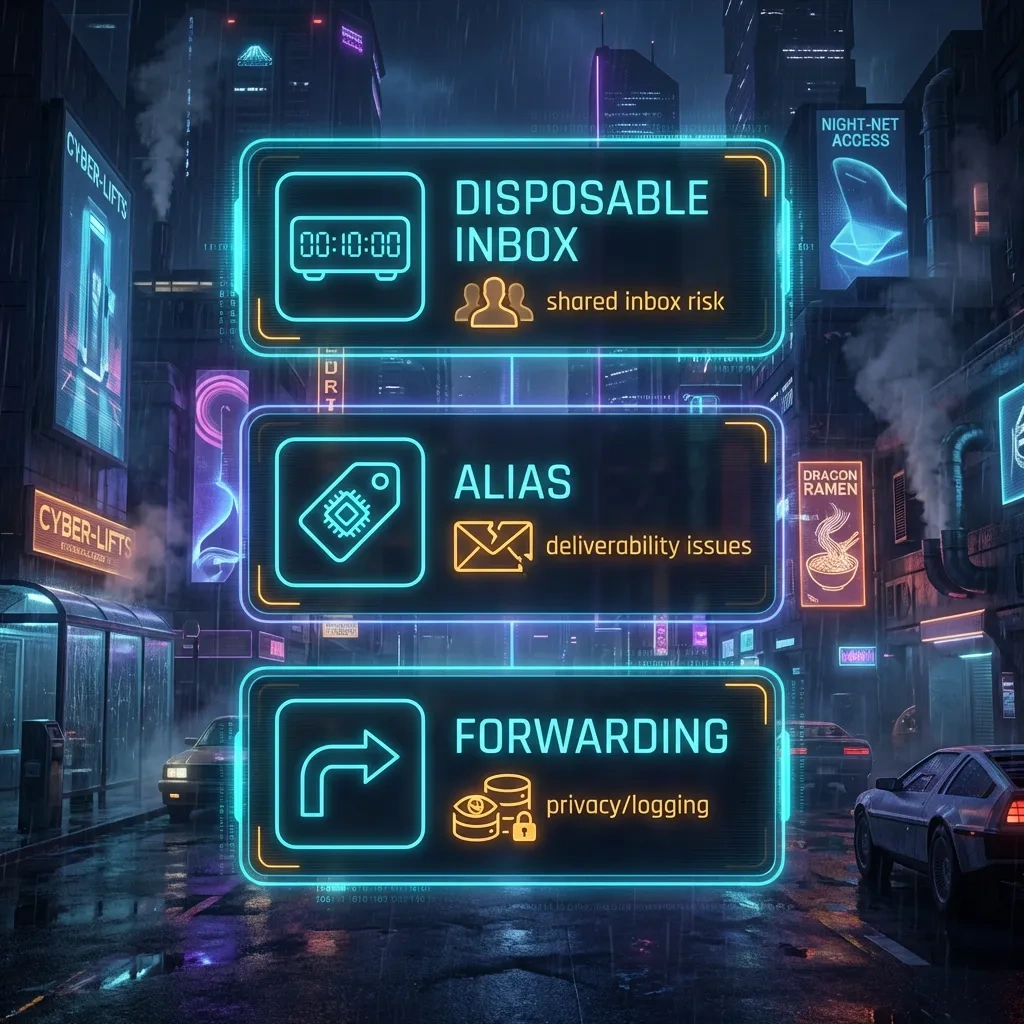
Disposable Inboxes vs Aliases vs Forwarding: Clear Definitions
EmailOnDeck offers disposable email addresses that you can create quickly and use for a short time. A disposable inbox is typically a transient mailbox hosted by the provider, accessed in your browser without a long-term account. Messages appear for a limited window and may be visible to anyone who knows the address, depending on how the service implements access.
By contrast, an alias is a stable alternate address that forwards mail to your real inbox. Aliases can be created per site and can be revoked later. Forwarding services often allow custom domains, filtering, and logging under your control. Disposable inboxes prioritize speed and burnability. Aliases and forwarding prioritize long-term management and traceability without exposing your primary address.
Legitimate, Lawful Scenarios for Temporary Email
Appropriate uses include quick access to a whitepaper, testing newsletters during QA, trying a low-risk web forum, isolating a one-time download, or gatekeeping an app that you only need briefly. These scenarios value short-lived contact over long-term identity and do not involve sensitive data, money, or regulated information.
Limits Compared to Full Email Providers
Disposable inboxes are fragile. You usually cannot recover messages, set up robust filtering, or prove ownership later. Many platforms block disposable domains. There is often no sending capability, no end-to-end encryption, and limited spam filtering. If you need persistence, audit logs, or high deliverability, a full provider or an alias with forwarding is a better fit.
Core Features and How EmailOnDeck Works (High-Level)
Address Generation and Typical Lifespan
EmailOnDeck typically offers one-click address creation. The service may rotate domains and addresses for hygiene. Messages are held for a short period before deletion. Expect temporary storage measured in minutes or hours, not days. Do not assume long retention or guaranteed retrieval.
Browser-Based Inbox Access and Constraints
You access the inbox through a web page. If the tab closes or the session expires, you might lose easy access to the same address. Some providers pin an inbox to a browser session or token. If you clear cookies or use a different device, you may not get back to that inbox. Treat any address as single-use unless the provider explicitly supports persistence.
What Metadata May Be Exposed
As with many web services, providers may log IP addresses, user agents, timestamps, and domain activity. They may scan messages for abuse. Assume EmailOnDeck or similar providers can read inbox contents in plaintext. Email protocols leak metadata by design. For example, message header structure is described in RFC 5322. Temporary services are not privacy shields and do not provide end-to-end confidentiality.
| Pros | Cons |
|---|---|
| Fast, no-signup disposable inbox for low-risk tasks | Provider can view content and metadata |
| Reduces spam to your primary address | Poor for account recovery or long-term access |
| Useful for QA, demos, one-time downloads | Often blocked by sites and filters |
| Compartmentalizes throwaway interactions | Short retention and possible inbox collisions |
Pros: Where EmailOnDeck Can Be Useful
Cutting Down Low-Value Spam
Use a temporary address to avoid adding your primary email to low-trust marketing lists. This reduces inbox noise and the risk of your main address being sold to third parties or scraped.
Safe Testing and QA Workflows
Developers and testers can capture transactional emails during dev and staging cycles without polluting production inboxes. It is helpful when validating email formatting against RFC 5322 rules, link correctness, or unsubscribe behavior in non-sensitive contexts.
Compartmentalization With Caveats
Temporary email can isolate a single sign-up or download from your long-term identity. That said, it should not be used to hide wrongdoing or to handle anything important. Treat it as a burnable layer for low-risk events only.
Cons: Privacy, Logging, and Data-Retention Tradeoffs
Provider Access: Who Can See Messages
Assume EmailOnDeck personnel or automated systems can read incoming messages. Many disposable services openly warn that inboxes are not private. Never receive sensitive data, password reset links, invoices, or personal health information there.
Logging and Retention Realities
Temporary services may retain server logs for abuse prevention and operations. Even if messages delete quickly, logs tied to traffic, timing, or domains may persist. If you require minimal data retention, consider running your own domain and forwarding, or choose vendors with clear documentation and audits.
No End-to-End Encryption
Disposable inboxes are not built for end-to-end encryption. They are web mailboxes that display plaintext. If confidentiality matters, use tools designed for it, and avoid receiving secrets over temporary mail.
Deliverability and Reliability: Can It Receive Verification Emails?
Disposable Domains on Blocklists
Many sites maintain lists of known disposable domains and will reject sign-ups from them. Providers also use reputation systems. As a result, some verification emails may be silently withheld, quarantined, or never sent.
Rate Limits, Filters, and Throttling
Disposable services can trigger anti-abuse defenses: CAPTCHAs, rate limits, graylisting, or throttling. If too many users share a domain or IP range, deliverability drops. You might experience delays, missing emails, or one-click links that expire before you can act.
If Verification Emails Do Not Arrive: Legitimate Options
When a code or link does not land, do not try to bypass systems. Instead, pick a trustworthy alias or forwarding solution under your control, or use a dedicated email at your own domain. For important accounts, use a stable address from a reputable provider and enable multi-factor authentication in line with NIST SP 800-63 guidance. If a service blocks temporary email entirely, respect that policy.
Security Risks: Phishing, Account Takeover, and Shared-Inbox Pitfalls
Password Resets and Account Recovery Pitfalls
Never tie a valuable account to a disposable address. If the address expires or gets recycled, you can lose access forever. Password reset links received in a temporary inbox may be visible to others and can be exploited for account takeover.
Guessable Addresses and Shared Inbox Collisions
Some disposable addresses are simple or short. If someone else discovers or guesses the address, they might read messages. Public or shared inbox models increase the risk of collisions, where two users end up watching the same mailbox name or domain rotation.
Handling Suspicious Links and Attachments
Temporary inboxes receive significant junk. Treat links as suspect. Check URLs before clicking, and avoid downloading attachments. For general awareness on phishing, see the FTC’s guidance and OWASP overview. Do not open archives, macros, or executables from disposable inboxes.
EmailOnDeck vs Alternatives: Temp-Mail, 10MinuteMail, SimpleLogin, and Aliases
Disposable Services vs Alias and Forwarding Tools
Temp-Mail and 10MinuteMail are broadly similar to EmailOnDeck: quick, web-based, short-lived. They prioritize speed over control. SimpleLogin and other alias providers route mail to a real inbox you own, letting you disable or label aliases per site. Aliases are better for ongoing relationships, while disposable inboxes shine for one-time, low-trust events.
Controls, Custom Domains, and Auditability
Alias and forwarding tools often support custom domains, DNS control, and mailbox rules. That control improves deliverability and makes auditing easier. Disposable services rarely provide that depth. If you must document access for compliance, choose products with logs and configurable policies.
Which Tool Fits Which Use Case
| Need | Best Fit | Rationale |
|---|---|---|
| One-time download or low-trust sign-up | Disposable inbox | Fast, burnable, minimal setup |
| Ongoing newsletter with easy opt-out | Alias | Revocable per-site address, stable delivery |
| App testing and QA pipelines | Disposable or test aliases | Capture transactional emails without clutter |
| Anything tied to identity or money | Primary provider | Recovery, security, and compliance |
Best Practices for Legitimate Use Without Increasing Risk
Do Not Use Disposable Email For Sensitive Accounts
Keep temporary email away from banking, investing, payroll, healthcare, government, workplace SSO, cloud admin consoles, or anything that affects your legal identity. If a platform forbids disposable addresses, comply with that policy.
Pair With a Password Manager and MFA
For any persistent account, use strong unique passwords via a reputable password manager and enable multi-factor authentication per NIST. This defends against phishing and credential stuffing. Temporary email cannot compensate for weak authentication.
Operational Hygiene: Link Scanning and Compartmentalization
Open disposable inboxes in a hardened browser profile. Treat attachments as hostile. Segment testing activity from your daily account. When you need follow-up messages later, graduate to an alias or a dedicated mailbox to avoid lockouts.
Legal, Policy, and Ethical Considerations of Temporary Email Services
Respect Terms of Service and Platform Rules
Some services restrict disposable email. Violating ToS can lead to account closures or data loss. If a site requires a persistent address for support or billing, abide by that requirement.
Workplace Compliance and Records Retention
Enterprises often must retain communications. Temporary email undermines retention, legal holds, and audit trails. Use sanctioned tools and follow your organization’s policies.
Abuse Handling and Lawful Process
Providers typically cooperate with lawful requests and implement anti-abuse controls. Expect rate limits, blocks, and logging intended to deter spam and fraud. Temporary email is not a shield against accountability.
Bottom Line: When to Use EmailOnDeck and When Not To
Decision Checklist: Speed vs Reliability vs Privacy
- Is this a one-time, low-risk interaction with no sensitive data? If yes, a disposable inbox can be fine.
- Will you need to recover the account or prove ownership later? If yes, use a stable address or an alias tied to your inbox.
- Is the site blocking disposable domains? Respect the policy and use a legitimate address.
- Do you need confidentiality or auditability? Choose an alias or primary provider, not a disposable inbox.
- Are you prepared to lose the mailbox at any time? If not, do not use temporary email.
Is EmailOnDeck anonymous?
No. Assume the provider can access content and metadata, and that sites use controls to detect disposable domains. It should not be used to hide wrongdoing.
How long do messages last?
Typically a short window, often minutes or hours. Do not rely on retention. If you need persistence, use an alias or a regular provider.
Can I use it for banking, crypto, or government accounts?
No. Use a stable, reputable email with MFA. Disposable inboxes risk permanent lockout and poor security for sensitive accounts.
Will it receive every verification email?
Not reliably. Many services block temporary domains or throttle them. If a code does not arrive, switch to a legitimate, persistent address.
Can the provider read my emails?
Yes, you should assume so. Temporary inboxes are not end-to-end encrypted or private.
Safer Alternatives for Ongoing Needs
For persistent communication, use email aliases or a dedicated mailbox at your own domain. Forward to your primary inbox, label per-site, and disable any alias that leaks or receives spam. For critical accounts, use a mainstream provider with strong security, recovery options, and MFA.
Pros and Cons Summary at a Glance
| Pros | Cons |
|---|---|
| Instant, no-commitment inbox for throwaway needs | Weak privacy and visibility to provider |
| Good for QA, demos, or one-time forms | Blocked or throttled by many sites |
| Prevents spam to your main address | No reliable recovery or long-term access |
| Helps compartmentalize low-trust interactions | Shared or guessable inbox risk and short retention |
- Treat disposable email as a quick, burnable tool for lawful, low-risk tasks only.
- Assume providers can read content and log metadata. Never receive sensitive data there.
- Deliverability is inconsistent. If a site blocks temporary email, use a legitimate address.
- For anything you care about later, use an alias or a stable provider with MFA.
- Respect ToS and compliance obligations to avoid lockouts and data loss.








