Last Updated on February 14, 2026 by DarkNet
DuckDuckGo Email Protection creates duck.com aliases and strips common email trackers. It is not anonymous email and it is not end-to-end encrypted.

What DuckDuckGo Email Protection Is (and What It Isn’t)
Core promise: aliasing plus tracker stripping
DuckDuckGo Email Protection gives you a duck.com email alias that forwards mail to your real inbox while attempting to remove common trackers. The core value is twofold: you can compartmentalize logins and newsletters using unique aliases, and the relay will try to strip typical tracking pixels and link trackers embedded by marketers. That helps reduce profiling from commercial senders and limits how widely your primary address is shared.
Think of it as a privacy layer in front of your existing mailbox. You keep your current provider, but you publish or enter a duck.com alias at signups and in newsletters. Incoming messages flow through DuckDuckGo’s relay, where some trackers are removed, and then on to your true address.
Not an encrypted email provider
DuckDuckGo Email Protection is not an email provider you log in to for a full mailbox, and it is not an end‑to‑end encrypted system. It forwards mail to the address you already use. The service uses standard transport encryption between servers where possible, but the relay must process message contents to remove trackers. If you need end‑to‑end encryption for message content, use tools like PGP or a provider that supports E2EE on both ends.
Common misconceptions about anonymity
A duck.com email alias can reduce spam and marketing surveillance, but it does not make you anonymous. Websites still see your IP when you sign up or log in. Merchants still associate your account with whatever personal data you provide. The relay and the original sender see metadata such as when messages are sent, which aliases receive them, and rough volume patterns. Treat aliases as a compartmentalization tool, not an invisibility cloak.
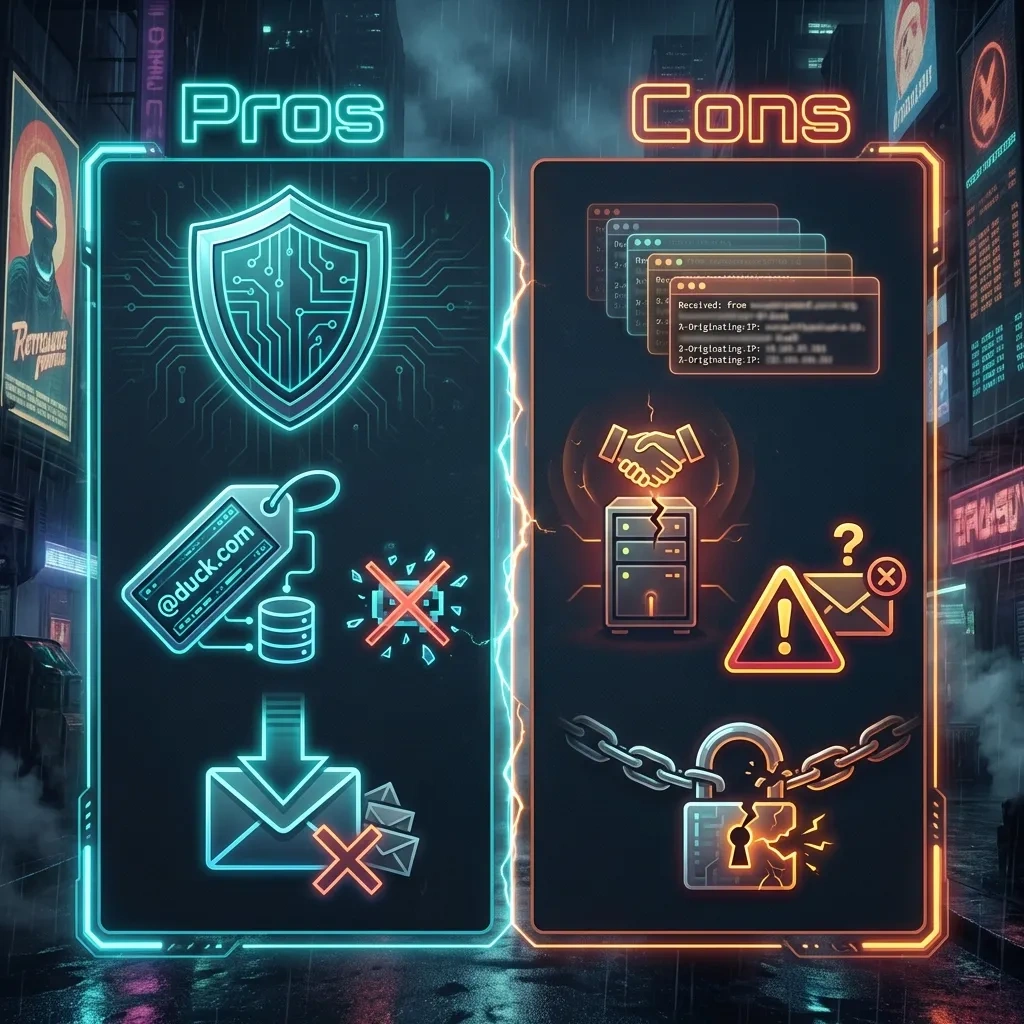
Pros
- Easy aliasing without changing your main inbox.
- Removes many tracking pixels and rewrites common tracking links.
- Helps contain spam and data broker spread of your primary address.
- Supports replies through the alias to keep your real address private.
- Free and simple to adopt alongside most mail providers.
Cons
- Not an encrypted email provider and not anonymous.
- Some tracking techniques and metadata are not removed.
- Forwarding introduces a third‑party trust and reliability dependency.
- Occasional deliverability quirks can occur with forwarded mail.
- Limited controls compared to specialized alias platforms.
How the @duck.com Address and Forwarding Workflow Works
Signup, access methods, and basic setup flow
You enroll in DuckDuckGo Email Protection through DuckDuckGo’s apps or extensions. After sign‑up, you get a personal duck.com address and the ability to generate additional private aliases on demand. You then set your delivery address, which is the real mailbox where forwarded messages will land.
The relay sits between senders and your provider. When a sender emails your duck.com alias, the relay processes the message, removes certain trackers, and forwards the cleaned mail to your delivery address. Your login, filtering rules, and backups remain in your existing mailbox.
Creating aliases for signups and newsletters
Use a different alias for each site or newsletter. That lets you see which sender leaked or sold your address, quickly disable a noisy alias, and compartmentalize marketing streams. Many users pair aliases with a password manager entry named after the site. If an alias gets hammered by spam after a breach, you can retire it without touching your other accounts.
Forwarding behavior, replying, and identity exposure
When you reply to a message that arrived through your alias, the service routes the reply so the sender sees the alias rather than your underlying address. This preserves your privacy in most typical use cases. Identity can still leak through your email signature, display name, or content you include. Some headers and routing details are necessarily modified during forwarding, but they are designed to avoid exposing your real address to the original sender.
Tracker Removal: What Gets Stripped and What May Still Leak
Typical tracking pixels and link trackers in emails
Marketing emails often include invisible images known as tracking pixels and links decorated with unique parameters. Pixels fire when your client loads images, reporting that the message was opened. Links with unique IDs or UTM‑style parameters tie your clicks to a profile. DuckDuckGo aims to remove common tracking pixels and rewrite common trackers in links so clicks are less informative to senders and ad tech.
That reduces cross‑site profiling that piggybacks on routine email engagement. It also prevents many image loads that silently beacon your activity to the sender’s servers.
What can’t be reliably removed (attachments, server-side tracking)
Not all tracking can be stripped. If a sender uses server‑side techniques such as correlating logins and purchases with email campaigns, the relay cannot fully prevent that. Attachments may contain unique watermarks. Links that redirect through the sender’s domain can still reveal that you clicked, even if common parameters are trimmed. If a message includes functionality that depends on unique tokens, complete removal would break the email; in practice the relay focuses on common, removable elements while preserving functionality.
How to verify whether tracking was reduced
Forwarded messages typically include a short summary at the top indicating how many trackers were removed and which domains were involved. You can also inspect links to see if marketing parameters were trimmed and confirm images are not loading by default in your client. For deeper validation, view original message source to check that obvious 1×1 pixel URLs or common link wrappers are gone. Expect partial reduction rather than perfect removal.
Privacy Benefits: Where It Helps in Real-World Email Use
Reducing cross-site profiling from marketing emails
Email tracker removal cuts down on silent pings that tell marketers when and where you engage. Link cleanup lowers how much behavioral data flows to ad networks. The result is fewer data points stitched across services, which is especially useful for newsletter heavy inboxes.
Compartmentalizing services with per-site aliases
Assign a unique duck.com email alias per site to compartmentalize. If a retailer leaks your alias, you know which one to disable. If a forum gets noisy, deactivate its alias without touching banking or health accounts. This is basic OPSEC for email: isolate identities so failures in one place do not cascade elsewhere.
Lowering spam impact and limiting data broker value
Aliases reduce the resale value of your email to data brokers. When each sender has a unique address, their dataset is less useful to correlate across services. If spam erupts, you can kill the alias and move on, preserving your main address for important contacts.
Limitations and Risks: Metadata, Deliverability, and Trust Tradeoffs
Email metadata that still reveals patterns (to senders and relays)
Relays cannot hide everything. Senders still see the alias they mailed, the sending time, and engagement patterns such as replies. The relay sees delivery timing, volume, and which aliases are active. Message subjects and headers travel with the email and may reveal context. If you need to minimize metadata exposure, consider threat models that require encryption at rest and control over logs, which forwarding cannot provide.
Potential deliverability issues and false positives
Forwarding changes the path that messages take. While reputable relays work to preserve SPF, DKIM, and modern authentication results, forwarded mail can still run into false positives or rate limits at your provider. Bulk newsletters may be flagged more aggressively. Keep a backup route for critical contacts and watch spam folders during the first weeks of adoption.
Centralization risk: depending on a third-party relay
By using a relay you accept a single point of dependency for forwarding. Outages, policy changes, or account issues can affect mail flow. This is a tradeoff: convenience and tracker removal in exchange for trusting a third party to handle your messages. Mitigate by using aliases mainly for lower risk signups and newsletters, while keeping critical services on well‑controlled addresses.
Security Model: Encryption, Account Recovery, and Threat Scenarios
Transport security vs end-to-end encryption
Email relies on transport encryption between servers when available. DuckDuckGo Email Protection is a processing relay, not an end‑to‑end encrypted mail system. To remove trackers, the relay must access message parts. If strong content confidentiality is required, layer end‑to‑end encryption or choose a provider designed for it. The email standards that define message structure do not guarantee confidentiality of headers or routing metadata across hops; see the SMTP and message format specifications such as RFC 5322 for background.
Account access, recovery, and what happens if you lose access
Protect your DuckDuckGo account and your delivery mailbox. If you lose access to the delivery address, forwarded messages may bounce or go missing until you update the destination. Keep recovery options current and store any backup or sign‑in codes in your password manager. If you change your primary mailbox, update the relay’s forwarding destination before you decommission the old one.
Threat modeling: phishing, account takeover, and mail interception
Aliases do not stop phishing. Attackers can still send convincing messages to a duck.com address. Treat all links with caution and enable multi‑factor authentication on the accounts behind your aliases. If an attacker compromises your main mailbox, they will see forwarded mail. If they compromise the relay account, they can redirect where messages are delivered. Use a password manager, minimize personal details in signatures, and avoid reusing aliases across unrelated services.
Comparisons: DuckDuckGo vs SimpleLogin, Firefox Relay, and Fastmail Masked Email
Feature comparison: domains, controls, and alias management
DuckDuckGo focuses on easy aliasing with tracker removal. Competing services offer different tradeoffs. SimpleLogin emphasizes flexible alias control and custom domains. Firefox Relay provides an integrated experience in the Mozilla ecosystem. Fastmail’s Masked Email is tightly integrated with a full mail provider and password managers. For current detail, review the official docs for DuckDuckGo Email Protection, SimpleLogin, Firefox Relay, and Fastmail Masked Email.
| Service | Alias model | Custom domain | Reply via alias | Tracker removal | Pricing at a glance |
|---|---|---|---|---|---|
| DuckDuckGo Email Protection | Personal duck.com address plus generated private aliases | No | Yes | Yes, common pixels and link trackers | Free |
| SimpleLogin | Per‑site aliases with granular controls | Yes, paid tiers | Yes | No explicit tracker removal focus | Free and paid |
| Firefox Relay | Masking aliases managed in Mozilla account | No | Yes | No explicit tracker removal focus | Free and paid |
| Fastmail Masked Email | Aliases integrated with full mailbox | Yes, with provider hosting | Yes | No | Included with Fastmail plans |
Pricing, limits, and ecosystem lock-in
DuckDuckGo’s relay is free and easy to pair with any provider, but it offers fewer admin controls than specialist platforms. SimpleLogin and Firefox Relay add features such as custom domains or higher alias quotas on paid tiers. Fastmail Masked Email comes with a paid mailbox and benefits from native integration, but that ties you to Fastmail’s ecosystem.
Which option fits which user profile
If you want straightforward privacy gains for newsletters and retail logins without changing your main email, DuckDuckGo is a strong default. If you need custom domains, complex routing, or organization‑wide controls, specialist aliasing services offer more knobs. If you want a full provider with reliable deliverability and integrated aliasing, a paid mailbox such as Fastmail is compelling.
Best Practices for Using Email Aliases Without Breaking Logins
Password manager pairing and naming conventions
Store each site’s alias and password together in your password manager. Use a consistent naming convention like site.example@duck.com or a random alias saved under the site’s login entry. Add notes that indicate the alias creation date and any backup addresses.
Handling critical accounts (banking, government, work)
For high‑stakes services, prefer highly trusted addresses you control end to end. Some institutions have strict deliverability checks or support processes tied to your address. If you do use a relay for critical accounts, test password resets, verify two‑factor codes arrive reliably, and keep a recovery address that is not behind a forwarding hop.
Migration plan: moving signups to aliases safely
Adopt aliases in phases. Start with newsletters and new signups. For existing accounts, change addresses only after confirming you can still receive password resets and security notifications. Keep a list of migrated accounts and monitor for misrouted mail in spam folders. If an alias is later retired, update the site first, then disable the alias to prevent lockout.
Who Should Use DuckDuckGo Email Protection (and Who Shouldn’t)
Good fit: newsletter-heavy, spam-averse, privacy-conscious users
DuckDuckGo Email Protection is a good fit if you receive many marketing messages, want to reduce link and pixel tracking, and value easy per‑site aliases. It is also useful if you want to shield your primary address from data leaks without moving to a new provider.
Bad fit: needs E2EE, strict compliance, or full control
If your requirements include end‑to‑end encryption, detailed retention controls, or compliance guarantees that limit third‑party processing, a forwarding relay will not meet those needs. Consider providers or workflows designed for content encryption and auditable controls.
Decision checklist and recommended setups
- Goal is spam control and less marketing surveillance: use duck.com aliases broadly.
- Goal is strong confidentiality: add end‑to‑end encryption or use an encrypted provider.
- Need custom domains or org‑wide policies: evaluate SimpleLogin or similar.
- Want mailbox plus aliases in one place: consider Fastmail with Masked Email.
- Critical accounts: keep on a stable, directly controlled address, or test thoroughly before using a relay.
FAQ: Common Questions About DuckDuckGo Email Protection
Is DuckDuckGo Email Protection anonymous?
No. It hides your real address from individual senders and removes common trackers, but websites and merchants can still associate your activity with other data you share. Metadata about sending and receiving persists.
Can I send new emails from my duck.com address?
Email Protection is designed for receiving mail at aliases and replying through the relay. It is not a full mailbox for initiating arbitrary new conversations. For full sending capabilities, use your primary provider or a service that supports outbound aliasing.
Does tracker removal break legitimate links or images?
The service aims to remove common tracking pixels and parameters without breaking essential content. Some messages still depend on unique tokens, so removal focuses on typical trackers rather than anything that would stop the email from functioning.
How many aliases can I create?
You can generate many private aliases as needed. Practical limits and anti‑abuse protections may apply. Use aliases responsibly and keep a record in your password manager.
Will merchants block or distrust duck.com addresses?
Most common sites accept relay addresses. A few services may have stricter filters or verification steps. If a site rejects an alias, consider contacting support or using a different aliasing service. For essential accounts, choose an address with high deliverability history.
Can I use duck.com aliases for password resets and two‑factor codes?
Yes, but test first. Forwarding can introduce rare delays or filtering issues. For highly critical accounts, keep a backup recovery address that is not behind a relay.
What data does DuckDuckGo see?
The relay processes messages to remove trackers and forward to your inbox, which entails handling message contents and metadata during delivery. Review DuckDuckGo’s published documentation and policies for details and updates: see the Email Protection help center.
How do I disable or delete an alias?
Manage aliases through the DuckDuckGo app or extension. You can deactivate or regenerate private aliases to stop future mail while leaving other aliases intact.
Key takeaways
- DuckDuckGo Email Protection provides duck.com aliases and removes many trackers, but it is not end‑to‑end encrypted or anonymous.
- Use one alias per site for clean compartmentalization and easy shutdown after leaks or spam.
- Expect reduced marketing surveillance, not elimination. Metadata and some tracking methods remain.
- Forwarding introduces a third‑party trust and reliability tradeoff. Keep critical accounts on stable, well‑controlled addresses.
- Pair aliases with a password manager, clear naming, and a migration checklist to avoid lockouts.
- Compare alternatives if you need custom domains, org controls, or a full mailbox with integrated aliasing.
- Continuously test deliverability for password resets and security alerts when you change addresses.