Last Updated on January 29, 2026 by DarkNet

Bitwarden Password Manager: A Complete Overview of Pros and Cons
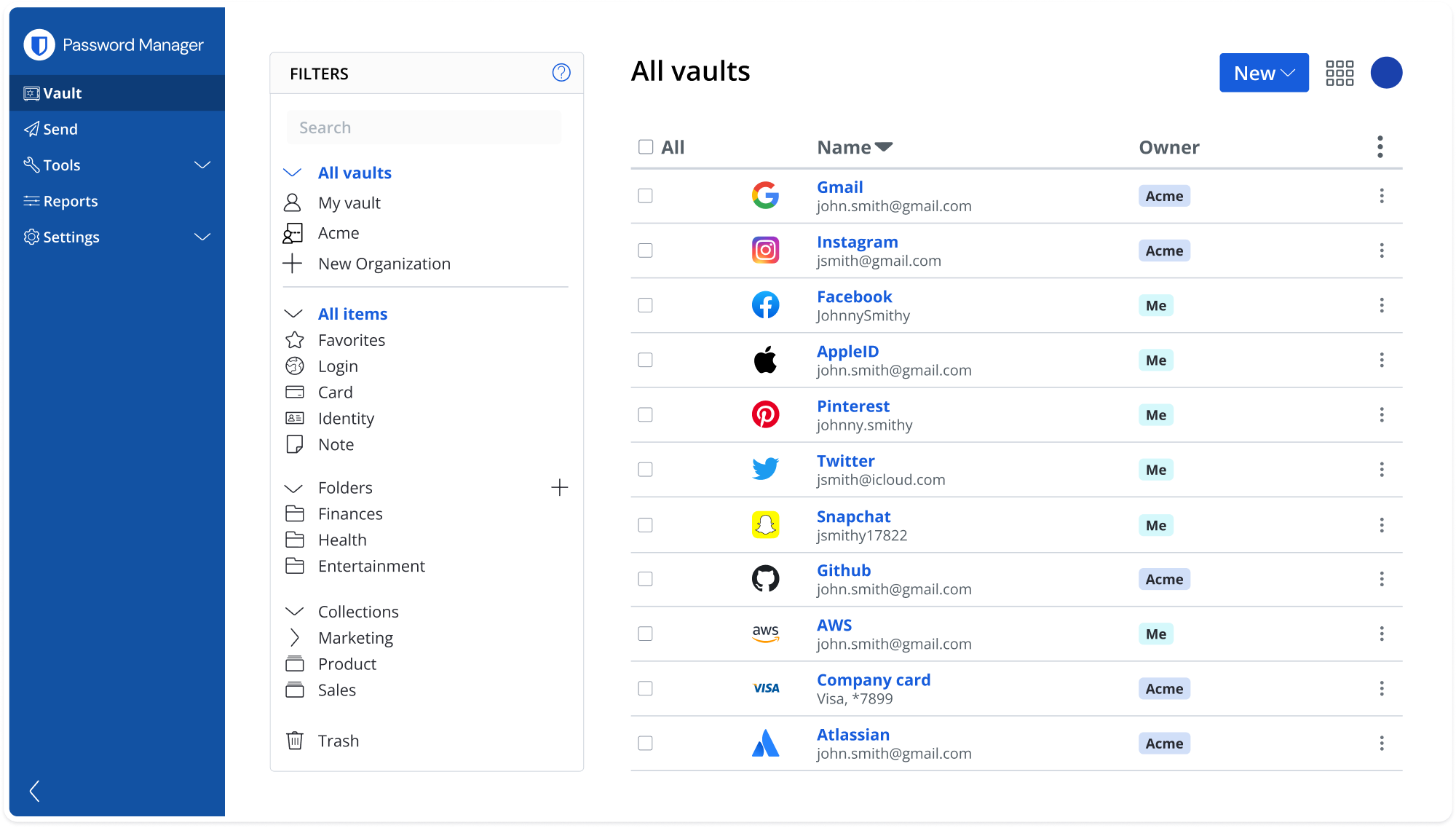
Bitwarden is a popular open-source password manager known for its strong security, transparency, and generous free plan. It is widely used by individuals, technical users, and organizations that value control over their data.
Below is a detailed and balanced review of Bitwarden, including all major advantages and disadvantages.
What Is Bitwarden
Bitwarden is a password manager that allows users to:
- securely store passwords, logins, and sensitive information using encryption;
- autofill credentials in browsers and apps;
- sync data across devices;
- optionally self-host their password vault.
It supports Windows, macOS, Linux, iOS, Android, and all major web browsers.
Core Features
- Secure storage for passwords, passkeys, notes, and identities
- End-to-end encryption using AES-256
- Password generator
- Autofill for websites and applications
- Two-factor authentication support
- Cross-platform synchronization
- Optional self-hosting

✅ Pros of Bitwarden
🔐 Strong Security and Transparency
- End-to-end encryption with zero-knowledge architecture
- Open-source codebase that can be audited by anyone
- Regular third-party security audits
- No access to user data by the service provider
This transparency builds a high level of trust among security professionals.
💸 Excellent Free Plan
- Unlimited password storage for free
- Sync across unlimited devices at no cost
- Free sharing between two users
Compared to many competitors, the free tier is extremely generous.
🌐 Self-Hosting Option
- Users can host Bitwarden on their own servers
- Full control over data storage and infrastructure
- Ideal for advanced users and organizations with strict privacy requirements
🧩 Cross-Platform and Flexible
- Works consistently across all major operating systems
- Browser extensions are lightweight and fast
- Command-line interface available for advanced workflows
👨👩👧👦 Affordable Paid Plans
- Low-cost premium subscription
- Family and business plans with advanced access control
- Enterprise features like SSO and directory integration
❌ Cons of Bitwarden
🎨 Interface Is More Functional Than Polished
- Design is simple and utilitarian
- Less refined compared to premium competitors
- May feel technical for non-experienced users
⚙️ Advanced Features Require Configuration
- Some settings are not intuitive for beginners
- Self-hosting requires technical knowledge
- Initial setup can feel overwhelming
🔔 Fewer Convenience Features
- Breach monitoring is more limited in the free version
- No built-in VPN or identity protection tools
- Fewer automation features compared to premium managers
🧑💻 Performance Can Vary
- Sync speed may be slower than some competitors
- Autofill occasionally requires manual interaction
- Mobile apps are functional but not always smooth
Who Bitwarden Is Best For
Recommended if you:
- want a secure and trustworthy password manager;
- prefer open-source software;
- need a powerful free solution;
- want the option to self-host your data.
Not ideal if you:
- prefer a highly polished user interface;
- want a fully guided beginner experience;
- rely heavily on premium convenience features.
Password Manager Comparison Table 2026
|
Product Name |
Encryption & Zero-Knowledge |
Platform Support |
Key Security Features |
Best For |
|---|---|---|---|---|
|
Yes, strong AES-256 + unique secret key |
All major OS & browsers |
Zero-knowledge, MFA, passkeys, secure sharing |
Premium security & usability |
|
|
Yes, AES-256, open-source |
All major OS & browsers |
Self-hosting option, open audit |
Open-source transparency & budget |
|
|
Yes, AES-256, zero-knowledge |
All major OS & browsers |
VPN (paid), breach monitoring |
Security insights + privacy tools |
|
|
Yes, zero-knowledge |
All major OS & browsers |
Password health, email masking |
Best overall value & simplicity |
|
|
Yes, AES-256 + PBKDF2 |
All major OS & browsers |
Self-destruct, secure sharing |
Enterprise & business focus |
|
|
Yes, encrypted vault |
All major OS & browsers |
Advanced form-filling |
Excellent form automation |
|
|
AES-256 local encryption |
All major OS & browsers |
Local-first vault, optional cloud sync |
Local control, no subscription |
|
|
Yes, AES-256 GCM, open-source |
All major OS & browsers |
End-to-end encryption, CLI access |
Privacy-focused, free tier strong |
|
|
Yes, encrypted vault (mixed fields) |
All major OS & browsers |
Cross-platform sync, 2FA |
Easy access, large user base |
|
|
Yes, encrypted |
Web, apps |
Team sharing, access controls |
Business teams |
|
|
Yes, open-source |
Web & extensions |
Self-hosting, team roles |
Technical & DevOps teams |
|
|
Yes, E2E + hardware |
Web & mobile |
Hardware-first, FIDO2 |
Passwordless & simplicity |
|
|
Encrypted sync |
All major OS & browsers |
Integration with Dell ecosystem |
Enterprise users |
|
|
Encrypted |
Enterprise systems |
Active Directory integration |
Enterprise IT control |
|
|
Encrypted |
Enterprise systems |
User access & audit logs |
IT password governance |
|
|
Identity Anywhere (Avatier) |
Encrypted |
Enterprise systems |
Identity + SSO focus |
Large enterprise identity |
|
Encrypted |
Enterprise |
Identity & privileged access |
Identity security suites |
|
|
Encrypted |
All major OS & browsers |
Multiple form filling |
General personal use |
|
|
Encrypted |
Unix-like systems |
Local system vault |
Linux-centric local vault |
|
|
KeePass (via forks like KeePassXC) |
Encrypted local vault |
All major OS |
Portable, local, plugin ecosystem |
Offline control & enthusiasts |
|
Encrypted |
Teams & enterprise |
Team collaboration |
Secure team vault |
Final Verdict
Bitwarden is a powerful, secure, and transparent password manager that offers exceptional value, especially with its free plan. While its interface and usability may not feel as polished as some premium alternatives, its security model, open-source approach, and flexibility make it one of the best choices for users who prioritize control and trust over visual refinement.