Last Updated on January 28, 2026 by DarkNet
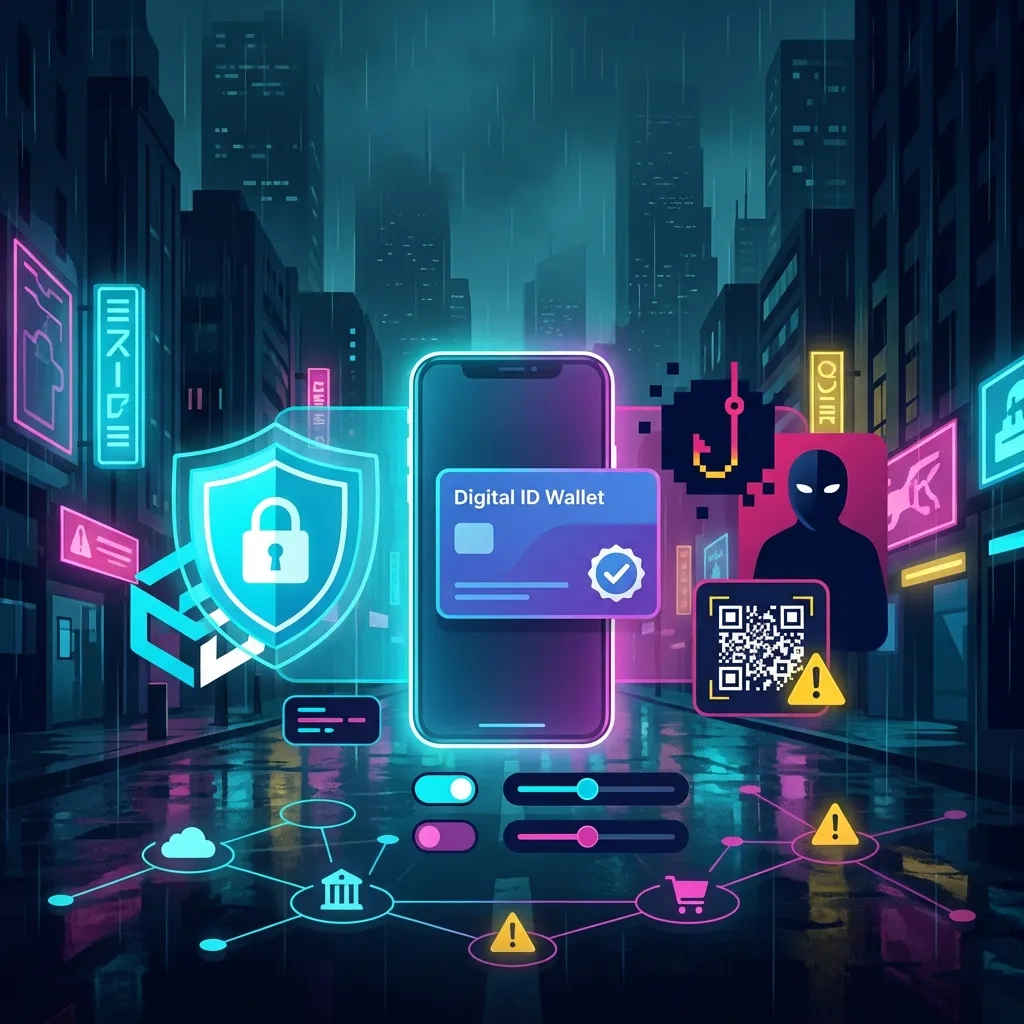
Verified credentials in the EUDI Wallet increase trust, not invulnerability. Learn where abuse still happens in 2026 and how to harden your setup, spot red flags, and respond fast.

What the EUDI Wallet is in 2026
The EU Digital Identity Wallet is a standards-based app that lets you store, present, and consent to share verified credentials under eIDAS 2.0. It aims for secure, cross-border digital identity and attribute sharing. The wallet works with issuers that attest data like age, identity, license, education, and with verifiers that request only what they need via selective disclosure.
Verified means authenticity and integrity were checked by a trusted issuer. It does not mean zero risk. Attackers target the people, devices, recovery flows, issuers, and verifiers around the wallet. That is where abuse still happens.
Key standards and references:
- European Commission overview of the EU Digital Identity Wallet and eIDAS 2.0: official page
- W3C Verifiable Credentials Data Model: specification
- ETSI trust and electronic signatures standards: ETSI ESI
- ENISA guidance on digital identity and wallet security: ENISA
Threat model: who attacks, what they want, how
This compact threat model helps you think clearly about EUDI Wallet risks without getting lost in hype.
Who attacks
- Opportunistic criminals seeking quick payouts
- Organized fraud groups specializing in account takeover and recovery abuse
- Insiders at issuers or verifiers with excess access
- Malware operators and data brokers correlating identity attributes across services
What they want
- Wallet takeover to consent to transactions in your name
- High value credentials like identity, age, and professional licenses
- Account recovery footholds through your device, SIM, email, or cloud backups
- Correlation across services for targeted fraud or profiling
How attacks happen at a high level
- Phishing and helpdesk manipulation to trick consent
- Device compromise that reads notifications or intercepts recovery codes
- SIM swap or number porting to hijack SMS or voice calls
- Issuer or verifier misconfiguration, weak access control, or API exposure
- Over-sharing attributes that allow linkage across verifiers
Common abuse paths against verified credentials
Wallet takeover via phishing and consent tricks
Attackers send a convincing request to your wallet that looks like a routine verification. The consent screen is real, but the context is not. If you approve, you share data or authorize an action you did not intend. Similar tricks happen through support chats or calls where an attacker persuades you to read a one time code or to accept a prompt.
Issuer and verifier weaknesses
Even if your wallet is secure, an issuer or verifier could be misconfigured, compromised, or abused by an insider. This can enable unauthorized data requests, incorrect revocation status, or logging that correlates users. Supply chain issues, like a vulnerable SDK in a verifier app, can also lead to exposure.
Device and network risk
Malware, outdated OS, insecure backups, and weak lock screens let attackers view notifications, screen contents, or recovery prompts. SIM swap or number porting enables interception of SMS based recovery if any connected service still relies on it. Public Wi Fi with poor TLS validation can enable phishing setups that imitate verifiers.
Over sharing and correlation
The wallet supports selective disclosure, but people and verifiers sometimes request or consent to full credential shares. Extra attributes make it easier to track you across services. Even harmless fields, when combined, form a unique fingerprint.

Realistic scenarios and defensive takeaways
Scenario 1: Fake verifier portal with real consent
You receive a link to verify identity for a delivery or rental. The site is a lookalike. It initiates a real wallet consent prompt, but for more attributes than needed. Once approved, an attacker harvests your data and uses it for targeted digital identity fraud.
Defensive takeaway:
- Initiate verifications from the official app or known portal, not via links in messages.
- Pause and read the consent screen. Deny if the requested attributes exceed what the task logically requires.
- Bookmark trusted verifier URLs. Prefer QR codes shown on a signed in session over clicking inbound links.
Scenario 2: Helpdesk push
Someone claiming to be from a service desk calls about a failed verification. They ask you to read out a code or accept a prompt so they can fix it. In reality, they trigger a fresh consent request tied to their session and capture approval.
Defensive takeaway:
- Never approve wallet prompts that you did not initiate.
- Hang up, call back using the official number from the service website, and verify the request.
- Set a helpdesk PIN or passphrase with providers that support it.
Scenario 3: Device compromise then recovery abuse
Your device is infected by generic malware that reads notifications and screenshots. When you try to recover your wallet after a reset, the attacker sees recovery codes or links and takes over your account, then approves data sharing in your name.
Defensive takeaway:
- Keep OS and wallet app fully updated. Use official app stores only.
- Disable notifications on the lock screen for security apps and email.
- Use hardware backed screen lock and biometrics. Avoid screenshots of recovery information.
Scenario 4: SIM swap to intercept linked recovery
An attacker convinces a carrier to port your number. Any service that still uses SMS for recovery or step up authentication becomes vulnerable, including accounts connected to your wallet identity.
Defensive takeaway:
- Add a port freeze or number lock with your carrier where available.
- Move critical accounts to app based or hardware based authentication. Avoid SMS for recovery.
- Monitor for sudden loss of service or unexpected carrier messages and act immediately.
Scenario 5: Issuer insider misuse
An insider at an issuer queries logs or uses excess privileges to access credential issuance metadata, then correlates user activity with a specific verifier.
Defensive takeaway:
- Prefer issuers and verifiers that publish privacy profiles, data minimization policies, and independent audits.
- Review wallet settings for telemetry and logging preferences. Opt out of unnecessary analytics.
Red flags to spot early
- Unexpected wallet prompts that you did not initiate or that arrive after a cold call
- Consent screens requesting full identity when a simple attribute like age or residency should suffice
- Time pressure, threats of account closure, or offers too good to be true
- Verifier portals with typos, mismatched domains, or certificate warnings
- Carrier messages about SIM swaps or number porting that you did not request
- Unusual battery drain or accessibility prompts on your device without clear reason
Protect yourself: a practical checklist
Wallet basics
- Install the official wallet app from your national program or the Commission linked sources. Avoid clones.
- Enable strong device unlock with biometrics plus a long passcode. Use hardware backed secure enclave if supported.
- Set a unique, strong passphrase for wallet specific actions if available. Do not reuse passwords.
- Review permissions. Disable auto fill or screen overlay features that can obscure consent dialogs.
- Regularly review which credentials are stored. Revoke or remove ones you no longer need.
Device hygiene
- Keep OS, browser, and wallet app up to date. Apply security patches quickly.
- Use official app stores and avoid sideloading. Remove unused apps that request sensitive permissions.
- Disable lock screen notification previews for email, SMS, and security apps.
- Use a modern browser with phishing protection. Consider a separate browser profile for identity tasks.
- Back up securely with end to end encryption. Test restore procedures without exposing recovery codes in screenshots.
Recovery and carrier controls
- Write down wallet recovery phrases or codes on paper and store offline, not in cloud photos or notes.
- Set up multi factor recovery if supported, prioritizing hardware keys or app authenticators over SMS.
- Ask your carrier for a SIM swap lock, port freeze, or transfer PIN. Record the PIN offline.
- Enable alerts for changes to your carrier account and important email accounts linked to your wallet.
Consent and data minimization
- Use selective disclosure. Share the minimum attributes required. Prefer zero knowledge proofs for age checks when available.
- Decline requests that ask for broad identity when a single attribute is enough. Contact the verifier to request a minimal scope flow.
- Bookmark official verifier portals. Initiate flows yourself. Avoid approval from inbound links.
Behavioral OPSEC
- Do not approve any prompt you did not start. Slow down, verify context, then proceed.
- Use separate email addresses and browser profiles for high value services to reduce correlation.
- Limit what you post publicly that could answer recovery questions or aid impersonation.
Guidance for businesses and verifiers
Request only what you need
- Design flows for selective disclosure. Map each use case to minimal attributes.
- Offer privacy preserving options like age over threshold proofs when supported by issuers.
Secure your integration
- Follow ETSI and W3C profiles for verifiers and wallet interactions. Keep SDKs updated and audited.
- Protect keys in hardware, rotate credentials, and monitor for abuse. Enforce strict origin checks for deep links and QR initiations.
- Implement least privilege access for operators. Log accesses with privacy by design and short retention.
User safety by default
- Use clear, plain language consent screens that show attribute purpose and duration.
- Provide out of band verification steps for high risk actions. Publish a support PIN option and a clean escalation path.
- Publish a data minimization and revocation policy. Offer a simple revocation and dispute process.
Incident response: your first 30 minutes and 24 hours
First 30 minutes
- Disconnect from suspicious networks. Switch to cellular or a trusted Wi Fi.
- Put your device in airplane mode, then re enable to reset sessions. If you suspect malware, power it down until you can inspect safely.
- From a known safe device, change passwords for your primary email and carrier account. Enable or confirm multi factor authentication.
- Contact your carrier to place a SIM swap or port freeze if you suspect number hijack.
- Open your wallet app and review recent activity if available. Deny pending requests you did not initiate.
First 24 hours
- Revoke any credential shares you did not intend. If your wallet or issuer supports revocation, trigger it and request re issuance later.
- Notify the issuer and the verifier involved using their official support channels. Document times, prompts, and screenshots where safe.
- Update and scan your device. Remove unknown profiles and unnecessary apps. Consider a factory reset if compromise is likely.
- Rotate recovery keys and regenerate backup codes for critical services. Store them offline.
- File a report with your national cybercrime reporting portal or local authorities. Keep a case number.
- Monitor bank, email, and carrier accounts for changes. Set alerts for new sign ins and SIM changes.
For policy and technical references, review the eIDAS framework and national implementation guidance linked above, plus W3C and ETSI materials that specify credential handling and revocation.
FAQ
Is the EUDI Wallet mandatory
No. Member States provide wallets under eIDAS 2.0, but use is voluntary for most scenarios. Some services may offer streamlined access with the wallet, while alternatives remain available.
Does verified mean safe from abuse
Verified proves authenticity and integrity. It does not protect you from consent phishing, device compromise, or recovery hijacks. Follow the checklist here to reduce risk.
How does selective disclosure protect me
Selective disclosure allows you to share only the attributes a verifier needs, such as age over 18 without your full birthdate. This reduces correlation and exposure if a verifier is breached.
What is revocation and when should I use it
Revocation marks a credential or its status as no longer valid. Use it if you suspect compromise, if a credential is outdated, or if you shared it with an untrusted verifier. Check your issuer and wallet for revocation options and status checks.
Can I use the wallet offline
Some flows support offline verification with cryptographic proofs and later synchronization. Be careful with offline approvals you did not initiate, and verify the verifier identity when you reconnect.
Is SMS 2FA enough for wallet related accounts
No. Prefer hardware keys or app authenticators. Add a carrier port freeze to reduce SIM swap risk if any linked service still uses SMS.
How do I report suspected fraud
Contact your wallet provider, the issuer or verifier shown on the consent screen, and your national cybercrime reporting channel or local police. Use official websites and numbers, not links from messages.
Glossary
- Issuer: A trusted entity that creates and signs a credential about you, such as a government authority or accredited provider.
- Verifier: A service that requests and checks attributes or proofs from your wallet to decide whether to grant access or provide a service.
- Credential: A signed data package asserting facts about you, like identity, age, or a license.
- Revocation: The process of marking a credential or its status as invalid so it should no longer be accepted.
- Selective disclosure: Sharing only the minimum attributes required, sometimes with zero knowledge proofs that confirm a fact without revealing the raw data.
Key takeaways
- Verified means authentic, not invulnerable. Most abuse targets consent, recovery, and devices.
- Initiate verification flows yourself. Deny prompts you did not start and question broad data requests.
- Harden your device and recovery. Favor hardware or app based authentication, not SMS.
- Use selective disclosure to minimize correlation. Share only what a task truly needs.
- Watch for red flags like time pressure, domain mismatches, and surprise carrier messages.
- If something goes wrong, act within 30 minutes and 24 hours to revoke, notify, and remediate.
- Businesses must design for data minimization, strong verifier security, and clear user consent.