





Last Updated on May 20, 2026 by DarkNet
Understand what people mean by “Tor mail,” how onion-hosted email works, where it helps, where it fails, and how to choose and use it more safely.

What People Mean by “TOR Mail” (Tor Network vs Email Providers)
The phrase Tor mail is often used loosely. Some people mean any email accessed through the Tor network. Others mean a specific onion-only mailbox. A few still refer to a long-defunct service called TorMail. This ambiguity creates confusion and bad assumptions about privacy and anonymity.
- Tor: A privacy network that routes traffic through relays to hide your IP address. See the Tor Project docs for background here.
- Email provider: A service that stores mailboxes and moves messages using protocols like SMTP, IMAP, and webmail. It can operate on the public internet or as an onion service.
- Onion service: A Tor-hosted site or endpoint reachable via a .onion address. It avoids public IP exposure between client and service.
Tor the network vs an email service
Tor hides network location. An email service hosts accounts, stores messages, and transports mail. When people say Tor mail, they are typically combining these ideas: using an email provider that is reachable through Tor, sometimes only via a .onion address.
Transport vs content security
Tor provides transport-level privacy by concealing your IP address. Content security depends on the provider and on whether you use end-to-end encryption like PGP. Without end-to-end encryption, the provider can read message contents.
Why terminology clarity matters
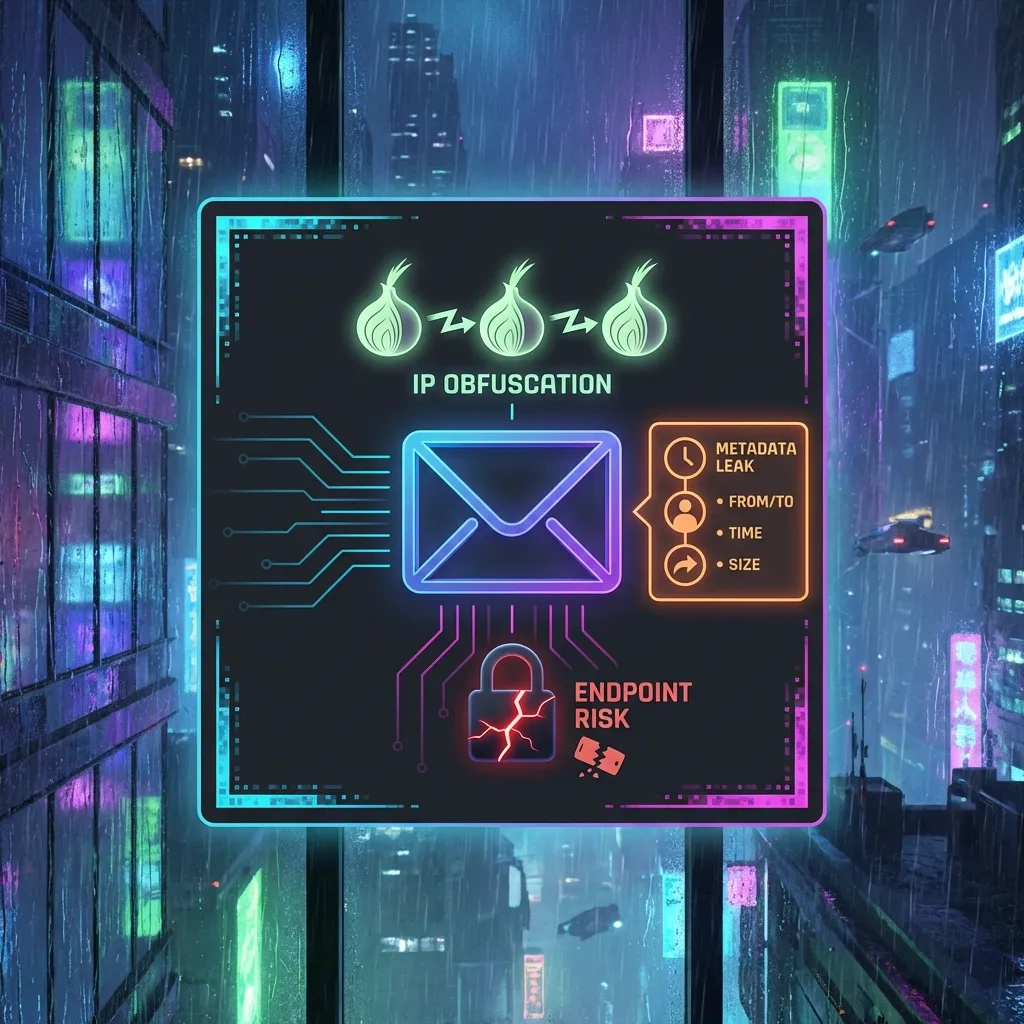
If you assume Tor makes email anonymous, you may overlook metadata and endpoint risks. Clear terms help you choose appropriate defenses and avoid overconfidence.
A Brief History of TorMail and Why the Name Causes Confusion
TorMail became a catch-all label for onion email, even though it referred to a specific service that shut down years ago. The history shapes today’s expectations and myths.
What TorMail was
TorMail was a popular email provider accessible via .onion and clearnet gateways. It attracted users who valued privacy, but it also drew attention from investigators because of criminal abuse by some users. The service ultimately went offline following law enforcement actions unrelated to many users.
Shutdown and lessons
The shutdown highlighted a central lesson: provider risk is real. Even if you connect through Tor, a centralized mailbox can be seized, logged, or mismanaged. Users learned to be skeptical of brand names and to design for resilience.
Why the name sticks
TorMail’s name was simple and descriptive, so it became shorthand for onion email. Unfortunately, that shorthand obscures differences between providers, policies, and technical designs that affect privacy.
Clones and imitators risks
After TorMail’s demise, clones and imitations appeared. Some were honest forks, others were scams or phishing traps. Treat look-alike names with caution and verify addresses carefully.
How Onion-Hosted Email Works (At a High Level)
Onion-hosted email combines the Tor network with standard email protocols. Tor provides hidden service endpoints. The email system still relies on familiar components such as SMTP for sending, IMAP/POP for retrieval, and webmail for browser access.
Webmail vs IMAP and SMTP over Tor
There are two common access patterns:
- Webmail: You open the provider’s .onion site in Tor Browser. Your session never leaves Tor and does not rely on an exit relay.
- Client access: You run a mail client and connect to the provider’s .onion endpoints for IMAP/POP and SMTP. This keeps login and message retrieval inside Tor as well.
Delivery to and from the clearnet
When you email someone on a regular internet provider like Gmail, your provider eventually hands the message to the public email ecosystem using SMTP. That hop leaves the onion context. Between providers, mail is typically protected by TLS in transit, but metadata such as sender and recipient addresses and message timing remain visible to the providers involved. See SMTP and message format standards RFC 5321 and RFC 5322.
End-to-end encryption and PGP basics
To prevent providers from reading content, you can use end-to-end encryption such as PGP. PGP protects message bodies and attachments when used correctly. It does not hide who you email or when you email. Keys must be managed with care, and recipients must also use compatible encryption.
Session isolation and identity leakage
Tor hides your IP, but your session can still leak identity through behavior: logged-in accounts elsewhere, shared recovery emails, reused usernames, or unique writing style. Isolation of identities across accounts, devices, and time reduces these risks.
Pros: Privacy and Access Benefits of Tor-Accessible Email
Onion access offers real advantages for privacy and availability, especially under censorship or intrusive network monitoring.
IP address concealment and local network privacy
When you connect to a .onion mailbox, your local internet provider and nearby observers do not see which service you reached. They see Tor usage, not the destination. The provider also does not see your public IP.
Censorship resilience and reachability
Onion services are resistant to simple IP blocking. Even if clearnet access is filtered, Tor plus bridges can restore reachability in many environments. See Tor connection guidance from Tor Project.
Reduced third party tracking surface
Tor Browser limits trackers, fingerprinting, and cross-site linkages. That reduces linkability between your email session and other browsing activities.
Account setup without phone numbers
Some onion-first providers avoid SMS or phone verification. This can reduce exposure of personal data. It also means you must plan for account recovery carefully.
| Pros | Tradeoffs |
|---|---|
| Hides your IP from the provider and local observers | Does not hide metadata like To, From, Date between providers |
| Improves reachability under censorship | Tor usage itself can draw attention in some regions |
| Limits web tracking via Tor Browser isolation | Usability friction compared to mainstream webmail |
| Can avoid phone-based signups | Recovery is harder without traditional identifiers |
| No exit relay for onion-to-onion access | Still must trust the provider’s server environment |
Cons: Threat Model Gaps, Metadata Exposure, and Trust Issues
Tor fixes network-location exposure. It does not fix email’s inherent metadata or the need to trust endpoints and providers. Understanding these limits is vital for realistic operational security.
Metadata persists even with Tor
Email headers include sender, recipient, date, and often routing information. Providers exchange messages using SMTP. Even when both sides support TLS, the providers still see who is talking to whom and when. This can enable traffic analysis. EFF explains metadata risks in its Surveillance Self-Defense materials here.
Endpoint security and provider visibility
The provider’s webmail or IMAP server processes your messages. Unless you use end-to-end encryption correctly, the provider can access message content. Even with end-to-end encryption, subject lines and other headers may remain visible, and compromised endpoints can capture plaintext after decryption.
Policy, logging, and jurisdiction
Providers vary widely in logging, retention, and legal posture. Some minimize logs, others keep detailed records for abuse handling. Jurisdiction affects what orders they may receive and how they must respond. Marketing claims are not guarantees; look for specific, testable policies.
Delivery paths and MTA security
When your onion provider hands mail to the public email network, message transfer agents negotiate TLS. Misconfiguration, weak ciphers, or fallbacks may reduce protection. While modern providers use strong TLS by default, security relies on both sides and on proper certificate validation.
Common Risks and Failure Modes (Phishing, Scams, and Misconfiguration)
Most real-world failures come from phishing, imitation sites, and user-side mistakes. Treat onion access as necessary but not sufficient.
Phishing and credential traps
Attackers create convincing look-alike onion sites or use clearnet pages that mimic login screens. Verify .onion addresses carefully and bookmark known-good addresses. Be cautious with links in email, even if they appear to come from your provider.
Cloned onion addresses and typosquatting
Onion domains are long and hard to read. Typosquatting and visually similar addresses are common. Obtain addresses from authoritative sources and cross-check using multiple channels when possible.
Misconfigured mail clients and leaky add-ons
Mail clients can leak DNS or connect outside Tor if not configured to use onion endpoints only. Plug-ins that fetch remote images can reveal information. Prefer Tor Browser with webmail or carefully audit client network settings and disable remote content.
Malicious attachments and macro misuse
Tor does not stop malware. Office macros, scripts, and archives can compromise your device and deanonymize you. Use a hardened viewer or open risky content in a disposable environment.
Choosing a Tor-Accessible Email Provider: Evaluation Checklist
Use this checklist to compare onion-capable providers. It focuses on verifiable properties instead of marketing language.
Technical controls to look for
- Onion-only login option with HTTPS over Tor and modern TLS configuration.
- IMAP/SMTP onion endpoints if you use a client instead of webmail.
- Support for end-to-end encryption workflows, such as PGP key upload or client-side encryption guides.
- Protection against remote content loading and tracking pixels in webmail.
- SPF, DKIM, and DMARC support to reduce spoofing on outbound mail.
Policy and transparency signals
- Clear logging and retention policies spelled out in plain language.
- Warrant canary or transparency reports, if legally permissible.
- Jurisdiction and corporate structure disclosed, including any parent entities.
- Abuse handling processes that do not require blanket data retention.
Usability, availability, and redundancy
- Reliable uptime for .onion endpoints and documented maintenance windows.
- Account recovery methods that do not force you to expose real-world identifiers.
- Backup and export options for mailbox data, ideally in standard formats like mbox or Maildir.
- Rate limits and storage quotas that match your usage needs.
Sustainability and funding model
- Transparent funding or subscription model that supports long-term operation.
- Open-source components where feasible, and verifiable builds or audits if claimed.
- Active security communication channels and timely patching.
Safer Usage Basics: Account Hygiene and Operational Security
Practical habits matter more than brand names. These basics help reduce risk without promising perfect anonymity.
Identity isolation and device hygiene
- Use Tor Browser for webmail. Avoid mixing identities in the same browser or device profile.
- Keep systems patched. Disable risky plug-ins. Consider a separate user account or dedicated machine for sensitive use.
- Do not open downloaded files in applications that access the network by default. Use offline viewers when possible.
Strong authentication and recovery plans
- Use long, unique passwords generated by a password manager.
- If the provider supports two-factor authentication, prefer TOTP over SMS.
- Plan a recovery path that does not link to your real identity. Store recovery codes securely offline.
PGP practicalities and key management
- Start with per-contact key verification. Exchange fingerprints through a separate trusted channel.
- Use separate keys for different roles or identities. Protect private keys with strong passphrases.
- Back up keys offline. Consider revocation certificates in case of compromise.
Availability and resilience planning
- Assume outages can happen. Keep secondary contact methods if communications are time-sensitive.
- Export important messages regularly. Store backups encrypted and offline.
- Monitor for provider announcements using out-of-band channels.
Frequently Asked Questions About Tor Email
Is Tor email anonymous?
Tor can hide your IP from the provider and local observers. Email still exposes metadata such as sender and recipient, time, and often subject lines. Content is visible to the provider unless you use end-to-end encryption properly. No provider can guarantee complete anonymity.
Can I email regular services like Gmail or Outlook from an onion address?
Yes. Your provider will relay messages to the public email network using SMTP. Both providers usually use TLS in transit, but each provider still sees metadata and can perform spam checks or filtering.
Is onion-only communication more private?
When both sides use the same onion provider or compatible onion endpoints, transport stays entirely inside Tor with no exit relays. This removes some network exposure. It does not remove provider visibility or metadata within that provider’s system.
Should I use PGP?
PGP can protect message content from providers and intermediaries if used correctly. It requires key management and cooperation from recipients. It does not hide metadata. For many threat models, PGP is a strong layer when combined with Tor.
What happens if a provider is seized or shuts down?
You may lose access to your mailbox and contacts. Depending on policies and technical design, stored messages could be exposed. Regular encrypted backups and use of end-to-end encryption can reduce impact. Consider resilience when choosing a provider.
Can using Tor draw attention?
In some environments, Tor usage may be monitored or restricted. Bridges and pluggable transports can help reach the network more discreetly. Review Tor’s anti-censorship resources here.
Where can I learn more about email standards and security?
For technical standards, see RFC 5321 and RFC 5322. For privacy guidance, EFF’s Surveillance Self-Defense is a useful resource here. Tor Project provides extensive documentation here.
Key takeaways
- Tor hides network location but email metadata and endpoints still reveal information.
- Be precise about terms: Tor is a network, an email provider is a service, and onion addresses are endpoints.
- Use onion access for IP privacy and censorship resilience, then add end-to-end encryption for content protection.
- Trust is central. Evaluate providers for technical controls, transparent policies, and sustainability.
- Phishing, clones, and misconfiguration are the most common failure modes. Verify addresses and disable remote content.
- Plan for recovery and outages. Keep encrypted backups and alternate contact methods.
- Use Tor and email legally and ethically. Avoid overconfidence and test your assumptions regularly.








