





Last Updated on June 19, 2026 by DarkNet
This review explains Migadu in practical terms – pricing, features, deliverability, security, and how it compares to big suites and privacy-first rivals – so you can decide if it fits your domain.

TL;DR: Migadu is a flexible hosted email service for custom domains with mailbox-based pricing, generous aliasing, and solid standards support. It shines for personal domains, small teams, and developers who want control without buying into a full productivity suite. It is not a bulk sender or compliance-heavy platform. Confirm outbound limits, storage expectations, and support scope before migrating. If you need bundled office apps or strict compliance attestations, consider Google Workspace or Microsoft 365. For privacy-forward choices with different tradeoffs, look at Fastmail or Proton Mail.
What Migadu Is and Who It’s For
Hosted custom-domain email, in plain terms
Migadu hosts email for your own domain so you can send and receive as you@yourdomain. It provides the mail servers, webmail, IMAP and SMTP endpoints, spam filtering, and admin controls. You keep control of your domain’s DNS and point records to Migadu’s infrastructure. The service emphasizes standards-friendly interoperability over bundling office apps or collaboration suites.
Compared with free inboxes at a consumer provider, custom-domain hosting gives you branding, portability, and administrative control. Compared with running your own mail server, a hosted provider reduces operational risk. You still manage DNS and account security, and you decide which clients or apps connect to your mailboxes.
Best-fit profiles: personal domains, small teams, developers
Migadu fits users who value control and simplicity:
- Personal domains and family domains wanting multiple addresses under one roof without paying per alias.
- Small teams and indie businesses needing predictable mailbox-based pricing and standards-compliant IMAP and SMTP.
- Developers and technical users who care about DNS hygiene, deliverability basics, and avoiding lock-in to a large suite.
If your threat model includes avoiding vendor lock-in and maintaining control over aliases and routing, Migadu’s architecture is appealing. You can also attach multiple domains to one account and organize mailboxes with aliases to fit varied workflows.
When Migadu is a poor fit: high-volume senders and strict compliance
Migadu is not a bulk sender. If your plan involves large newsletters, promotion campaigns, or triggered high-volume transactional mail, use a dedicated email delivery platform that focuses on consent-driven mass sending. Migadu’s outbound controls and abuse prevention policies prioritize inbox integrity for regular correspondence.
Organizations with strict regulatory demands may need enterprise attestations beyond Migadu’s scope. If your security or legal team requires specific certifications, custom DPAs beyond standard terms, or tenant-isolation guarantees typical of large enterprise suites, shortlist providers built for those checkboxes.
Migadu Pricing Model: Pay for Mailboxes, Not Storage
How Migadu pricing differs from per-GB suites
Migadu charges primarily per mailbox rather than selling you a full collaboration bundle or pricing storage per gigabyte. Aliases are essentially free within plan limits, and multiple domains can be hosted under one account. This can be far more cost-effective if your usage pattern is many addresses that map to a small number of actual mailboxes.
Big suites often price per user with large storage pools and apps included. That is great if you need Docs, Drive, Teams, SharePoint, or Meet. If you only need IMAP, SMTP, and a clean webmail, paying for unused apps is wasteful. Migadu’s model keeps you focused on the mail layer.
Predictable costs vs hidden constraints you should confirm
The main budgeting variable is mailbox count. Predictability improves since aliases do not multiply costs. There are still constraints worth confirming in the official documentation before you commit:
- Outbound sending limits per mailbox or per account, shaped to protect reputation.
- Fair use on storage and attachment sizes, not framed as per-gigabyte upsells but still enforced.
- Spam filtering and quarantine behavior that could affect heavy alias users.
- Support tiers and response expectations for your chosen plan.
These are reasonable guardrails, but they matter for planning. If your workflows rely on large attachments, high daily send volumes, or heavy role-based aliasing, test with a pilot domain first.
Realistic budget examples: solo domain vs small team
For a solo domain, one mailbox can front dozens of aliases. That keeps monthly cost low while giving you address separation for services, projects, and family members forwarding to the main mailbox. For a small team, a mailbox per person plus shared aliases for roles like support@ or billing@ is a common pattern. If you need distinct inboxes for roles, add dedicated mailboxes selectively.
Compare this approach with a suite that charges per user even if many of those users only need light email. Migadu’s math often wins if you value email control over bundled apps.
Core Features: Domains, Aliases, Catch-All, and Multi-User Setup
Domains and aliases at scale: power and practical limits
Migadu lets you attach multiple domains under one account. Within each domain, you can create many aliases that point to one or more mailboxes. This enables clean address compartmentalization without proliferating full inboxes. Practical limits apply to prevent abuse and resource contention, so check plan-level caps.
Used well, aliases reduce clutter. You can create project-specific addresses, unique logins for services, or role addresses that distribute across a small team. Keep in mind that each alias still routes messages through your anti-spam and storage constraints.
Catch-all patterns and spam control tradeoffs
Catch-all routing lets you receive mail to any address at a domain. It is convenient for on-the-fly address creation, but it draws more spam, backscatter, and misdirected mail. Consider a hybrid approach: use a limited catch-all primarily for testing and discovery, but create explicit aliases for production use. Keep spam filtering tight and review quarantines regularly.
If your threat model includes phishing or address harvesting, avoid broad catch-alls. Distinct aliases per service help you identify leaks and disable compromised addresses without disrupting everything else.
Multi-user admin: roles, shared domains, and separation of duties
Migadu’s admin lets you create multiple mailboxes and manage domains centrally. For teams, align roles with least privilege. Separate admin credentials from daily email accounts. Use shared aliases for group workflows where everyone needs visibility, and use distinct mailboxes for anything that requires accountability or privacy.
Set clear naming conventions, archive policies, and forwarding rules so that onboarding and offboarding are simple. Document how aliases map to functions. The small upfront investment reduces mistakes later.
Deliverability, Reputation, and Outbound Sending Limits
Deliverability basics: what the provider can and can’t solve
Migadu provides stable infrastructure and standards support, which is necessary but not sufficient for deliverability. Your DNS configuration, sending patterns, list hygiene, and content quality are decisive. Providers cannot override recipient policies or inbox providers’ reputation systems. Expect good results for normal person-to-person and business correspondence if you authenticate properly and avoid spammy behavior.
Monitor bounces and feedback, keep recipient lists consent-based, and avoid sudden spikes in volume. For legitimate newsletters or transactional flows at scale, consider a dedicated delivery service built for large send volumes and detailed reputation tooling.
Outbound limits and the newsletter/automation boundary
Migadu enforces outbound controls to keep shared reputation healthy. Limits vary by plan and can change. Confirm current thresholds in official docs and design within them. If your use case involves recurring newsletters, bulk notifications, or high-frequency automations, a separate transactional or marketing platform is appropriate for lawful, opt-in sending. Do not attempt to bypass limits or filters.
Keep transactional and marketing traffic distinct. Your regular mailbox reputation benefits when bulk operations live on a dedicated, consent-focused platform.
Authentication essentials: SPF, DKIM, DMARC (conceptual)
Three DNS standards establish sender legitimacy and policy:
- SPF – declares which hosts may send for your domain. See RFC 7208 at datatracker.ietf.org.
- DKIM – cryptographically signs messages so recipients can verify integrity and domain alignment. See RFC 6376 at datatracker.ietf.org.
- DMARC – tells receivers how to handle mail that fails alignment, and provides reporting. See RFC 7489 at datatracker.ietf.org.
Example DNS records overview – conceptual only:
- SPF: a TXT record at your root domain that includes Migadu’s sending hosts alongside any other legitimate senders you use. Avoid overlapping or multiple SPF records.
- DKIM: one or more TXT records at selector._domainkey.yourdomain with public keys provided by Migadu. Rotate keys periodically according to provider guidance.
- DMARC: a TXT record at _dmarc.yourdomain with a policy that starts relaxed and tightens after you validate alignment and review reports.
- MX: multiple records pointing to Migadu’s mail exchangers with appropriate priorities.
- Optional: a subdomain policy for DMARC if you delegate subdomains to different services.
Validate records with reputable tools and watch DMARC aggregate reports to understand real-world flows before moving to a strict reject policy.
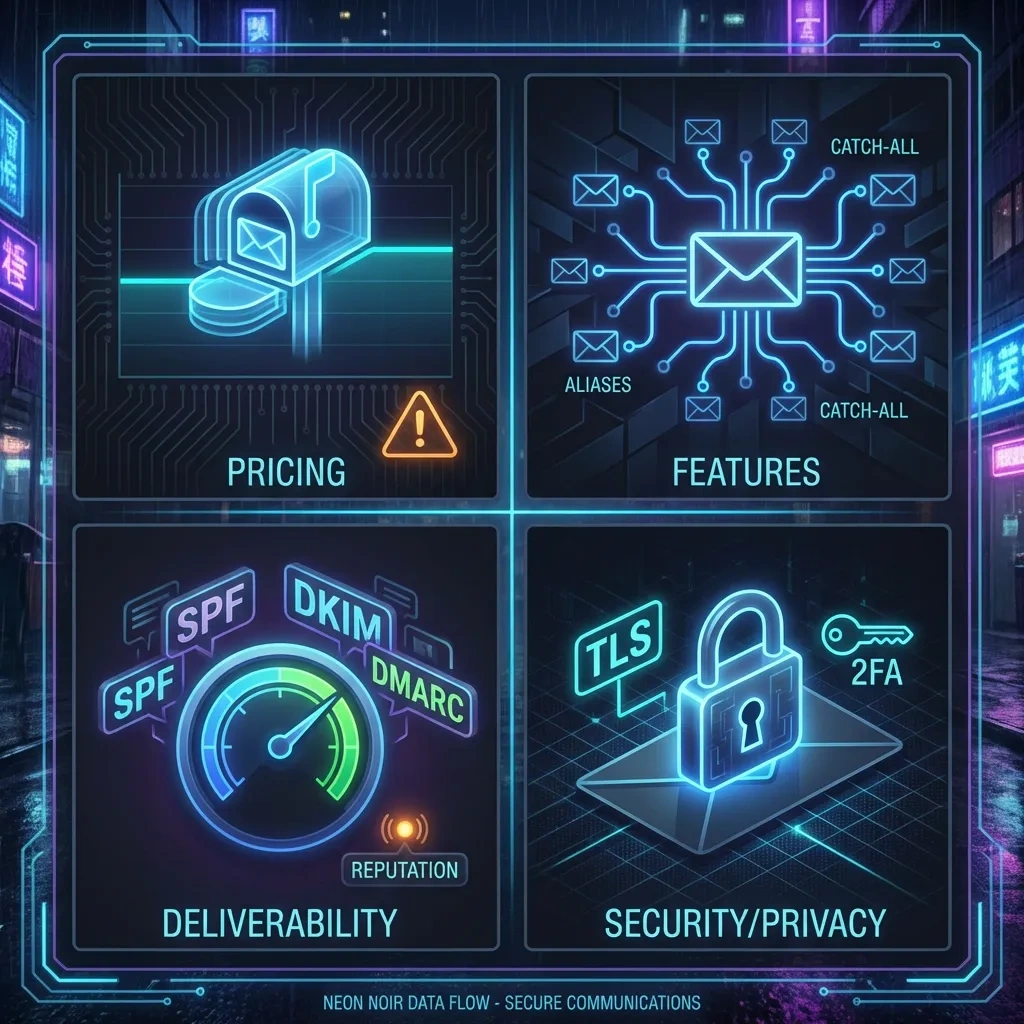
Security and Privacy: Encryption, Data Handling, and Account Controls
Transport encryption and realistic at-rest expectations
Migadu supports TLS for SMTP, IMAP, and HTTPS. That protects data in transit between your client and the server, and between cooperating mail servers. Like most hosted email, server-side at-rest protections exist, but they are not end-to-end encryption. The provider must process spam checks, indexing, and delivery. If you need message content that even the provider cannot access, use end-to-end encryption tools on top of SMTP and IMAP, and manage your keys carefully.
Security also depends on your endpoints. Compromised devices, weak OS hardening, or malicious extensions can undermine any provider’s protections. Keep systems patched, minimize plugins, and use strong authentication.
Account security: passwords, 2FA, app passwords, and recovery
Use strong, unique passwords and enable two-factor authentication wherever available. For IMAP and SMTP clients that cannot handle modern 2FA, use app passwords scoped to specific clients and revoke them when rotating devices. Lock down recovery options – they are a common attack path. Audit active sessions and app credentials periodically.
If you manage multiple users, enforce minimum password standards and 2FA across the organization. Document secure onboarding and offboarding steps, especially when aliases and shared mailboxes are involved.
Logs, metadata, and privacy tradeoffs in hosted email
Email metadata – sender, recipient, timestamps, server hops, and IPs – is part of the protocol reality and often retained in logs for troubleshooting or abuse prevention. Hosted providers need some logging to operate reliably and prevent misuse. If your privacy model demands minimizing metadata exposure, consider carefully what devices and networks you use, prefer trusted clients, and avoid unnecessary headers or external content loads in messages.
Review the provider’s privacy policy to understand retention windows and legal process handling. If you need stronger guarantees, evaluate end-to-end encrypted workflows for sensitive content or segregate sensitive topics to a different channel entirely.
Admin and User Experience: Dashboard, DNS Setup, and Ongoing Maintenance
First-time setup pitfalls: MX, SPF, DKIM, DMARC, and DNS hygiene
Most onboarding friction comes from DNS. Typical mistakes include duplicated SPF records, typos in DKIM selectors, missing MX priorities, and a DMARC policy that is too strict before you validate flows. Plan a staged rollout: create records, verify them, then move MX once you are confident. Keep TTLs reasonable during migration so you can adjust quickly.
DNS hygiene matters long term. Document who controls registrar access, how subdomains are delegated, and which external services are authorized to send on your behalf. A tidy zone file prevents odd deliverability issues later.
Day-2 operations: users, aliases, spam tuning, and quarantines
After launch, most work is lightweight: add or remove aliases, adjust mailbox quotas, and monitor spam filtering. Train users to review quarantine folders. If false positives occur, tune settings cautiously rather than broadly weakening filters. Adopt a naming scheme for aliases so you can quickly disable or redirect addresses that start attracting unwanted mail.
Regularly review admin activity, third-party app access, and forwarding rules. Forwarding to external accounts can introduce privacy and security risks if not governed.
Migration: importing mail and minimizing downtime
Migadu supports IMAP-based imports from legacy providers. For a smooth cutover, create mailboxes and aliases first, import historical mail in batches, then switch MX records during a low-traffic window. Keep the old provider alive briefly to catch stragglers. Communicate the change to users, including new IMAP and SMTP settings and any app passwords required.
For large archives, test a subset to confirm folder mappings and character encoding behave as expected. Avoid changing DNS and importing simultaneously – isolate variables for easier troubleshooting.
Integrations and Protocol Support: IMAP, SMTP, Webmail, and Third-Party Clients
Client compatibility: Thunderbird, Outlook, Apple Mail, mobile
Migadu works with standards-compliant clients over IMAP and SMTP. Popular choices include Thunderbird, Outlook, Apple Mail, and mobile mail apps. For older clients, use app passwords and SSL or STARTTLS as required. If a client struggles with modern authentication, prefer a client that supports current security modes rather than downgrading.
Calendar and contacts may rely on third-party tools if you do not use a suite. Verify CardDAV and CalDAV requirements if they matter to your workflow.
Webmail expectations and usability
Webmail is straightforward, focused on mail rather than a full office suite. Expect standard features: filtering, basic search, signatures, and identity management for aliases. Power users may prefer a desktop client for advanced search or offline use, but webmail is sufficient for light daily work and quick access.
SMTP relay and app sending: transactional cautions (no abuse guidance)
Many apps and devices can send mail through Migadu’s SMTP with proper authentication. Keep volumes moderate, align From domains with authenticated records, and respect provider limits. For legitimate transactional or marketing mail at scale, use a dedicated service designed for this use case and integrate through their APIs. This separation protects your inbox reputation and reduces support friction.
Reliability and Support: Uptime Expectations, Backups, and Help Channels
What reliability signals to check before you commit
Evaluate status pages and incident history, published uptime claims, redundancy details, and public postmortems. Ask about inbound and outbound queueing during provider outages and how they handle delayed delivery. Test client failover behavior by simulating short network disruptions.
Independent monitoring of IMAP, SMTP, and webmail endpoints is a good practice for teams. Light monitoring helps you distinguish provider issues from local network problems.
Backups and retention: what the provider does vs what you should do
Providers may offer snapshots or server-side resilience, but you remain responsible for data you care about. Implement mailbox-level backups via IMAP sync, export archives periodically, and confirm restore workflows. If retention policies are important for legal or auditing reasons, document them and test them. Backups matter as much for accidental deletion as for rare provider incidents.
Support: response expectations and effective escalation
Response times scale with plan tier and case severity. When opening tickets, include message IDs, timestamps with time zones, and DNS screenshots to speed diagnosis. For urgent deliverability issues, provide full headers from affected messages. Escalate only after you have verified DNS and client configuration on your side.
Migadu vs Alternatives: Fast Comparisons for Common Scenarios
Versus Google Workspace and Microsoft 365: ecosystem vs control
Google Workspace and Microsoft 365 deliver deep ecosystems: docs, storage, meetings, device management, and compliance tooling. If your organization lives in those apps or requires their enterprise controls, they are the straightforward choice. You pay for breadth. Migadu offers focused email with more granular control over aliases and domains without pulling you into a proprietary stack. Choose the suite if collaboration apps and compliance certifications drive the decision. Choose Migadu if you want lean, standards-first email management.
Versus Fastmail and Proton Mail: privacy posture and workflow fit
Fastmail is a polished, privacy-minded provider with excellent search and power-user features, plus contact and calendar sync. Proton Mail emphasizes end-to-end encryption and privacy features while balancing interoperability. Migadu positions itself as flexible and admin-friendly with mailbox-based pricing and many aliases. If end-to-end encryption is your top priority, Proton Mail is compelling. If you prefer a refined user experience with built-in productivity niceties, Fastmail is strong. If you want multi-domain control and cost-effective aliasing, Migadu is attractive.
Versus budget hosts: when cheap becomes costly
Ultra-cheap cPanel-style hosts often bundle email, but deliverability, support, and security tradeoffs can bite when your domain reputation matters. Shared hosting mail often lacks robust authentication defaults and has less predictable IP reputation. Migadu’s focus on mail and clear outbound policies tends to produce more consistent results for real correspondence.
Quick comparison table (include here or immediately below)
| Provider | Pricing model | Notable strengths | Key tradeoffs | Best for |
|---|---|---|---|---|
| Migadu | Per mailbox, aliases generous | Multi-domain control, standards-first IMAP and SMTP, admin simplicity | Not for bulk sending, fewer enterprise compliance features | Personal domains, small teams, developers |
| Google Workspace | Per user suite | Ecosystem apps, integrations, admin tooling | Costs add up for alias-heavy setups, vendor lock-in risk | Organizations deep in Google apps |
| Microsoft 365 | Per user suite | Office apps, Teams, compliance features | Complexity, higher cost if you only need mail | Enterprises needing Microsoft stack |
| Fastmail | Per user email service | Fast search, user-friendly, calendars and contacts | Per-user pricing can be higher for many aliases | Power users and small orgs valuing UX |
| Proton Mail | Tiered plans | Privacy features and end-to-end encryption options | Interoperability tradeoffs with non-Proton recipients | Privacy-focused users and teams |
| Zoho Mail | Per user, suite options | Value pricing with business apps | Suite complexity if you only want mail | Budget-conscious small businesses |
Bottom Line: Clear Pros, Clear Cons, and Decision Checklist
Pros that matter in real-world use
- Mailbox-based pricing keeps costs predictable when you need many aliases and multiple domains.
- Standards-focused approach with IMAP, SMTP, and clean DNS guidance supports interoperability.
- Admin simplicity – easy to add domains, aliases, and mailboxes without suite sprawl.
- Clear separation between regular correspondence and bulk sending – encourages healthy reputation.
- Works well with common desktop and mobile clients.
Cons and deal-breakers to verify before migrating
- Not suitable for bulk or high-automation sending – plan a dedicated platform for that traffic.
- Fewer enterprise compliance attestations than large suites – check your legal requirements.
- No bundled productivity suite – you will assemble your own toolset.
- Deliverability still depends on your DNS, content, and sending patterns – provider cannot guarantee inbox placement.
- Support scope and response times vary by plan – confirm expectations.
Decision checklist (requirements-based)
- [ ] I only need reliable hosted email, not a full office suite.
- [ ] My address plan uses many aliases mapped to a small number of mailboxes.
- [ ] My sending profile is regular correspondence – not bulk campaigns or heavy automations.
- [ ] I can configure and maintain DNS records for SPF, DKIM, DMARC, and MX.
- [ ] My compliance needs fit a lean provider – or I have documented alternatives.
- [ ] I will back up mailboxes and test restores on my schedule.
- [ ] I will enforce strong passwords, 2FA, and app passwords where appropriate.
- [ ] I have a plan for transactional and marketing mail using a dedicated, consent-based sender.
FAQ
- Does Migadu include office apps like docs or storage drives?
- No. Migadu focuses on email hosting. If you need full office suites, consider Google Workspace or Microsoft 365.
- Can I send newsletters through Migadu?
- Keep volumes modest and consent-based. For recurring newsletters or large lists, use a dedicated email delivery service designed for bulk, lawful sending.
- How many aliases can I create?
- Aliases are generous within plan limits. Check current caps and fair use policies in official documentation.
- What about end-to-end encryption?
- Like most hosted email, Migadu is not end-to-end by default. You can layer end-to-end encryption tools on top and manage keys yourself.
- How do I improve deliverability?
- Authenticate with SPF, DKIM, and DMARC, keep lists consent-based, avoid sudden spikes, and monitor DMARC reports. No provider can guarantee inbox placement.
- Can I host multiple domains?
- Yes. You can attach multiple domains and manage aliases across them from one account.
- Is catch-all recommended?
- Use sparingly. Catch-all increases spam exposure. Prefer explicit aliases for ongoing use.
- Where can I learn more about SPF, DKIM, and DMARC?
- See RFC 7208 for SPF, RFC 6376 for DKIM, and RFC 7489 for DMARC at datatracker.ietf.org. Also consult official DNS guidance from your registrar or DNS host.
Key takeaways
- Migadu excels at lean, standards-based email for custom domains with many aliases.
- It is not a bulk sender – separate high-volume mail to a dedicated platform.
- Deliverability depends on correct DNS, stable habits, and consent-based practices.
- Security is shared responsibility – use 2FA, strong passwords, backups, and clean endpoints.
- Compared with big suites, you gain control and save on alias-heavy setups but lose bundled apps and some compliance features.
- Pilot with a test domain, validate DNS and workflows, then migrate with a staged cutover.
- Choose based on requirements – if email control and cost efficiency matter most, Migadu is a strong candidate.








