




Last Updated on June 19, 2026 by DarkNet
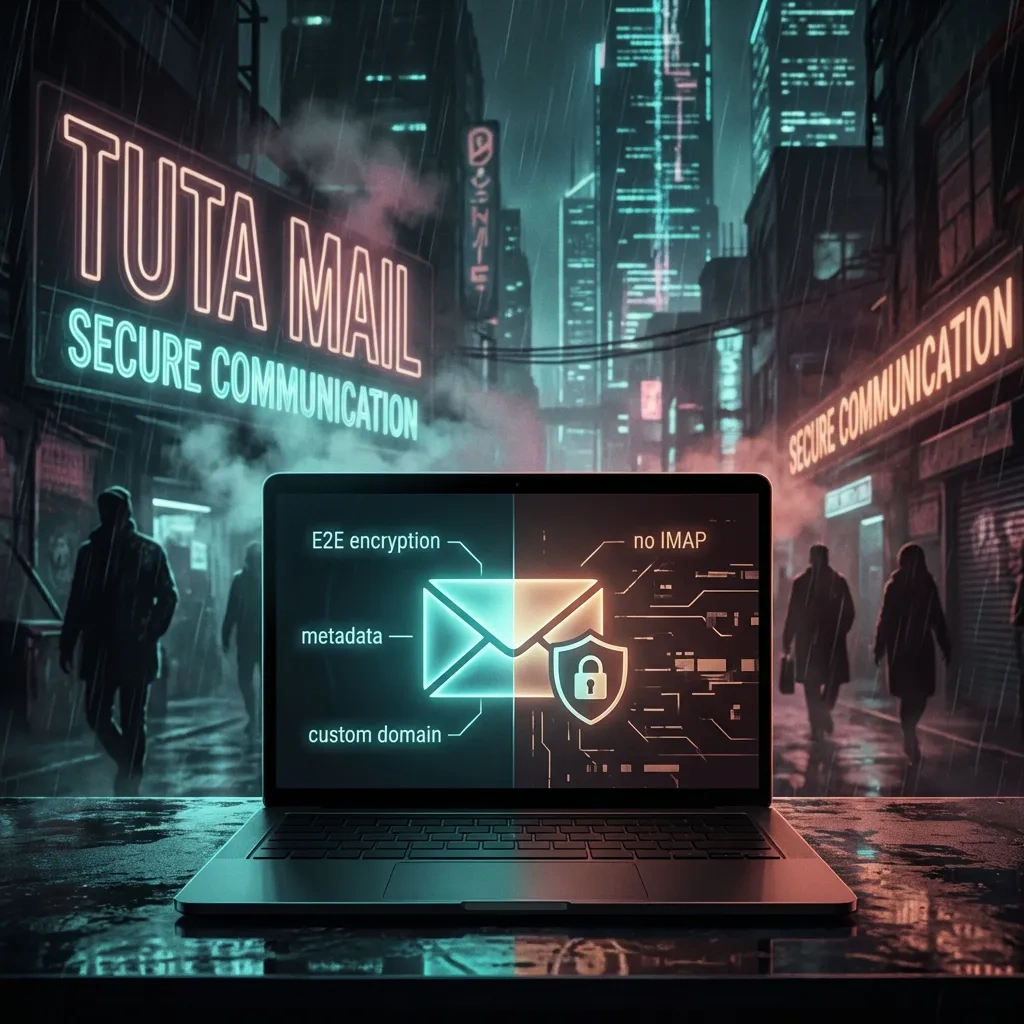
A pragmatic, security-literate look at Tutanota, now Tuta Mail. Learn how its encryption works, what metadata still leaks, where it excels, where it falls short, and how it stacks up to Proton Mail, Mailbox.org, and Gmail.

At a glance: pros and cons
- Pros:
- End-to-end encryption by default for Tuta-to-Tuta messages and encrypted calendars/contacts
- Open-source clients with privacy-first defaults and anti-tracking features
- Simple password-based flow to send encrypted messages to non-users
- EU jurisdiction, strong transparency posture, and GDPR-aligned practices
- Cons:
- No standard IMAP/POP integration, so limited compatibility with classic email clients
- Metadata exposure still exists on the transport layer for external mail
- Search and some conveniences are constrained by encryption
- Learning curve for teams used to Gmail or Outlook workflows
What Tutanota (Tuta Mail) Is and Who It’s For
Quick background and rebrand context (Tutanota → Tuta)
Tutanota is a long-running secure email provider that rebranded to Tuta Mail. The goal remained the same: deliver easy end-to-end encrypted email with minimal tracking, plus encrypted calendar and contacts. Tuta emphasizes that privacy is the default rather than an add-on setting.
Threat models: privacy, anti-tracking, and realistic expectations
Tuta aims to reduce exposure to bulk data collection, third-party trackers, and server-side content scanning. It helps against casual snooping, advertising ecosystems, and some network observers. It does not magically remove all metadata from email transport, and it cannot protect you if your device is compromised or if you are phished. If your adversary controls your endpoints, they see decrypted content.
Who should choose it (and who shouldn’t)
- Good fit:
- Privacy-minded individuals and developers who value open-source clients and EU data protection norms
- Small teams that can live inside Tuta’s apps without IMAP
- People who send sensitive information occasionally to non-users and need a simple encrypted flow
- Think twice:
- Enterprises tied to Outlook, legacy IMAP, or deep Microsoft 365 and Google Workspace integrations
- Users who need advanced server-side search, shared mailboxes, or long-tail integrations that assume IMAP/SMTP access
Security Model Explained: What Is Encrypted and What Isn’t
End-to-end encryption basics and key handling
Tuta Mail encrypts messages end to end when both sender and recipient use Tuta, or when the sender uses Tuta’s password-based encryption for external recipients. Message content and attachments are encrypted before leaving your device and are decrypted on the recipient’s device. Tuta’s calendar and contacts are also encrypted at rest. Keys are managed client-side, and your password or recovery method controls access to those keys. The provider cannot read your encrypted content if you use end-to-end flows correctly.
Encrypted email to external recipients: password flow and UX
When emailing someone who does not use Tuta, you can set a shared password out of band. The external recipient receives a notification email containing a link to a secure mailbox hosted by Tuta. They enter the password to view and reply encrypted inside that temporary mailbox. This is simpler than PGP for many users and avoids certificate exchange complexity.
What remains visible: subject lines, headers, and metadata considerations
Email transport exposes some metadata. From, To, Date, and routing data are visible on the open internet whenever a message moves between providers. Tuta minimizes exposure but cannot change SMTP’s fundamentals for interop. Subject handling depends on the mode: Tuta-to-Tuta can encrypt the subject within its ecosystem; external delivery via standard SMTP cannot hide subjects in transit. For password-encrypted external messages, the subject in the notification email is typically generic, and the actual subject stays inside the secure view.
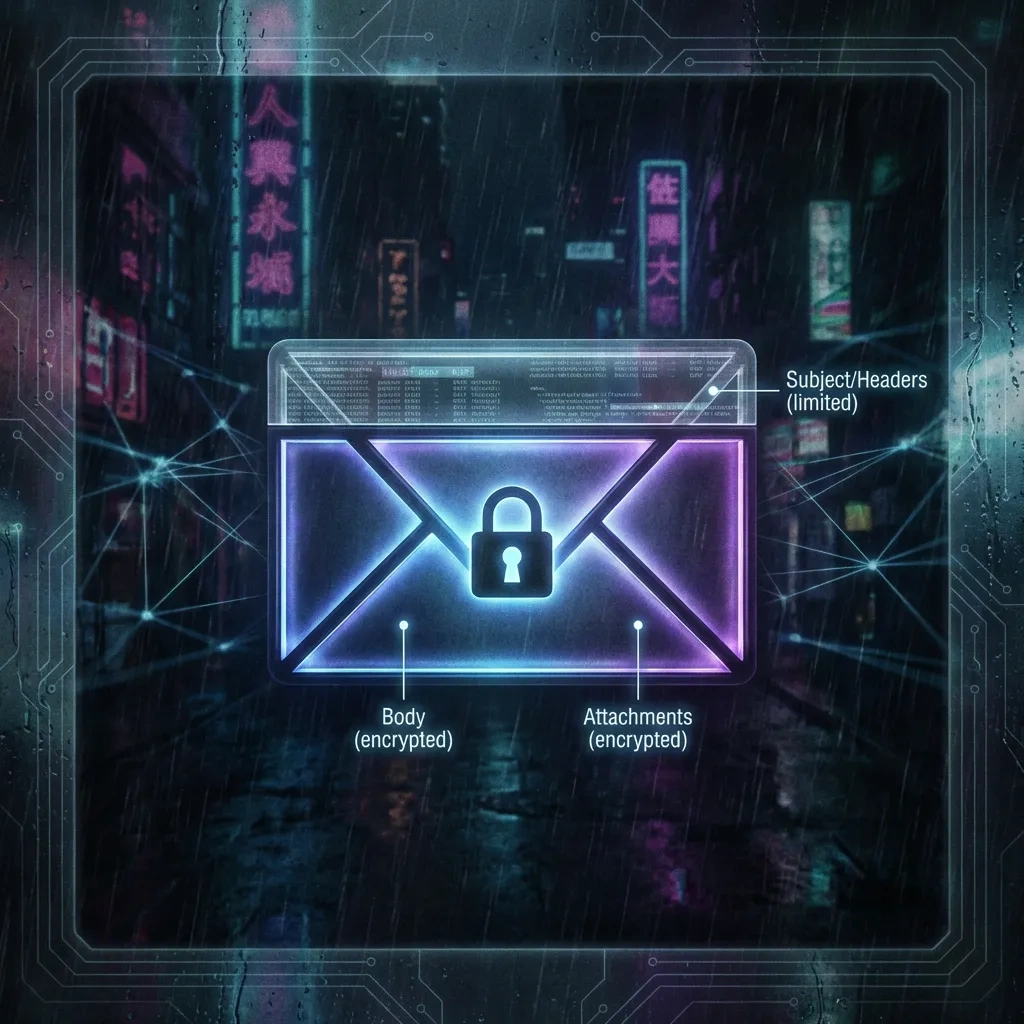
Practical implications:
- Assume counterparties can infer who contacted whom and when, especially across providers.
- Avoid sensitive details in unencrypted subjects when emailing outside the Tuta ecosystem.
- Anti-tracking features strip remote content loading and IP leaks, but do not erase SMTP-level metadata.
For background on headers, see RFC 5322 from the IETF specification. For Tuta’s security overview, see the official page here.
Privacy and Data Practices: Metadata, Logging, and Jurisdiction
Germany/EU legal context and implications
Tuta is based in Germany and falls under EU privacy regulation, including GDPR. That generally means stronger privacy baselines, data subject rights, and stricter breach notification obligations than many other regions. GDPR compliance does not guarantee anonymity, but it gives meaningful process and recourse for users. Learn more from official EU guidance here.
Transparency reporting and what it can (and can’t) prove
Tuta publishes transparency information about requests it receives and how it responds. This is a positive signal; it documents patterns and pressure from authorities. Transparency reports do not prove the impossibility of access, but paired with end-to-end encryption, they indicate a provider’s posture and the practical limits of data disclosure.
Anonymity limits: signup, IP exposure, and payment footprints
- Signup: Anonymous signup is possible in spirit, but risk depends on network context and device hygiene. Do not treat email as anonymity infrastructure.
- IP and headers: Tuta can avoid embedding your IP in outgoing headers and blocks remote content by default, reducing common leaks.
- Payments: Paying by card or mainstream processors creates a financial trail. Consider how payment data could correlate with your identity. Legal and ethical use only.
Account Features and Limitations: Domains, Aliases, Storage, and Search
Custom domains, catch-all behavior, and DNS setup notes (high-level; no step-by-step)
Paid plans support custom domains with standard DNS records for deliverability and anti-spoofing. Expect to configure SPF, DKIM, and DMARC to reduce spam flags. Catch-all routing can be convenient for unique aliases per service. Keep DNS at a reputable registrar and monitor DMARC reports to catch abuse early.
Alias management and address hygiene
Aliases help compartmentalize risk across services. Tuta supports multiple aliases on paid tiers and basic address use on free. Rotate or retire aliases after breaches, and segregate identities across contexts. Use descriptive aliases that remind you of their purpose without revealing personal details.
Search limitations and encrypted mailbox trade-offs
Strong encryption constrains full-text indexing. Tuta uses client-side approaches to enable some search while keeping content encrypted server-side. Expect slower or more limited searches than Gmail or Outlook. If you live inside massive archival workflows, evaluate whether Tuta’s search meets your needs.
Usability in Daily Life: Apps, Calendar, Contacts, and Deliverability
Mobile/desktop apps, offline use, and reliability
Tuta provides Android and iOS apps and desktop apps across major platforms. Offline capabilities are improving but are not a drop-in replacement for legacy desktop clients in all cases. Notifications, sync, and caching are generally stable. If you rely on heavy offline workflows, test before migrating fully.
Calendar/contacts integration and productivity gaps
Tuta’s calendar and contacts are encrypted and usable for personal scheduling. Integration into broader ecosystems is limited compared to Google or Microsoft stacks. Expect fewer automations and fewer third-party connectors. For many, this is a privacy win. For enterprise IT, it can be a blocker.
Spam filtering, deliverability, and interoperability issues
Deliverability is solid but not perfect. Use proper DNS records and avoid sending large campaigns from your primary mailbox. Mailing list footers, tracking pixels, and HTML quirks can behave differently due to Tuta’s anti-tracking defaults. When recipients are on strict corporate gateways, password-encrypted messages that require web access may confuse some users, so include clear instructions.
Pricing and Plans: Free vs Paid Value Breakdown
What you get on the free tier and common upgrade triggers
The free tier offers a privacy-first mailbox with limited storage, one primary address, and access to Tuta’s apps. Common upgrade triggers include wanting a custom domain, more storage, multiple aliases, extra users, and business features like better admin controls.
Paid tiers: cost drivers (domains, aliases, storage, users)
Pricing scales with resources: storage, number of aliases, custom domains, and user seats. For teams, plan for per-user pricing and consider whether you need additional admin policies or archiving options. If you anticipate growth, choose a tier with headroom to avoid frequent plan changes.
Refunds, billing privacy, and payment options overview (general)
Payment methods vary by region. Understand the level of personal information tied to your payment choice. If privacy is a priority, prefer methods that minimize unnecessary data sharing while staying within the law. Review Tuta’s terms and refund policy before committing to annual billing.
Pros of Tuta Mail: Where It Stands Out
Strong default encryption and reduced tracking surface
End-to-end encryption for content, encrypted calendar and contacts, and anti-tracking defaults reduce exposure to adtech and casual interception. For sensitive personal communication, that is a significant upgrade over most mainstream providers.
Simple UX for encrypted messages to non-users
The password-based external flow solves a real usability problem that has long made PGP impractical for everyday people. It is not perfect, but it is understandable and easy to explain.
Open-source components and auditability signals
Open-source clients and published security details provide community visibility into how things work. This does not replace formal audits, but it raises confidence and enables independent scrutiny. For details, see Tuta’s security overview documentation.
Cons and Trade-Offs: Where It Falls Short
Feature gaps vs traditional providers (IMAP/SMTP expectations)
Tuta does not offer standard IMAP or POP access because decrypting server-side would break end-to-end guarantees. That means legacy desktop clients are not supported. Proton Mail mitigates this with a separate Bridge app for paid users, but Tuta’s priority is its own apps. For an official stance, see Tuta’s FAQ on IMAP here.
Compatibility issues with enterprise workflows
Businesses entrenched in Microsoft 365 or Google Workspace will miss directory integration depth, shared mailboxes, advanced delegation, and third-party add-ons. These gaps are not bugs; they are the cost of a security posture that avoids server-side decryption and pervasive integration.
Limits of ‘secure email’ against endpoint compromise and phishing
If your device is compromised, encryption does not help. If you are phished, two-way encrypted chat inside Tuta will not save you from disclosed credentials. Use phishing-resistant 2FA, keep OS and browsers updated, and prefer hardware security keys where supported.
Tuta Mail vs Alternatives: Proton Mail, Mailbox.org, Gmail, and Others
Privacy-first comparison: encryption approach and ecosystem
Tuta and Proton Mail both deliver end-to-end encryption with strong privacy defaults. Proton highlights a broader ecosystem: VPN, cloud storage, and a paid Bridge that enables IMAP for desktop clients. Tuta focuses on simplicity inside its own apps, encrypted calendar/contacts, and a direct password-based external message flow. Mailbox.org supports strong privacy but leans toward standards and compatibility; Gmail prioritizes usability, search, and integrations over end-to-end content encryption.
Cost and feature matrix: aliases, domains, storage, and support
Expect Tuta and Proton to price on storage, aliases, custom domains, and user count. Gmail and Workspace bundle storage and collaboration but without automatic end-to-end encryption for content. Mailbox.org can be a middle ground for users who want more classic email flexibility with privacy-friendly policies.
When a mainstream provider may still be the practical choice
If you rely on deep integrations, advanced server-side search, and broad team tooling, a mainstream provider can be the practical choice. Consider pairing mainstream email for general use with Tuta for specific sensitive communication. Keep expectations aligned with your threat model.
| Feature | Tuta Mail | Proton Mail | Gmail |
|---|---|---|---|
| End-to-end encryption by default | Yes for Tuta-to-Tuta and password-encrypted external flow | Yes for Proton-to-Proton and PGP; external via PGP or password | No by default for general mail |
| Subject encryption | Encrypted within Tuta ecosystem | Encrypted with PGP if used; otherwise visible | Visible |
| IMAP/POP support | No standard IMAP/POP | Yes via Proton Mail Bridge (paid) docs | Yes |
| Apps | iOS, Android, desktop apps | iOS, Android, web, Bridge for clients | iOS, Android, web, broad client support |
| Custom domains | Paid plans | Paid plans | Workspace plans |
| Open-source components | Yes, clients and more | Yes, clients and cryptography libs | Mostly closed |
| Ecosystem breadth | Email, calendar, contacts | Email, calendar, contacts, VPN, Drive | Email, calendar, Drive, Docs, Meet |
Best-Practice Setup Checklist for Safer Email Use
Account hardening: strong passwords and 2FA
- Use a long, unique password generated by a reputable password manager.
- Enable 2FA. Prefer hardware security keys where supported, otherwise TOTP. Store recovery codes offline.
- Review active sessions and revoke old devices regularly.
Device security and phishing resistance essentials
- Keep OS, browsers, and apps updated. Enable automatic updates.
- Use a modern browser with anti-phishing protections. Verify sender domains and links before clicking.
- Disable remote image loading for unknown senders. Tuta helps here by default.
Operational tips: separate identities, backups, and recovery planning
- Segment identities: use aliases or separate accounts for financial, personal, and development activities.
- Back up critical messages and contacts securely. Test restore paths.
- Plan recovery paths: store recovery codes offline and document steps for account regain if 2FA devices are lost.
FAQ
Is Tutanota (Tuta Mail) truly end-to-end encrypted by default?
Yes, for Tuta-to-Tuta messages. Content and attachments are encrypted on your device and decrypted on the recipient’s device. For non-Tuta recipients, you can enable a password-based encrypted flow.
What parts of an email are not encrypted in Tuta Mail (metadata, subject, headers)?
Inter-provider transport exposes envelope data like From, To, Date, and routing. Subjects in standard SMTP transport are visible. Within Tuta’s ecosystem, the subject can be encrypted. For password-encrypted external messages, the real subject stays inside the secure view while the notification email uses a generic subject.
How does Tuta Mail send encrypted messages to people who don’t use Tuta?
You choose a shared password with the recipient via a separate channel. They receive a notification email with a link to a secure mailbox. They enter the password to read and reply encrypted.
Is Tuta Mail better than Proton Mail for privacy and usability?
It depends. Tuta prioritizes simplicity inside its apps and a straightforward external encryption flow. Proton offers a larger ecosystem and a Bridge for desktop IMAP clients on paid plans. Both are strong privacy choices. Try both for your workflow.
Can I use my own custom domain with Tuta Mail, and what are the limitations?
Yes on paid tiers. You need to add DNS records like SPF, DKIM, and DMARC for deliverability. Shared mailboxes and deep enterprise features are more limited than mainstream suites.
Does Tuta Mail support IMAP/SMTP or standard email clients?
No standard IMAP/POP. This preserves end-to-end encryption by avoiding server-side decryption. Use Tuta’s official apps. For comparison, Proton enables IMAP through a separate Bridge for paid users.
What should I do if I forget my password or lose 2FA access?
Use your recovery code or established recovery method. Without recovery, end-to-end encryption means support cannot decrypt your mailbox. Store recovery info offline and test it once after setup.
Will Tuta Mail improve protection against phishing and account compromise?
It reduces tracking and some content-based risks, but phishing and device compromise remain top threats. Use strong passwords, phishing-resistant 2FA, and healthy device hygiene.
Key takeaways
- Tuta Mail delivers practical, default end-to-end encryption with privacy-first apps.
- SMTP metadata still leaks between providers; keep sensitive details out of external subjects.
- No standard IMAP means fewer integrations but stronger end-to-end guarantees.
- For enterprise workflows, test fit carefully; for privacy-first users, Tuta is a strong daily driver.








