




Last Updated on June 19, 2026 by DarkNet
A practical, defensive OPSEC checklist for lawful darknet research and privacy work in 2026. Realistic trade offs, common mistakes, and risk mitigation across devices, networks, and habits.
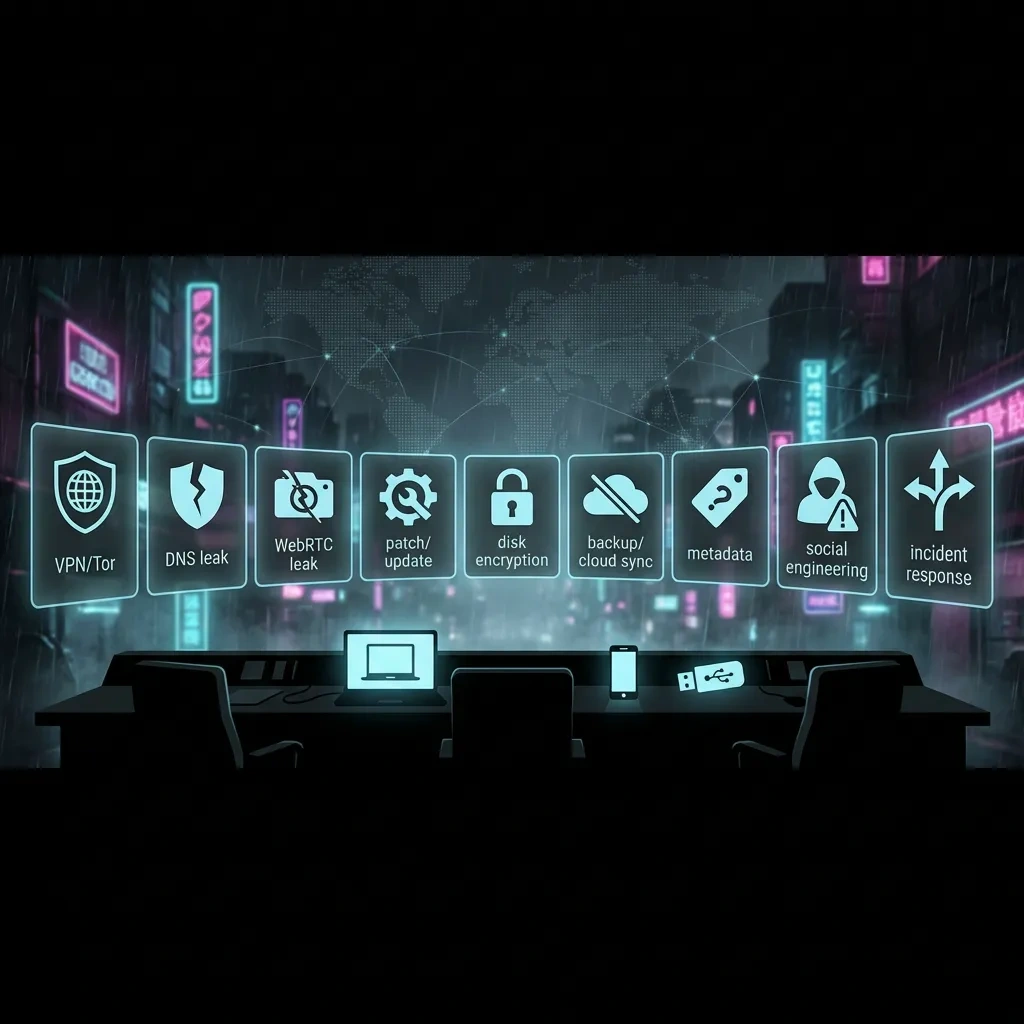
Threat model first: define goals, adversaries, and acceptable risk
Every OPSEC choice flows from a clear threat model. Without it, you risk overspending on low value controls or underestimating real exposures. In 2026, the largest gaps remain endpoint compromise, behavioral tells, data exhaust from cloud integrations, and cross linking via identifiers like phone numbers, emails, and payment rails.
Write down why you are doing darknet work, what laws and policies you must follow, and what would happen if identity or data were exposed. Then list adversaries, from casual observers to platform abuse teams to nation state services, and consider their capabilities. Finally, set risk thresholds that drive when to stop, change tactics, or walk away.
Clarify objectives and legal boundaries
State your purpose in simple, lawful terms like research, journalism, or privacy testing. Identify jurisdictions and policies that govern your activities. Consider organizational policies if you are part of a team. Outline what is explicitly off limits.
Adversaries and capability mapping in 2026
Map realistic adversaries: network observers, platforms, data brokers, targeted phishers, and advanced actors. Capabilities include browser fingerprinting, traffic correlation, mobile telemetry, compromised infrastructure, supply chain attacks, and on chain analytics. Align controls to the highest credible adversary you must tolerate, not a hypothetical one.
Threat-modeling worksheet
Use this fill in worksheet to focus your plan. Keep it short and specific. Revisit it when your activities change.
- Purpose and lawful scope: __________________________________________
- Primary assets to protect (identity, location, data): _______________________
- Adversaries (ranked by likelihood and impact): _____________________________
- Key exposures (endpoint, network, metadata, payments): __________________
- Acceptable risk threshold (what triggers a stop or escalation): _____________
- Time budget and resources (skills, devices, support): _____________________
- Legal and policy constraints: __________________________________________
Checklist
- Write a one paragraph purpose statement that is lawful and specific.
- List adversaries and their capabilities you reasonably expect to face in 2026.
- Identify your most sensitive assets and how they could be exposed.
- Define a hard stop rule for unacceptable risk events.
- Document constraints like work policy, local laws, and platform rules.
- Choose controls that match the highest credible adversary you accept.
- Schedule quarterly reviews to update your model as tools and risks change.
Identity and compartmentation: separate personas, accounts, and devices
Compartmentation reduces cross linking. Keep personas, accounts, and devices separate when the failure of one could expose another. The most common linkage paths are phone numbers, recovery emails, shared browsers, reuse of images or phrases, and consistent timing or language patterns.
Persona planning and naming discipline
Create personas with clear scopes and lifespans. Avoid reusing unique phrases, avatars, or stylometry that can tie them together. Record what each persona may contact or access and what it must never touch.
Account separation without cross-linkage
Use distinct recovery channels that do not loop back to a real identity. Be cautious with phone based verification and recovery hooks, especially SIM bound numbers. Keep authentication factors separate across personas. Follow strong authentication guidance like NIST SP 800-63B for password quality and MFA selection.
NIST SP 800-63B guidance can help you choose secure, user friendly authentication factors.
Device compartments: dedicated vs virtualization
A dedicated device compartment reduces risk from shared state and telemetry. Virtualization can add isolation on a capable host, but it does not remove host level risk. Never mix real identity accounts or personal messaging on a compartment used for darknet work.
Checklist
- Define persona scopes and retire dates before you create accounts.
- Keep recovery channels and MFA methods unique per persona.
- Avoid phone numbers tied to real identity for privacy focused accounts.
- Do not reuse avatars, bios, or writing quirks across personas.
- Choose dedicated devices or hardened virtual machines for compartments.
- Keep a minimal inventory of which persona uses which device and accounts.
- Regularly audit for accidental cross links or reused identifiers.
Hardware and OS baseline: hardened systems and secure configurations
Endpoint compromise defeats every other defense. In 2026, practical baseline steps still include timely updates, minimal software, full disk encryption, and secure boot. Reduce attack surface by removing vendors and services you do not need. Pay attention to firmware and peripheral risks.
Dedicated hardware vs daily driver
Dedicated hardware for sensitive work limits cross contamination from personal apps and data. If you must use a daily driver, create a separate, limited account with strict controls and no personal logins. External peripherals can carry firmware risk, so treat them as part of the device compartment.
OS choices and hardening priorities in 2026
Choose an OS you can keep updated and properly configure. Harden system services, disable unnecessary sharing features, and minimize background processes. Enable full disk encryption and verify secure boot is active. Favor LTS releases where available.
Update strategy and supply chain awareness
Patch promptly, but do not blindly install unverified software. Prefer official repositories and signatures. Maintain basic inventory of installed software and drivers. Watch for supply chain advisories for your hardware and core software stack.
Checklist
- Use a dedicated device for sensitive work when possible.
- Enable full disk encryption and secure boot; verify status after updates.
- Keep OS and critical apps updated on a predictable schedule.
- Uninstall or disable unneeded services, sharing features, and bloat.
- Limit peripherals and keep their firmware updated when supported.
- Install software from trusted sources with verified signatures.
- Maintain a simple asset and software inventory for auditing.
Network hygiene in 2026: VPNs, Tor basics, and traffic-leak prevention
Network privacy blends routing choices with leak prevention. Tor provides strong network level anonymity for supported use cases. VPNs can add confidentiality against local observers and can shift exposure, but they do not provide anonymity on their own. Combine these carefully and lawfully where your threat model calls for it.
When to use Tor, and how it fits with a VPN
Use Tor for darknet access and for browsing that benefits from circuit level isolation. Avoid logging into real identity services over Tor. A VPN can protect traffic to the Tor network from local observers, but also centralizes trust in the VPN provider. Read the Tor Project safety documentation before use.
Tor Project support and safety docs cover common risks and safe usage patterns.
Preventing DNS, WebRTC, and IPv6 leaks
Leaks often happen via DNS queries, WebRTC local IP exposure, or IPv6 bypasses. Favor configurations that confine DNS to expected resolvers, disable or restrict WebRTC where possible, and manage IPv6 behavior consistently across your stack. Browser level settings matter here.
W3C WebRTC documentation explains the technology and surfaces that may expose network information.
Mobile and SIM risks for network anonymity
Phones tie to IMSI, baseband telemetry, and app identifiers. Even with a VPN, mobile OS services and push frameworks can create linkages. Treat SIMs and device identifiers as highly correlatable. If you must use mobile, reduce app footprint and avoid linking accounts with phone numbers.
Checklist
- Use Tor for darknet access and read official safety guidance first.
- Decide if a VPN adds value for your local network threat; document why.
- Test for DNS, WebRTC, and IPv6 leaks before sensitive sessions.
- Segment network usage by persona and device; avoid mixed traffic.
- Prefer wired or stable connections during sensitive sessions.
- Be cautious using mobile data or Wi Fi tied to your identity.
- Avoid logging into real identity services over anonymity networks.
Browser and app fingerprinting: reduce unique signals and telemetry
Fingerprinting aggregates many small signals into a near unique profile: canvas and audio traits, fonts, plugins, screen size, time zone, language, and hardware timing. Apps add their own telemetry and identifiers. In 2026, your best defense is to blend into a large, stable crowd and minimize customizations that make you stand out.
Fingerprinting vectors that matter in 2026
Relevant vectors include high resolution timing, WebGL and canvas, font lists, media codecs, battery and device memory hints, and platform specific quirks. Network side data like TLS fingerprints add more signals. Limit unique stack combinations and resist unnecessary browser tweaks.
Browser choices and privacy configurations
Choose a browser that prioritizes privacy and has a large user base in the configuration you plan to use. Keep extensions minimal and from trusted sources. Prefer privacy features that reduce cross site tracking and fingerprinting without creating a unique setup. Mozilla documents how Firefox processes data and provides privacy controls.
Mozilla Firefox privacy notice outlines telemetry and controls to adjust.
App telemetry and background services control
Applications often run background services, auto update tasks, and crash reporters. These may leak metadata or reach out over the network during sensitive sessions. Reduce app count, disable unnecessary services, and prefer apps that let you configure telemetry.
Checklist
- Pick a mainstream privacy browser profile and avoid unique customizations.
- Keep extensions to the minimum needed and verify their provenance.
- Limit fonts, plugins, and media codecs that widen your uniqueness.
- Align time zone and language settings with your persona.
- Disable or limit WebRTC where it is not required for your tasks.
- Audit and disable background updaters and auto launch services.
- Test your fingerprint periodically to watch for drift.
Data handling and encryption: storage, transfers, and metadata control
Encryption protects confidentiality when keys remain secret. Many failures happen at the edges: weak key handling, unencrypted temp files, metadata trails, or cloud sync mishaps. Strive for disciplined key management and minimize the amount of data you handle at all.
Encryption basics and key management
Use well known, audited tools and avoid inventing cryptography. Protect keys with strong passphrases and store them only where needed. Rotate keys on a schedule that aligns with your threat model and decommission keys when compartments retire.
For secure messaging, study the provider’s security model and default settings. Favor end to end encryption and verify safety numbers where applicable.
File hygiene and metadata minimization
Documents, images, and archives carry metadata like author, location, and creation time. Strip metadata where possible and keep raw originals away from compartments that should not link back to you. Be mindful of thumbnails and cache artifacts.
Secure transfer and sharing patterns
Prefer encrypted channels with forward secrecy. Limit cloud storage to what your model allows and confirm that sync clients are not running in sensitive compartments. Use checksums to confirm integrity when necessary. Keep logs minimal and avoid long lived links.
Checklist
- Use established encryption tools and avoid custom schemes.
- Protect encryption keys with strong passphrases and clear storage rules.
- Strip or neutralize metadata before sharing files.
- Disable cloud sync in compartments where linkage is risky.
- Encrypt data at rest and in transit; verify configurations periodically.
- Keep only the data you truly need, for as little time as possible.
- Retire keys and securely delete data when a compartment closes.
Payments and financial privacy basics: minimize linkage and exposure
Financial flows create durable trails. In 2026, blockchain analytics, KYC rules, and payment provider telemetry can connect transactions to identities or devices. The goal is not to hide wrongdoing, but to avoid unnecessary linkage for lawful privacy work.
Understand on-chain traceability and analytics
Public ledgers enable clustering and pattern analysis. Movement between assets and services can link identities through timing, amounts, and addresses. Assume that on chain activity is long lived and likely to be analyzed.
Payment compartmentation and recordkeeping
Use payment methods that match your lawful use case and risk tolerance. Keep separate records per persona and avoid merging receipts or invoices. Be mindful that email confirmations and support tickets can cross link personas.
Avoid recovery hooks that pierce privacy
Payment accounts often bind to phone numbers, emails, and device fingerprints. Recovery and support flows can demand identity proof. If privacy is important, choose services with clear privacy policies and predictable handling of support interactions.
Checklist
- Match payment methods to lawful needs and your documented risk model.
- Keep separate financial records per persona or project.
- Assume on chain activity is linkable; avoid unnecessary transactions.
- Limit exposure of phone and email in payment profiles.
- Review provider privacy policies and support processes before use.
- Avoid reusing devices or browsers tied to other payment identities.
- Plan exits and refunds to avoid unexpected cross linkage.
Human-factor OPSEC: habits, social engineering, and communication discipline
People are the most capable and most fragile layer. Strong habits reduce mistakes that technology cannot catch. Keep communications simple, verify identities, and avoid time patterns that betray where you are or who you are.
Communication channels and verification
Favor end to end encrypted channels for sensitive conversations and verify keys or safety numbers out of band. Be cautious with link clicks, file opens, and QR codes. Do not mix real identity contacts into compartments meant to stay separate.
Routine hygiene and time zone masking
Posting or messaging at consistent local times can reveal your location. Vary schedules where it matters. Consider language and locale signals in text, screenshots, and UI captures. Remove personal idioms when operating personas.
Social engineering red flags and traps
Red flags include urgent requests, reward bait, and unsolicited files. Attackers often impersonate support or trusted peers. Confirm requests through known channels and ignore unexpected attachments. Keep your personal need for closure or speed in check.
Checklist
- Use end to end encrypted channels and verify keys where possible.
- Segregate contact lists and do not cross pollinate compartments.
- Vary activity times and sanitize language markers as needed.
- Do not click unknown links or open untrusted attachments.
- Confirm sensitive requests through a second, known channel.
- Keep logs of critical decisions and verifications for accountability.
- Plan cool down pauses to avoid rushed, risky actions.
Common OPSEC failures: real-world mistakes and how to avoid them
Most failures are boring, preventable, and human. Below are frequent pitfalls with countermeasures. Treat them as a standing preflight check for sensitive sessions.
Identity leaks and behavioral tells
Small leaks add up: reused avatars, reused writing quirks, unedited screenshots with unique UI, consistent time zones, or a phone number used for account recovery. Keep a checklist to reset your frame before each session.
Device and software misconfigurations
Misconfigurations include disabled disk encryption, outdated OS, verbose logging, and browser profiles with unique extensions. One forgotten sync client can unravel a persona.
Cloud sync and backup oversharing
Default cloud settings often sync files, contacts, and telemetry. Backups may include app data and logs. Review settings and prefer compartments with no default cloud accounts signed in.
Prevention: Avoid phone bound recovery for privacy personas; keep distinct recovery channels.
Prevention: Enforce a no cross login rule; use separate browser profiles or devices.
Prevention: Review browser settings and test for leaks before sessions.
Prevention: Minimize extensions; stick to mainstream privacy configurations.
Prevention: Audit after major updates; disable or sign out of cloud services in compartments.
Prevention: Set a patch cadence and verify after installation.
Checklist
- Run a preflight check: accounts, browser, network leaks, and time zone.
- Confirm disk encryption and recent updates on the compartment device.
- Verify no personal accounts are logged in on the device or browser.
- Check that cloud sync and backups are disabled for the compartment.
- Review fingerprinting exposures and extension lists.
- Inspect screenshots and documents for metadata before sharing.
- Test network for DNS, WebRTC, and IPv6 leaks.
Incident response: what to do after a suspected compromise
Assume compromises will happen. A calm, repeatable plan limits damage and speeds recovery. Adopt an approach consistent with well known guidance such as NIST’s incident handling lifecycle.
NIST SP 800-61 outlines preparation, detection, containment, eradication, and recovery for incidents.
First-hour triage steps
- Pause and record observations: what happened, when, and on which compartment.
- Isolate the affected device from networks without wiping evidence.
- Change credentials for affected personas from a clean environment.
- Notify stakeholders who may be impacted, using secure channels.
- Decide whether to preserve artifacts for investigation.
What not to do during containment
- Do not keep using a system you think is compromised for sensitive tasks.
- Do not log into personal or work accounts from the suspect device.
- Do not rush to wipe drives if you need evidence for investigation or legal reasons.
- Do not engage with suspected attackers; route through trusted contacts if required.
Rebuild and recovery planning
- Rebuild from known good media and verify signatures.
- Rotate keys and regenerate secrets used by the compromised compartment.
- Restore only what is necessary from backups after scanning.
- Update your threat model and controls based on lessons learned.
Checklist
- Document the incident timeline and affected assets.
- Contain by isolating devices and accounts without destroying evidence.
- Reset credentials from a clean device and network.
- Decide on forensics vs immediate rebuild based on your needs.
- Reissue keys and tokens and test access controls.
- Review what changed and adjust your OPSEC plan accordingly.
FAQ
These answers are high level and defensive. They do not cover ways to bypass security controls or law enforcement.
Is a VPN required if I use Tor?
No. Tor does not require a VPN. A VPN can hide Tor usage from a local observer and move trust to the VPN provider. Whether to combine them depends on your threat model. Read Tor’s official safety guidance and do not log into real identity services over Tor.
Can I be anonymous on a phone in 2026?
Phones carry strong identifiers and background telemetry. Privacy can be improved, but full anonymity is unlikely. If you must use mobile, minimize apps, avoid phone bound recovery, and treat SIMs and device IDs as correlatable.
Are hardware wallets anonymous?
Hardware wallets protect keys but do not make transactions anonymous. On chain activity can be analyzed. Separate compartments and cautious recordkeeping help reduce unnecessary linkage for lawful privacy uses.
Does virtualization replace a separate device?
Virtualization adds isolation but does not remove risk from the host or shared hardware. A separate device compartment offers stronger separation. Choose based on your resources and threat model.
Checklist
- Decide VPN plus Tor only if your model justifies the added trust shift.
- Treat phones as high linkage devices; prefer dedicated hardware for sensitive work.
- Remember hardware wallets solve key storage, not on chain privacy.
- Use virtualization thoughtfully; prefer dedicated devices when feasible.
- Revisit official docs from EFF and Tor when your use case changes.
Key takeaways
- Start with a written threat model and let it drive every OPSEC choice.
- Compartmentation across personas, accounts, and devices reduces cross linkage.
- Endpoint hygiene and updates matter more than any single network tool.
- Blend in to reduce fingerprinting; avoid unique stacks and habits.
- Metadata, payments, and cloud defaults create durable trails; minimize them.
- Human discipline prevents most failures; build routines and preflight checks.
- Plan for incidents with a calm, repeatable response and recovery process.
- No setup is perfect; legal and ethical boundaries come first.
Further reading:








