Last Updated on June 18, 2026 by DarkNet
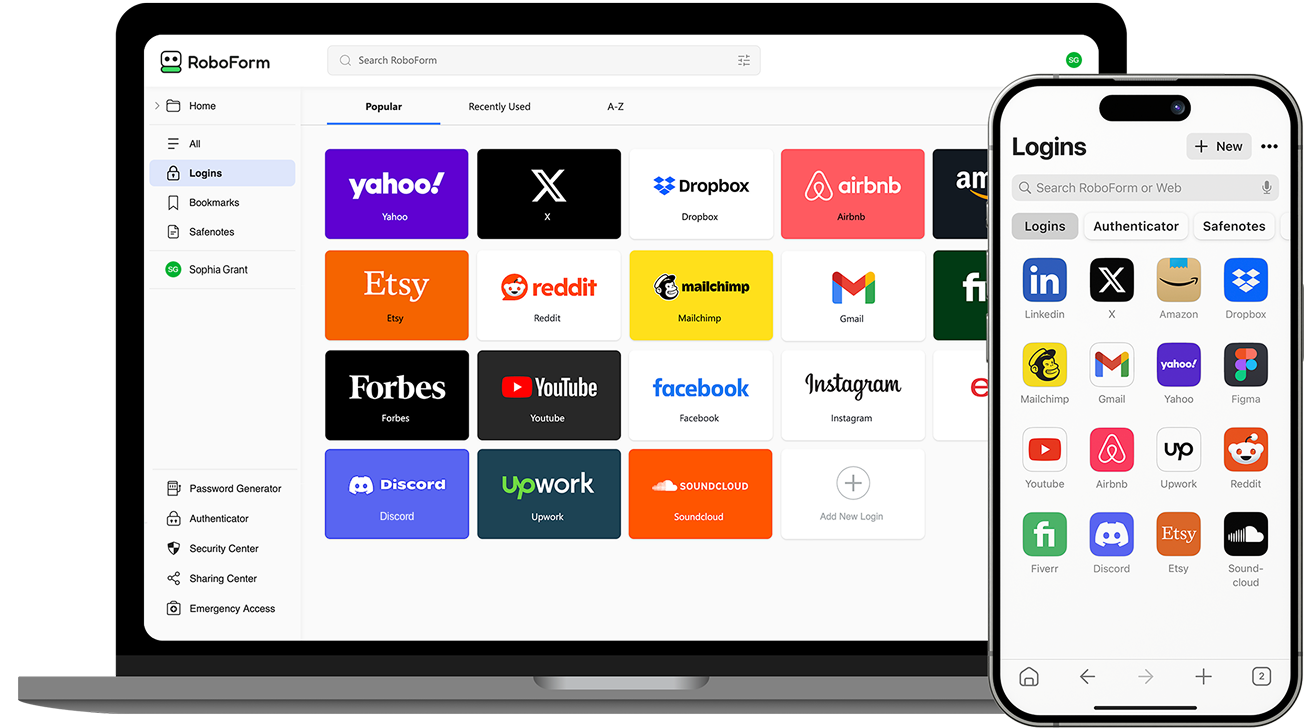
RoboForm is one of the longest-running password managers on the market. It is best known for its strong form-filling capabilities and broad platform support, making it a familiar choice for long-time users and those who value automated data entry.
Below is a complete and objective article outlining all major advantages and disadvantages of RoboForm.
What Is RoboForm
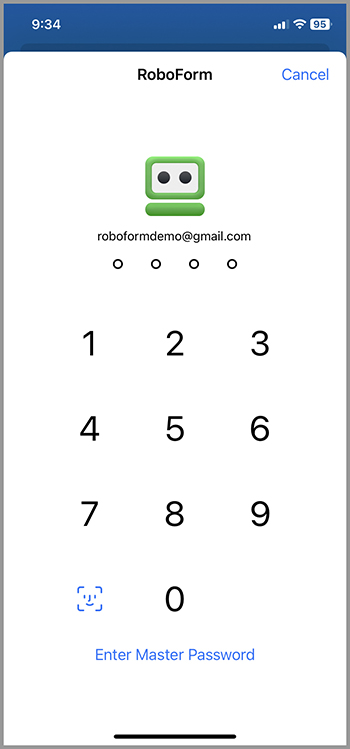
RoboForm is a password manager designed to:
- securely store passwords and sensitive data;
- automatically fill login credentials and web forms;
- sync encrypted data across devices;
- simplify repetitive online tasks.
RoboForm is available on Windows, macOS, Linux, iOS, Android, and all major web browsers.
Core Features
- Secure password storage
- Advanced form filling for web pages
- Password generator
- End-to-end encryption with zero-knowledge architecture
- Two-factor authentication
- Cross-device synchronization
- Secure notes and identity storage
✅ Pros of RoboForm
📝 Industry-Leading Form Filling
- Extremely accurate form filling across complex websites
- Supports long and multi-step forms
- Ideal for users who frequently complete online applications
RoboForm remains one of the best tools for automated form completion.
💸 Affordable Pricing
- Lower cost compared to many premium competitors
- Free version available with basic features
- Family plans offer good value
🧩 Broad Platform and Browser Support
- Works on nearly all operating systems
- Supports many browsers, including less common ones
- Consistent experience across devices
🔄 Reliable Autofill Performance
- Fast and dependable login autofill
- Stable browser extensions
- Minimal login errors compared to some newer tools
🧑💻 Mature and Proven Product
- Long history and stable development
- Well-tested core features
- Trusted by users for many years
❌ Cons of RoboForm
🎨 Outdated Interface Design
- Visual design feels old compared to modern competitors
- Less intuitive layout for new users
- Interface lacks polish and customization
🔐 Security Features Are Less Advanced
- No built-in passkey support
- Breach monitoring is limited
- Fewer modern security innovations compared to newer managers
🌐 Cloud Dependence for Sync
- Cross-device sync requires RoboForm cloud
- No official self-hosting option
- Limited offline functionality across multiple devices
⚙️ Fewer Advanced and Business Features
- Limited enterprise and admin tools
- Not ideal for large teams or organizations
- Lacks deep access control and reporting
Who RoboForm Is Best For
Recommended if you:
- frequently fill out online forms;
- want a reliable and affordable password manager;
- prefer a mature and stable product;
- value wide browser compatibility.
Not ideal if you:
- want a modern interface and design;
- need advanced security or passkey support;
- manage passwords for teams or enterprises.
Password Manager Comparison Table 2026
|
Product Name |
Encryption & Zero-Knowledge |
Platform Support |
Key Security Features |
Best For |
|---|---|---|---|---|
|
Yes, strong AES-256 + unique secret key |
All major OS & browsers |
Zero-knowledge, MFA, passkeys, secure sharing |
Premium security & usability |
|
|
Yes, AES-256, open-source |
All major OS & browsers |
Self-hosting option, open audit |
Open-source transparency & budget |
|
|
Yes, AES-256, zero-knowledge |
All major OS & browsers |
VPN (paid), breach monitoring |
Security insights + privacy tools |
|
|
Yes, zero-knowledge |
All major OS & browsers |
Password health, email masking |
Best overall value & simplicity |
|
|
Yes, AES-256 + PBKDF2 |
All major OS & browsers |
Self-destruct, secure sharing |
Enterprise & business focus |
|
|
Yes, encrypted vault |
All major OS & browsers |
Advanced form-filling |
Excellent form automation |
|
|
AES-256 local encryption |
All major OS & browsers |
Local-first vault, optional cloud sync |
Local control, no subscription |
|
|
Yes, AES-256 GCM, open-source |
All major OS & browsers |
End-to-end encryption, CLI access |
Privacy-focused, free tier strong |
|
|
Yes, encrypted vault (mixed fields) |
All major OS & browsers |
Cross-platform sync, 2FA |
Easy access, large user base |
|
|
Yes, encrypted |
Web, apps |
Team sharing, access controls |
Business teams |
|
|
Yes, open-source |
Web & extensions |
Self-hosting, team roles |
Technical & DevOps teams |
|
|
Yes, E2E + hardware |
Web & mobile |
Hardware-first, FIDO2 |
Passwordless & simplicity |
|
|
Encrypted sync |
All major OS & browsers |
Integration with Dell ecosystem |
Enterprise users |
|
|
Encrypted |
Enterprise systems |
Active Directory integration |
Enterprise IT control |
|
|
Encrypted |
Enterprise systems |
User access & audit logs |
IT password governance |
|
|
Identity Anywhere (Avatier) |
Encrypted |
Enterprise systems |
Identity + SSO focus |
Large enterprise identity |
|
Encrypted |
Enterprise |
Identity & privileged access |
Identity security suites |
|
|
Encrypted |
All major OS & browsers |
Multiple form filling |
General personal use |
|
|
Encrypted |
Unix-like systems |
Local system vault |
Linux-centric local vault |
|
|
KeePass (via forks like KeePassXC) |
Encrypted local vault |
All major OS |
Portable, local, plugin ecosystem |
Offline control & enthusiasts |
|
Encrypted |
Teams & enterprise |
Team collaboration |
Secure team vault |
Final Verdict
RoboForm is a reliable and time-tested password manager with excellent form-filling capabilities. While its interface and security feature set feel dated compared to newer competitors, it remains a solid choice for users who prioritize automated form completion, affordability, and broad platform support over cutting-edge design and advanced security tools.