Last Updated on June 3, 2026 by DarkNet
Proton Proton Pass is a privacy-focused password manager developed by the team behind Proton Mail and Proton VPN. It is designed with a strong emphasis on encryption, transparency, and user privacy, and is closely integrated into the Proton ecosystem.
Below is a complete and objective article outlining the main advantages and disadvantages of Proton Pass.
What Is Proton Pass
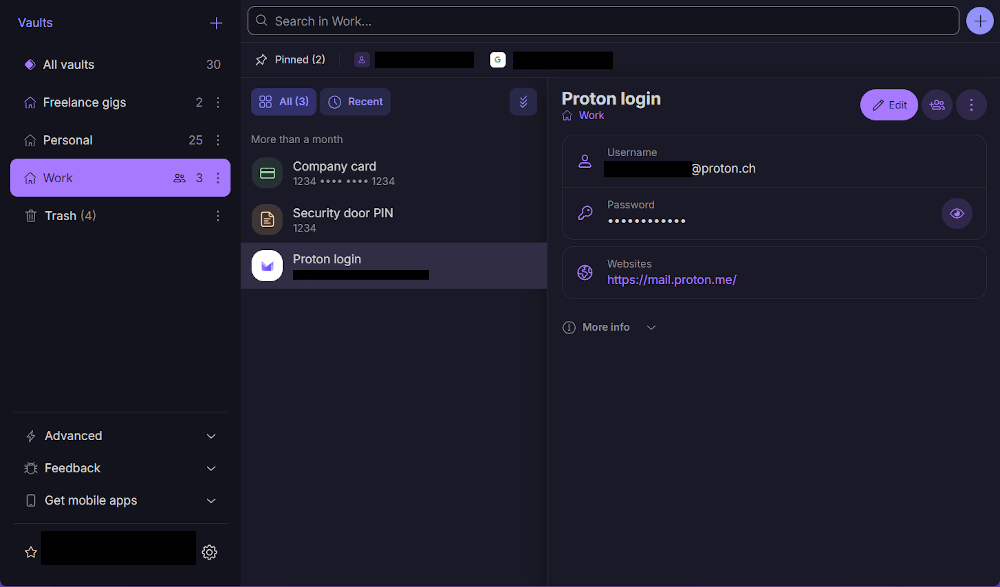
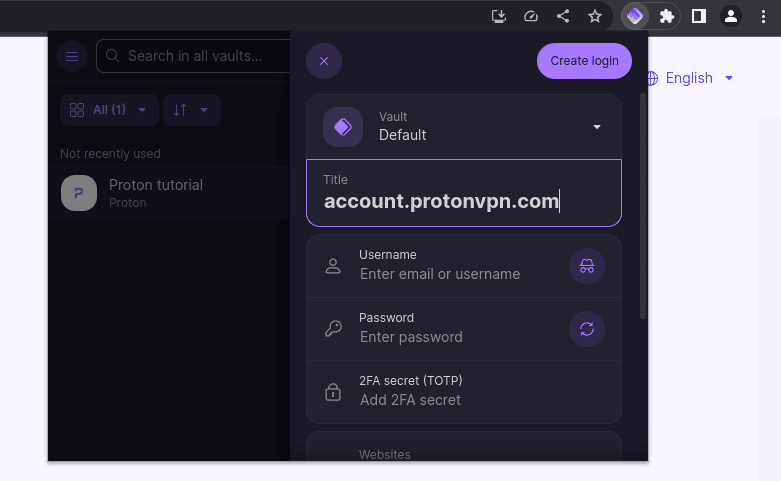
Proton Pass is a password manager that allows users to:
- securely store passwords and sensitive data;
- autofill login credentials in browsers;
- sync encrypted data across devices using Proton infrastructure;
- protect accounts with strong privacy and security standards.
Proton Pass is available on Windows, macOS, Linux, and major web browsers. Mobile support is provided through Proton apps.

Core Features
- Secure password and note storage
- End-to-end encryption with zero-knowledge architecture
- Password generator and autofill
- Built-in two-factor authentication support
- Email alias integration
- Cross-device synchronization
- Open-source components
✅ Pros of Proton Pass
🔐 Strong Privacy and Security Focus
- End-to-end encryption with zero-knowledge design
- Based on Proton trusted cryptographic standards
- Open-source code for transparency and audits
- No access to user data by the service provider
Proton Pass follows strict privacy principles.
📧 Unique Email Alias Integration
- Built-in email alias creation
- Helps reduce spam and phishing
- Useful for protecting real email addresses
This feature is tightly integrated with Proton Mail.
💸 Generous Free Plan
- Unlimited password storage
- Cross-device sync included for free
- Suitable for everyday personal use
Compared to many competitors, the free tier is very competitive.
🧩 Simple and Clean Interface
- Minimalistic and easy-to-use design
- Fast setup and onboarding
- Good experience for beginners
🌐 Part of the Proton Ecosystem
- Works seamlessly with Proton Mail and Proton VPN
- Single account for multiple privacy tools
- Strong appeal for existing Proton users
❌ Cons of Proton Pass
⚙️ Limited Advanced Features
- No self-hosting option
- Fewer customization settings for power users
- Lacks enterprise-grade admin tools
🌍 Ecosystem Lock-In
- Best experience requires Proton account
- Less appealing outside the Proton ecosystem
- Some features depend on Proton services
🧑💻 Younger Product
- Fewer integrations compared to established managers
- Feature set still evolving
- Smaller community and third-party support
🔔 Basic Security Monitoring
- Limited breach monitoring features
- No advanced password health analytics
- Fewer proactive security alerts

Who Proton Pass Is Best For
Recommended if you:
- care deeply about privacy and data protection;
- already use Proton Mail or Proton VPN;
- want a free and secure password manager;
- value open-source and transparency.
Not ideal if you:
- need advanced enterprise or team features;
- prefer self-hosted or offline-first solutions;
- want extensive customization and automation.
Password Manager Comparison Table 2026
|
Product Name |
Encryption & Zero-Knowledge |
Platform Support |
Key Security Features |
Best For |
|---|---|---|---|---|
|
Yes, strong AES-256 + unique secret key |
All major OS & browsers |
Zero-knowledge, MFA, passkeys, secure sharing |
Premium security & usability |
|
|
Yes, AES-256, open-source |
All major OS & browsers |
Self-hosting option, open audit |
Open-source transparency & budget |
|
|
Yes, AES-256, zero-knowledge |
All major OS & browsers |
VPN (paid), breach monitoring |
Security insights + privacy tools |
|
|
Yes, zero-knowledge |
All major OS & browsers |
Password health, email masking |
Best overall value & simplicity |
|
|
Yes, AES-256 + PBKDF2 |
All major OS & browsers |
Self-destruct, secure sharing |
Enterprise & business focus |
|
|
Yes, encrypted vault |
All major OS & browsers |
Advanced form-filling |
Excellent form automation |
|
|
AES-256 local encryption |
All major OS & browsers |
Local-first vault, optional cloud sync |
Local control, no subscription |
|
|
Yes, AES-256 GCM, open-source |
All major OS & browsers |
End-to-end encryption, CLI access |
Privacy-focused, free tier strong |
|
|
Yes, encrypted vault (mixed fields) |
All major OS & browsers |
Cross-platform sync, 2FA |
Easy access, large user base |
|
|
Yes, encrypted |
Web, apps |
Team sharing, access controls |
Business teams |
|
|
Yes, open-source |
Web & extensions |
Self-hosting, team roles |
Technical & DevOps teams |
|
|
Yes, E2E + hardware |
Web & mobile |
Hardware-first, FIDO2 |
Passwordless & simplicity |
|
|
Encrypted sync |
All major OS & browsers |
Integration with Dell ecosystem |
Enterprise users |
|
|
Encrypted |
Enterprise systems |
Active Directory integration |
Enterprise IT control |
|
|
Encrypted |
Enterprise systems |
User access & audit logs |
IT password governance |
|
|
Identity Anywhere (Avatier) |
Encrypted |
Enterprise systems |
Identity + SSO focus |
Large enterprise identity |
|
Encrypted |
Enterprise |
Identity & privileged access |
Identity security suites |
|
|
Encrypted |
All major OS & browsers |
Multiple form filling |
General personal use |
|
|
Encrypted |
Unix-like systems |
Local system vault |
Linux-centric local vault |
|
|
KeePass (via forks like KeePassXC) |
Encrypted local vault |
All major OS |
Portable, local, plugin ecosystem |
Offline control & enthusiasts |
|
Encrypted |
Teams & enterprise |
Team collaboration |
Secure team vault |
Final Verdict
Proton Pass is a privacy-first password manager that stands out through its strong encryption model, open-source approach, and unique email alias integration. While it currently lacks advanced features and enterprise capabilities, it is an excellent choice for users who prioritize privacy, simplicity, and seamless integration with the Proton ecosystem.