Last Updated on June 18, 2026 by DarkNet
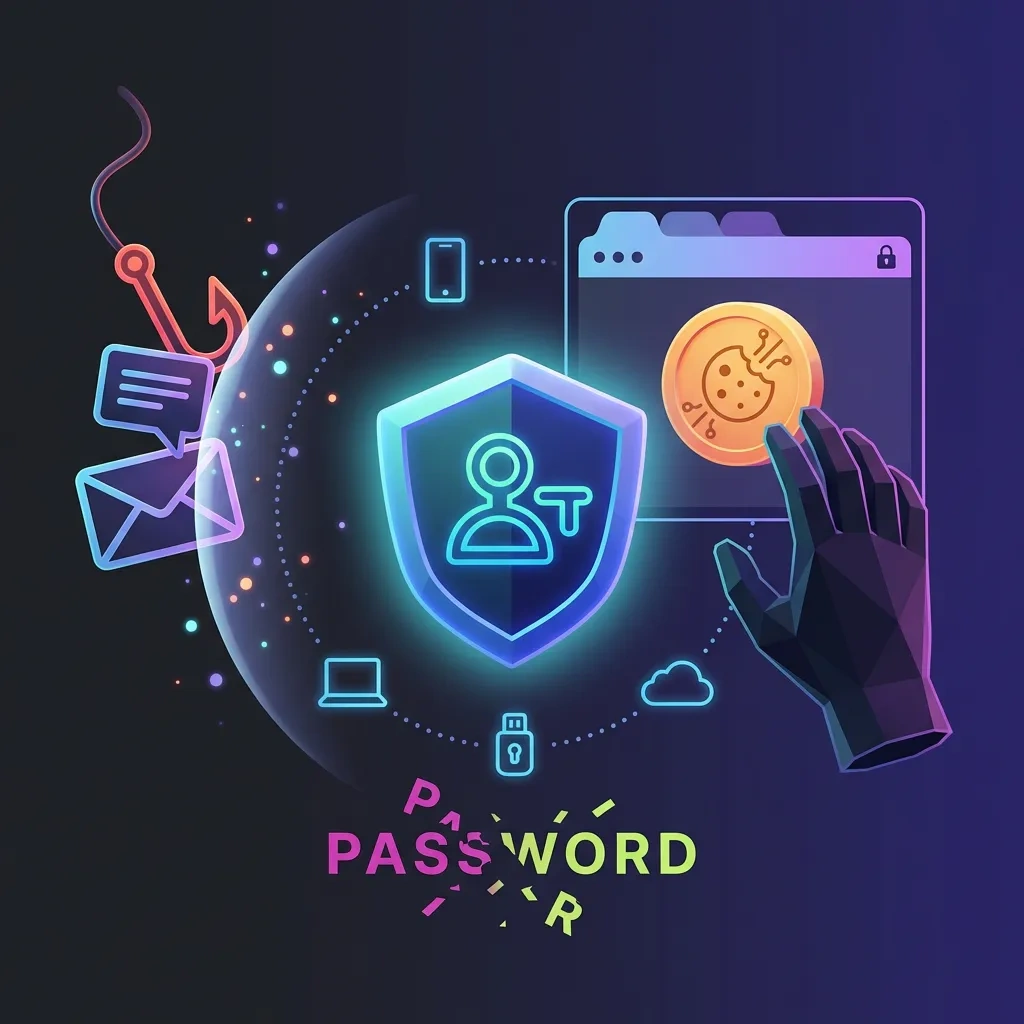
Passkeys crush credential phishing, but they don’t end account takeover. In 2026, attackers pivot to sessions, devices, recovery, and tokens. Here’s what that means—and how to defend.

What passkeys (FIDO2/WebAuthn) actually prevent—and what they don’t
Public-key auth basics: origin binding and why classic phishing breaks
Passkeys use public-key cryptography via FIDO2 and the WebAuthn API to authenticate without passwords. During registration, your authenticator (phone, security key, or platform module) creates a key pair and binds it to a specific site origin. At sign-in, it proves possession of the private key and checks the real origin. That origin binding defeats classic credential phishing because there’s no reusable secret to steal and counterfeit sites cannot claim the real origin.
Authoritative references: W3C WebAuthn, FIDO Alliance passkeys, and NIST SP 800‑63B discuss phishing-resistant authentication.
Where passkeys live: platform vs roaming authenticators and sync risk
Passkeys can live on:
- Platform authenticators: built into a device (e.g., Secure Enclave/TPM) and unlocked with biometrics or PIN.
- Roaming authenticators: external security keys you carry between devices.
- Synced passkeys: copies encrypted and synced via a vendor cloud to your signed-in devices, enabling cross-device use.
Synced passkeys improve usability and recovery, but they expand the trust boundary to the device, the user’s cloud account, and the sync ecosystem. Good design encrypts material at rest and in transit, but device compromise or weak account recovery can still expose accounts through downstream effects like hijacked sessions, not by exporting raw private keys.
Platform guidance: Apple platform security on passkeys, Google Identity passkeys, Microsoft passkeys.
Threat model boundaries: malware, recovery, and session tokens
“Phishing-resistant” means origin-bound cryptographic login blocks most credential theft and relay tricks. It does not mean “phishing-proof” or “malware-proof.” If a device is compromised, screen-unlocked, or if an attacker controls recovery channels or long-lived sessions, they can often access accounts without ever seeing a password.
| What passkeys mitigate | What remains |
|---|---|
| Credential phishing and password reuse | Session cookie theft and long-lived token abuse |
| Credential stuffing and replay attacks | Device compromise and screen-unlock misuse |
| Man-in-the-middle login pages (origin mismatch) | Account recovery abuse and helpdesk social engineering |
| SMS/OTP fatigue from login flows | OAuth consent abuse and malicious connected apps |
| Password database breaches exposing hashes | Legacy protocols, app passwords, and SSO session theft |
Why phishing still “works” in a passkey world: the human-in-the-loop problem
Social engineering for approval: coerced logins and “legit” prompts
Attackers increasingly ask targets to perform real logins on real devices and origins. The trick is the context: urgency traps, scare messages, and manufactured business workflows that push a user to approve something they don’t understand. Passkeys verify the website; they don’t verify intent.
Fake support and recovery lures that don’t ask for passwords
In 2026, many lures avoid passwords entirely. Attackers may pressure a victim to start “recovery,” change factors, or enroll a new device. They may pretend to “validate activity,” steering the user into actions that open doors without ever handing over a credential.
Brand impersonation that captures data other than credentials
Phishing pages still harvest high-value non-credential data: personal info, support ticket details, or one-time recovery tokens from other channels. None of that breaks passkeys directly, but it can grease the skids for recovery abuse or convincing helpdesk calls.
Account takeover shifts from credential theft to session and device theft

Session cookie/token theft: infostealers and browser profile grabs
Once logged in, browsers hold session cookies or tokens. If malware or a compromised profile copies them, an attacker may re-use the session from elsewhere until it’s revoked or expires. This is not a failure of WebAuthn; it’s a reminder that sessions need their own defenses.
Real-time session hijack vs credential replay: what changes with passkeys
Passkeys kill replay of static credentials. But real-time hijacking—piggybacking on a legitimate, ongoing session—remains possible when device or browser context is under attacker influence. Think of it as stealing the “ticket,” not forging the login.
Device compromise: screen unlock, cloud account access, and passkey sync
With screen unlock or device-level compromise, attackers can ride authenticated sessions, access synced data, and manipulate account settings. If passkeys sync through a cloud account, control of that cloud account can enable new devices to sign in legitimately—again without stealing private keys directly.
The weakest link becomes account recovery, helpdesks, and SIM/number reuse
Recovery channel downgrade: email inbox takeover as the master key
Your email inbox is still the backdoor to many accounts. If an attacker controls your inbox, they can often reset or add factors elsewhere. This is why “secure the inbox first” remains evergreen advice.
Call-center and helpdesk social engineering in consumer and enterprise
Support agents want to help real users. Attackers exploit that. Without strong verification, change controls, and delays, a convincing story can result in recovery resets, device enrollments, or removal of protective factors.
Phone numbers, SIM swaps, and “backup” factors that re-enable phishing
Phone numbers churn. Recycled numbers and SIM control create openings wherever SMS or voice remains a recovery or fallback factor. Even when passkeys are primary, unsecured “backup” paths can downgrade security.
Enterprise reality in 2026: mixed auth stacks, legacy apps, and SSO bypasses
Legacy protocols and app passwords: where passkeys don’t apply
POP/IMAP, SMTP, LDAP binds, and older protocols may not support WebAuthn. “App passwords” and basic auth carve-outs remain common and often become the new target. Each legacy exception is a policy hole to close.
SSO sprawl: IdP session theft and conditional access gaps
Modern organizations centralize auth through an IdP. That helps—until the IdP session becomes the single point of failure. Weak device posture checks, long session lifetimes, or broad exclusions can turn SSO into “single sign-on for the attacker.”
Bring-your-own-device and MDM blind spots
BYOD increases adoption but reduces control. Unmanaged browsers, side-loaded extensions, stale OS builds, and weak screen locks elevate session hijack risk. If your policies allow access without adequate device posture, expect drift from “phishing-resistant” to “session-vulnerable.”
Common ATO paths that bypass FIDO: OAuth consent, token abuse, and API keys
OAuth consent and malicious apps: stealing access without logging in
OAuth grants let third-party apps access data with user consent. Attackers aim to secure a legitimate grant to a malicious or compromised app, avoiding direct login altogether. The user sees a real consent screen; the impact is hidden in the scopes.
Refresh tokens, long-lived sessions, and “remember this device” abuse
Many platforms issue long-lived refresh tokens and persistent device sessions. If those tokens or device attestations are copied or abused, attackers can maintain access even after a victim rotates factors.
API keys/secrets leakage and CI/CD credential exposure
Developers hold the keys to production. Secrets in repos, logs, or build pipelines bypass end-user login entirely. When API tokens aren’t scoped or rotated, they become the favored route around FIDO2 enforcement.
How organizations can reduce ATO beyond passkeys (defense-in-depth checklist)
Harden sessions: token binding, short lifetimes, reauth for high-risk actions
- Shorten session and refresh token lifetimes; require periodic reauthentication with passkeys.
- Bind tokens to client context where possible (e.g., device-bound tokens, DPoP-style proof, strict SameSite and secure cookie settings).
- Enforce step-up auth for sensitive actions (factor changes, recovery enrollment, payouts, role changes).
- Disable “keep me signed in” for admin and finance roles; require reauth on privilege elevation.
- Rapidly revoke sessions and refresh tokens on risk events (new device, malware signals, impossible travel).
Secure recovery: step-up verification, delays, and recovery key options
- Make recovery a separate, high-friction flow with strong verification and out-of-band checks.
- Add cooling-off delays for factor resets; notify all prior factors and require explicit approval.
- Offer user-held recovery keys or codes with clear, one-time use and revocation paths.
- Kill SMS/voice fallback where feasible; if unavoidable, restrict to alerting, not authentication.
- Record immutable audit trails for recovery changes and review them regularly.
Telemetry and response: anomaly detection, device binding, and rapid revocation
- Correlate login, token, and device telemetry; detect session reuse from new contexts.
- Use conditional access: require healthy device posture and recent passkey auth for risky scenarios.
- Continuously monitor OAuth grants, admin consent, and service principals; auto-expire stale grants.
- Harden IdP: limit session duration, enforce device checks, and protect helpdesk with strict runbooks.
- Run recovery tabletop exercises and pre-wire emergency token revocation playbooks.
What users should do in 2026: secure devices, recovery hygiene, and monitoring
Lock down the device: OS updates, anti-malware, and secure screen locks
- Update OS and browsers promptly; enable built-in protections and reputable anti-malware.
- Use a strong screen lock and auto-lock timers; don’t leave unlocked devices unattended.
- Avoid untrusted extensions and sideloaded apps; review app permissions periodically.
Protect the inbox: email passkeys/2FA, recovery codes, and aliasing
- Secure your email with a passkey or strong 2FA; rotate old app passwords.
- Store recovery codes offline; remove phone-based recovery where possible.
- Use email aliases to isolate high-value accounts and reduce recovery blast radius.
Monitor for takeover: login alerts, connected apps audit, and session sign-outs
- Enable new-login and new-device alerts; act quickly on unexpected activity.
- Review connected apps and OAuth grants; remove anything you don’t recognize or need.
- Sign out from all sessions after device loss, malware cleanup, or suspicious events.
What to watch next: passkey portability, attestation, and emerging attacker tradecraft
Passkey sync ecosystems and cross-platform migration risks
Passkey portability is improving across ecosystems, but migrations introduce new trust boundaries. Expect better export/import transparency and clearer admin controls for enterprise environments.
Attestation, hardware-backed keys, and policy enforcement trends
Attestation can prove an authenticator is hardware-backed, which is valuable for high-assurance roles. Policies that require hardware quality and device health will gradually reduce reliance on fallbacks that weaken security.
Where ATO markets evolve: tokens, devices, and recovery services
As passwords fade, illicit economies shift to sessions, tokens, device access, and recovery abuses. Defenders should emphasize rapid session invalidation, strict recovery, and visibility over consented access.
FAQ
Are passkeys phishing-proof?
No. They are phishing-resistant because they bind to the real site origin and use public keys. That breaks classic credential phishing. But device compromise, session theft, and recovery abuse still enable account takeover if other controls are weak.
Can malware steal my passkeys?
Modern platforms protect private keys and require user verification. However, malware can hijack sessions, interact with unlocked devices, or abuse synced accounts. Focus on device hygiene, short sessions, and fast revocation.
What if I lose my device?
Use multiple authenticators (e.g., a phone and a hardware security key) and store recovery codes securely. If a device is lost, revoke its sessions, remove it from trusted devices, and rotate any long-lived tokens.
Do passkeys eliminate the need for 2FA?
Passkeys replace passwords and the need for OTPs during login. For recovery and high-risk actions, additional verification still helps. Avoid SMS as a primary factor; prefer strong, phishing-resistant methods.
How do enterprises handle legacy and SSO?
Phase out app passwords and legacy protocols, shorten IdP sessions, require device posture, and enforce step-up on sensitive workflows. Monitor OAuth grants and revoke stale or risky sessions quickly.
Are synced passkeys safe?
Leading platforms encrypt synced credentials and protect them with device unlock. Still, your cloud account and device security matter. Enable strong auth on the sync account and review recovery settings regularly.
Key takeaways
- Passkeys deliver phishing-resistant login, but they don’t secure sessions, devices, or recovery by themselves.
- In 2026, account takeover pivots to session hijacking, OAuth consent abuse, device compromise, and helpdesk/recovery gaps.
- Harden sessions with shorter lifetimes, context binding, and step-up for sensitive actions.
- Lock down recovery: eliminate weak fallbacks, add delays and notifications, and keep robust audit trails.
- Enterprises must close legacy carve-outs, shrink IdP session risk, and monitor OAuth/service principals.
- Users should secure devices and inboxes first, then audit connected apps and active sessions.
- Expect attacker focus on tokens and recovery; invest in fast revocation and clear incident playbooks.